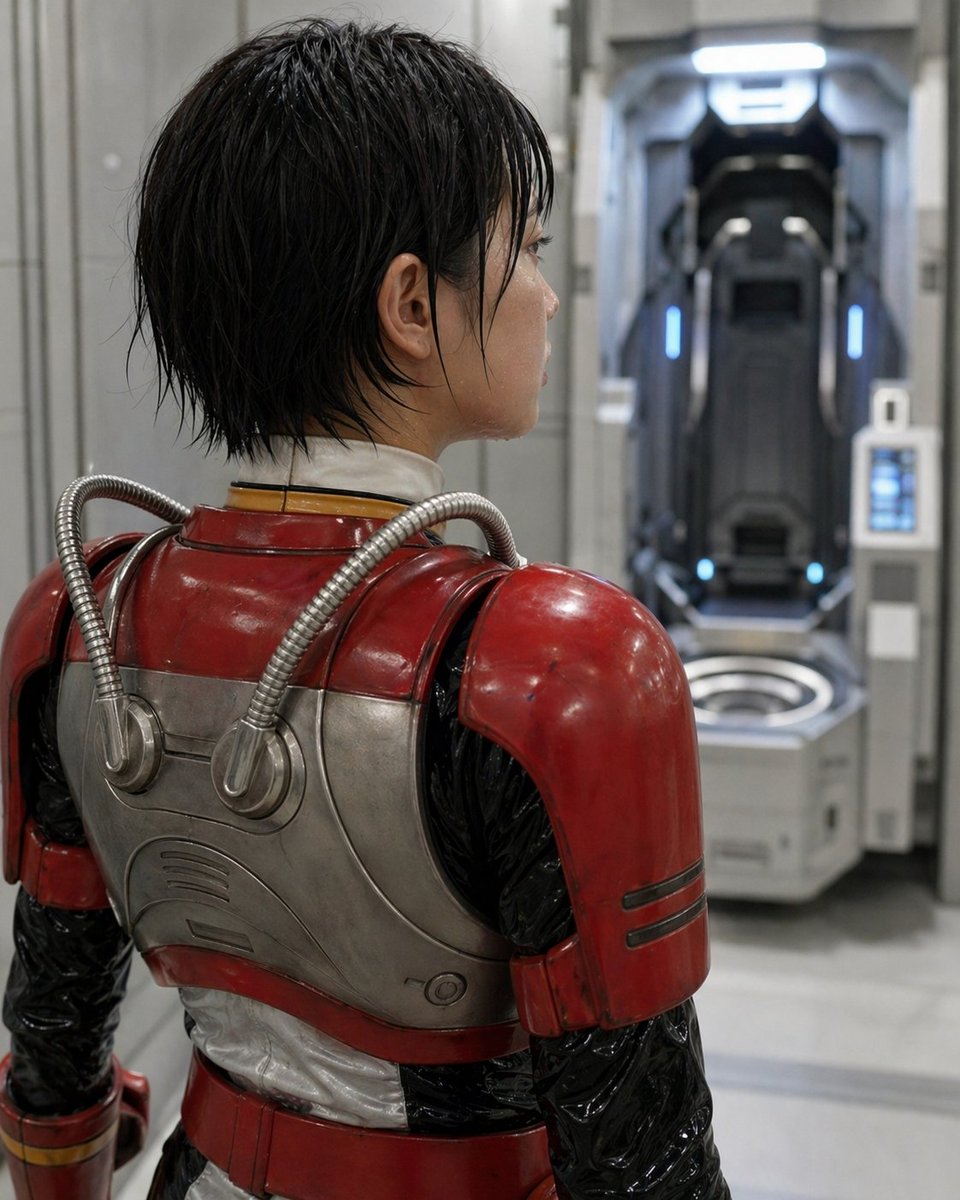
Vista posteriore dell'armatura fantascientifica in stile retrò
Questo prompt genera un ritratto fotorealistico di un personaggio di fantascienza visto di spalle, ambientato in un laboratorio futuristico, utile per concept art cinematografici o immagini generate dall'IA in stile live-action.
Questo è un esempio di prompt GPT Image 2 per Ritratto e personaggio . Utilizza il prompt pronto per la copia qui sotto per generare immagini simili e verifica l'attribuzione Awesome GPT Image 2 Prompts e i diritti di utilizzo commerciale prima del riutilizzo.
Hai bisogno del set completo di prompt? Usa il Ritratto e personaggio hub tematico per ulteriori esempi correlati oppure apri il GPT Image 2 catalogo rapido per l'indice completo degli esempi, le strutture riutilizzabili e l'attribuzione delle fonti.
Free 1K preview
Generate one preview image instantly, no sign-up required.
1504/4000
Richiesta
prompt pronto per la copia
A cinematic sci-fi portrait of a person seen from behind in a sterile futuristic laboratory corridor, medium close-up framing from the upper thighs to the head, with the subject turned slightly to the right and looking toward an open vertical pod chamber in the background. The subject has short, wet-looking black hair with messy layered strands and wears a retro-futuristic armored suit: glossy worn red shoulder plates and upper armor, brushed silver metal back plating with rounded panel lines, two flexible ribbed metallic tubes running from the upper back into circular ports, a black shiny undersuit on the arms and sides, a white padded neck seal, and a red waist section with subtle gold trim at the wrist. The armor should feel practical and used, with light scuffs, scratches, and realistic reflections. Place a rectangular privacy blur over the visible side of the face, centered on the head profile. In the background, slightly out of focus, show 1 futuristic standing capsule or medical stasis pod recessed into the wall, dark interior with cool blue vertical accent lights and a bright white overhead light, plus a small control panel mounted on the right side of the pod. The environment is clean and industrial, with pale gray walls, smooth floor, soft diffused lighting, shallow depth of field, photorealistic textures, realistic metallic materials, subdued cool tones in the room contrasted by the deep red armor, high detail, serious atmosphere, live-action science fiction aesthetic.
Best for
- - Ritratto e personaggio visual exploration
- - Image generation and reference-image edits
- - Reusable briefs that keep source attribution visible
Change these parts
- - Subject, product, character, or scene
- - Aspect ratio, camera, lighting, and background
- - Brand, text, color, and output constraints
Recommended model and settings
- - Model: gpt-image-2
- - Input mode: Testo in immagine
- - Aspect ratio: source
- - Commercial status: review original source
How to use this prompt
- 1. Copy the prompt and preserve its structure for the first test.
- 2. Replace the subject, context, and publishing channel.
- 3. Change one camera, lighting, or style variable per iteration.
- 4. Inspect the output, source, text, and rights before reuse.
Limitations, source, and reuse cautions
- - Generated output is an editable draft, not factual, legal, or rights evidence.
- - Review the linked source, people, brands, logos, text, and third-party media before commercial use.
Importato da Awesome GPT Image 2 Prompts . È richiesta l'attribuzione. Lo stato di utilizzo commerciale è allowed ; verificare i diritti della fonte prima dell'utilizzo a pagamento.
Altri casi in questa categoria
Prioritizzazione in base a categoria, compatibilità della modalità di input, qualità e minor rischio.

Female Clown Cyborg Portrait
Testo in immagine

Greyscale Puzzle Portrait with Color Accent
Testo in immagine

Glitch Aesthetic Surreal Portrait
Testo in immagine

Asymmetrical Realistic Human Face
Testo in immagine

Natural Face Realism Modifier
Testo in immagine

Martial Arts Legend Character Bible Sheet
Testo in immagine
Note sul riutilizzo e sulla fonte
Utilizza questo prompt in tutta sicurezza dopo aver visualizzato in anteprima il caso.
- 1.Copia il prompt oppure aprilo direttamente in Dovoo tramite il pulsante di generazione.
- 2.Regola le variabili, le proporzioni e le immagini di riferimento in base alle tue esigenze.
- 3.Prima della pubblicazione o dell'utilizzo a pagamento, verificare i diritti di fonte, i requisiti di attribuzione e i rischi relativi al marchio o all'immagine.