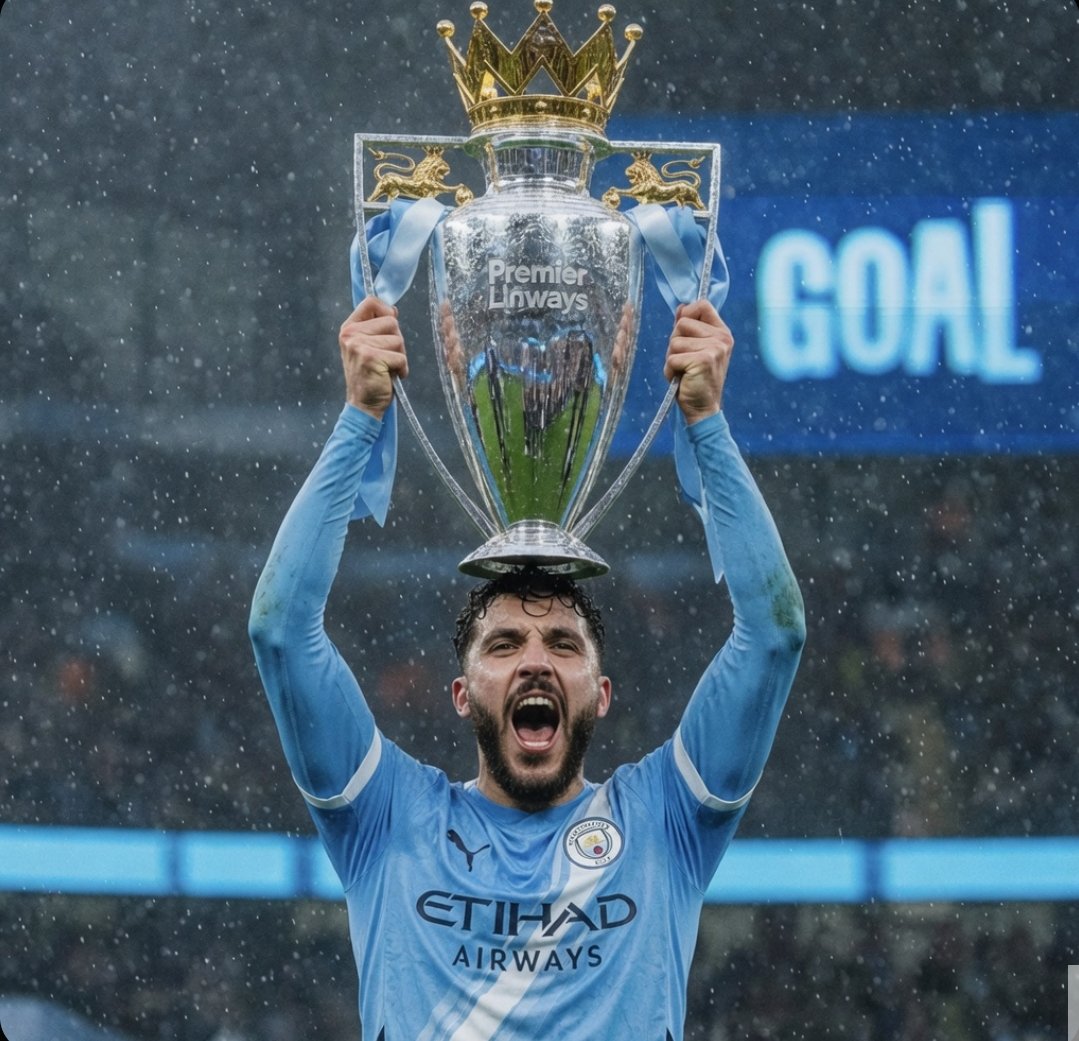
Festeggiamenti sotto la pioggia per la conquista del trofeo della Premier League.
Questo strumento genera un'immagine fotorealistica di un giocatore che solleva il trofeo della Premier League sotto una pioggia battente, ideale per poster sportivi, grafiche per i social media e immagini di celebrazione della partita in stile editoriale.
Questo è un esempio di prompt GPT Image 2 per Ritratto e personaggio . Utilizza il prompt pronto per la copia qui sotto per generare immagini simili e verifica l'attribuzione Awesome GPT Image 2 Prompts e i diritti di utilizzo commerciale prima del riutilizzo.
Free 1K preview
Generate one preview image instantly, no sign-up required.
Richiesta
prompt pronto per la copia
A dramatic sports photograph of a {argument name="football player" default="sky blue"} in a {argument name="team jersey color" default="Manchester City player"} kit standing center frame in a rainy stadium, lifting the English Premier League trophy high above his head with both hands. The large silver trophy has a gold crown on top, 2 pale blue ribbons hanging from the handles, and the visible engraved text "Premier League" on the front. The player wears a modern football jersey with dark sponsor text reading "ETIHAD AIRWAYS" and a small chest crest, with arms fully extended upward in a triumphant victory pose. Compose it as a tight vertical crop from mid-torso upward, with the trophy dominating the upper center and partially covering the player's head. Add heavy falling rain, wet reflective metal, moody overcast lighting, shallow depth of field, and a blurred stadium crowd in the background. On the right side of the background, include a bright blue electronic screen with the large glowing word {argument name="scoreboard text" default="GOAL"}. Photorealistic editorial sports photography, high detail, natural stadium colors, celebration moment, slightly telephoto look, crisp focus on the trophy and upper body.Variabili di richiesta
Segnaposto per gli argomenti modificabili presenti nel prompt, con i relativi valori predefiniti.
Best for
- - Ritratto e personaggio visual exploration
- - Image generation and reference-image edits
- - Reusable briefs that keep source attribution visible
Change these parts
- - Subject, product, character, or scene
- - Aspect ratio, camera, lighting, and background
- - Brand, text, color, and output constraints
Recommended model and settings
- - Model: gpt-image-2
- - Input mode: Testo in immagine
- - Aspect ratio: source
- - Commercial status: review original source
How to use this prompt
- 1. Copy the prompt and preserve its structure for the first test.
- 2. Replace the subject, context, and publishing channel.
- 3. Change one camera, lighting, or style variable per iteration.
- 4. Inspect the output, source, text, and rights before reuse.
Limitations, source, and reuse cautions
- - Generated output is an editable draft, not factual, legal, or rights evidence.
- - Review the linked source, people, brands, logos, text, and third-party media before commercial use.
Altri casi in questa categoria
Prioritizzazione in base a categoria, compatibilità della modalità di input, qualità e minor rischio.






Note sul riutilizzo e sulla fonte
Utilizza questo prompt in tutta sicurezza dopo aver visualizzato in anteprima il caso.
- 1.Copia il prompt oppure aprilo direttamente in Dovoo tramite il pulsante di generazione.
- 2.Regola le variabili, le proporzioni e le immagini di riferimento in base alle tue esigenze.
- 3.Prima della pubblicazione o dell'utilizzo a pagamento, verificare i diritti di fonte, i requisiti di attribuzione e i rischi relativi al marchio o all'immagine.