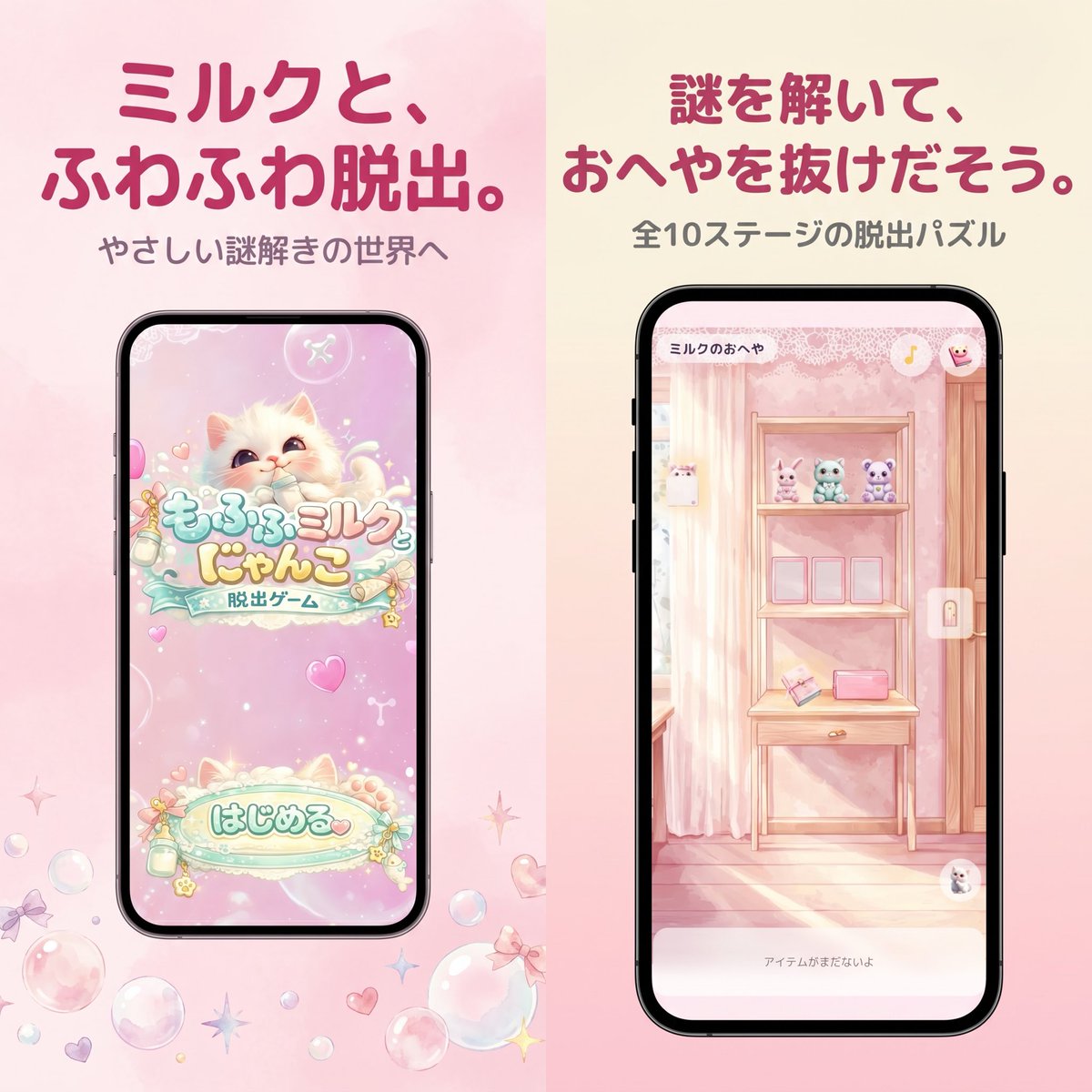
Screenshot del negozio di giochi per dispositivi mobili giapponesi dai colori pastello
Un'immagine promozionale in stile kawaii, delicata e adatta all'App Store, per un gioco di fuga giapponese dai toni pastello, utile per la grafica di marketing dei giochi per dispositivi mobili e per gli screenshot degli store.
Questo è un esempio di prompt GPT Image 2 per Prodotto e commerciale . Utilizza il prompt pronto per la copia qui sotto per generare immagini simili e verifica l'attribuzione Awesome GPT Image 2 Prompts e i diritti di utilizzo commerciale prima del riutilizzo.
Free 1K preview
Generate one preview image instantly, no sign-up required.
Richiesta
prompt pronto per la copia
A polished Japanese mobile game promotional graphic in a soft pastel kawaii style, formatted as a square split-screen advertisement with 2 vertical panels side by side. The left half has a pale blush pink watercolor background, and the right half has a warm cream-to-pink gradient background. At the top of the left panel, place a large bold rounded Japanese headline in dark rose pink reading {argument name="left headline text" default="ミルクと、ふわふわ脱出。"}, with a smaller gray subtitle below reading {argument name="left subtitle text" default="やさしい謎解きの世界へ"}. Centered below is a black-framed modern smartphone mockup showing the title screen of a cute pastel escape game: a fluffy cream-colored kitten with big watery eyes on a sparkly pink background, decorative bubbles and hearts, a logo in Japanese reading もふもふミルク にゃんこ with a smaller ribbon-like subtitle 脱出ゲーム, and a large rounded start button near the bottom reading はじめる. Around the phone on the pink background, scatter translucent soap bubbles, tiny bows, hearts, and star-shaped sparkles near the lower area. In the right panel, place a large bold rounded Japanese headline in dark rose pink reading {argument name="right headline text" default="謎を解いて、おへやを抜けだそう。"}, with a smaller gray subtitle below reading {argument name="right subtitle text" default="全10ステージの脱出パズル"}. Centered below is a second black-framed smartphone mockup showing in-game play: a dreamy pastel pink room with striped wallpaper, a wooden shelf unit or vanity table, 3 small plush animals lined up on the top shelf, 3 empty square frames or slots on the middle shelf, and 2 small objects on the lower shelf including a pink rectangular item and an angled card-like object. Add a tiny top-left room title inside the phone UI reading ミルクのおへや, a small circular icon at top right, a vertical lock icon on the right edge, and a pale bottom text bar reading アイテムがまだないよ. The entire composition should feel like an App Store screenshot for a gentle puzzle game, with soft lighting, pastel pinks and creams, rounded typography, clean spacing, and a cute feminine aesthetic.Variabili di richiesta
Segnaposto per gli argomenti modificabili presenti nel prompt, con i relativi valori predefiniti.
Best for
- - Prodotto e commerciale visual exploration
- - Image generation and reference-image edits
- - Reusable briefs that keep source attribution visible
Change these parts
- - Subject, product, character, or scene
- - Aspect ratio, camera, lighting, and background
- - Brand, text, color, and output constraints
Recommended model and settings
- - Model: gpt-image-2
- - Input mode: Testo in immagine
- - Aspect ratio: source
- - Commercial status: review original source
How to use this prompt
- 1. Copy the prompt and preserve its structure for the first test.
- 2. Replace the subject, context, and publishing channel.
- 3. Change one camera, lighting, or style variable per iteration.
- 4. Inspect the output, source, text, and rights before reuse.
Limitations, source, and reuse cautions
- - Generated output is an editable draft, not factual, legal, or rights evidence.
- - Review the linked source, people, brands, logos, text, and third-party media before commercial use.
Altri casi in questa categoria
Prioritizzazione in base a categoria, compatibilità della modalità di input, qualità e minor rischio.






Note sul riutilizzo e sulla fonte
Utilizza questo prompt in tutta sicurezza dopo aver visualizzato in anteprima il caso.
- 1.Copia il prompt oppure aprilo direttamente in Dovoo tramite il pulsante di generazione.
- 2.Regola le variabili, le proporzioni e le immagini di riferimento in base alle tue esigenze.
- 3.Prima della pubblicazione o dell'utilizzo a pagamento, verificare i diritti di fonte, i requisiti di attribuzione e i rischi relativi al marchio o all'immagine.