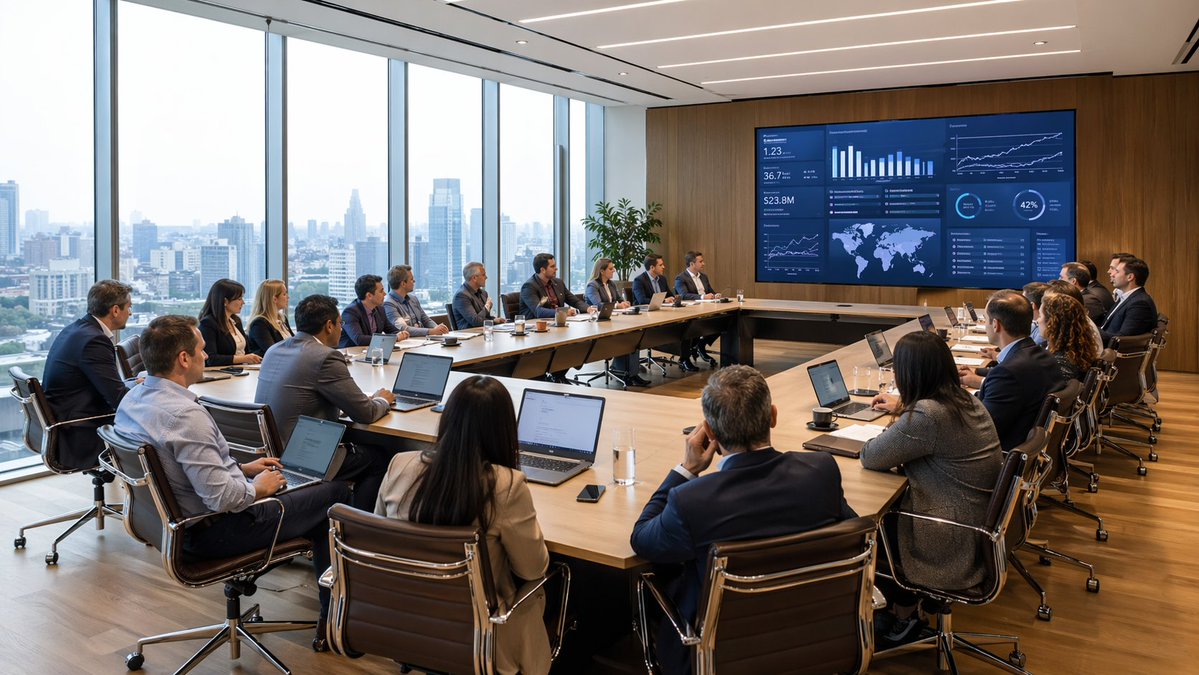
Riunione moderna di analisi dati in sala riunioni
Una scena fotorealistica di una riunione in una sala riunioni direzionale con un ampio team intento ad analizzare una dashboard di dati, ideale per visualizzazioni in ambito aziendale, di consulenza, finanza e strategia aziendale.
Questo è un esempio di prompt GPT Image 2 per Interni e architettura . Utilizza il prompt pronto per la copia qui sotto per generare immagini simili e verifica l'attribuzione Awesome GPT Image 2 Prompts e i diritti di utilizzo commerciale prima del riutilizzo.
Free 1K preview
Generate one preview image instantly, no sign-up required.
Richiesta
prompt pronto per la copia
A wide-angle photorealistic corporate boardroom scene during a high-level business meeting, viewed from the back corner of the room. Around {argument name="number of attendees" default="18"} professionals in business attire sit around a large U-shaped light wood conference table, most with open laptops, notebooks, coffee cups, glasses of water, and smartphones in front of them. The group includes men and women of varied ethnicities, all focused toward a huge wall-mounted digital presentation screen on a warm wood-paneled wall. The screen shows a dark blue analytics dashboard with multiple charts and data panels, including bar charts, line graphs, KPI tiles, a world map, percentage circles, and trend visuals, suggesting finance, operations, or executive reporting. A presenter sits near the center-right side facing the screen, while the rest of the team watches attentively in a formal strategy session. The office is a modern executive meeting room with floor-to-ceiling windows along the entire left side, revealing a hazy urban skyline of high-rise buildings in daylight. Include sleek black leather office chairs with chrome frames, a polished wood floor, recessed linear ceiling lights, and a tall green potted plant near the display wall. Natural daylight fills the room, balanced with clean architectural interior lighting. Emphasize realism, professional atmosphere, sharp detail, subtle reflections, believable skin tones, and premium corporate interior design. Shot in a cinematic architectural photography style, ultra-detailed, high resolution, wide composition.Variabili di richiesta
Segnaposto per gli argomenti modificabili presenti nel prompt, con i relativi valori predefiniti.
Best for
- - Interni e architettura visual exploration
- - Image generation and reference-image edits
- - Reusable briefs that keep source attribution visible
Change these parts
- - Subject, product, character, or scene
- - Aspect ratio, camera, lighting, and background
- - Brand, text, color, and output constraints
Recommended model and settings
- - Model: gpt-image-2
- - Input mode: Testo in immagine
- - Aspect ratio: source
- - Commercial status: review original source
How to use this prompt
- 1. Copy the prompt and preserve its structure for the first test.
- 2. Replace the subject, context, and publishing channel.
- 3. Change one camera, lighting, or style variable per iteration.
- 4. Inspect the output, source, text, and rights before reuse.
Limitations, source, and reuse cautions
- - Generated output is an editable draft, not factual, legal, or rights evidence.
- - Review the linked source, people, brands, logos, text, and third-party media before commercial use.
Altri casi in questa categoria
Prioritizzazione in base a categoria, compatibilità della modalità di input, qualità e minor rischio.






Note sul riutilizzo e sulla fonte
Utilizza questo prompt in tutta sicurezza dopo aver visualizzato in anteprima il caso.
- 1.Copia il prompt oppure aprilo direttamente in Dovoo tramite il pulsante di generazione.
- 2.Regola le variabili, le proporzioni e le immagini di riferimento in base alle tue esigenze.
- 3.Prima della pubblicazione o dell'utilizzo a pagamento, verificare i diritti di fonte, i requisiti di attribuzione e i rischi relativi al marchio o all'immagine.