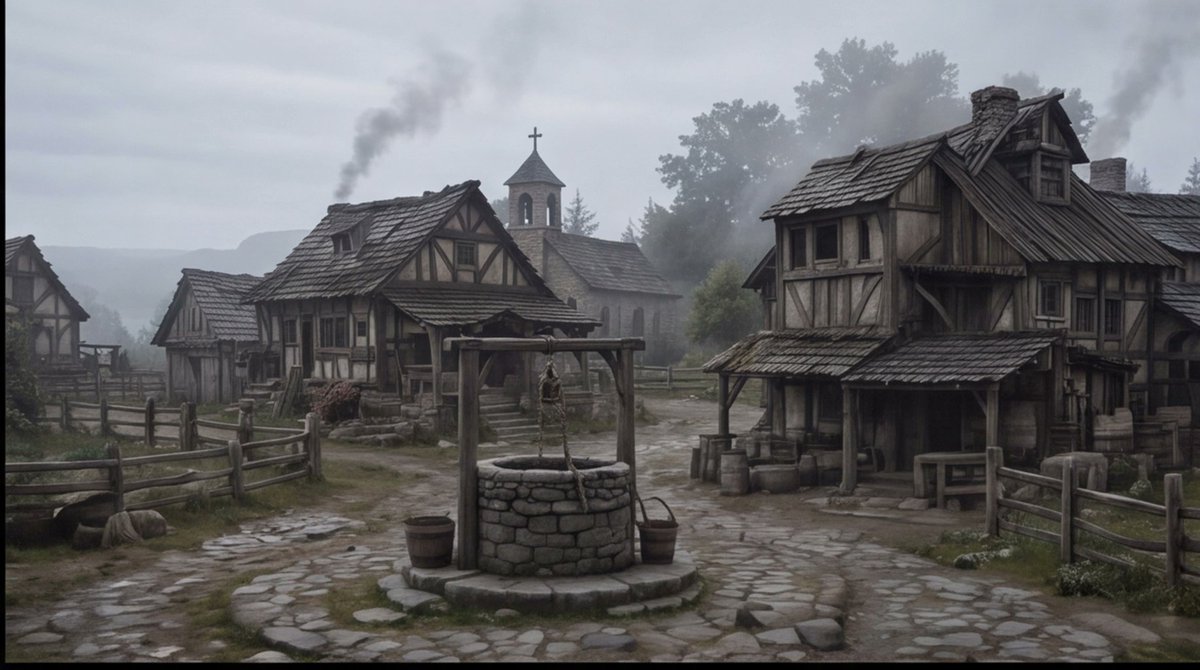
Inquadratura d'insieme di un villaggio medievale avvolto nella nebbia.
Genera una piazza di un villaggio medievale dark fantasy dall'atmosfera cinematografica, adatta per storyboard, concept art o elementi visivi di ambientazione.
Questo è un esempio di prompt GPT Image 2 per Paesaggio e natura . Utilizza il prompt pronto per la copia qui sotto per generare immagini simili e verifica l'attribuzione Awesome GPT Image 2 Prompts e i diritti di utilizzo commerciale prima del riutilizzo.
Hai bisogno del set completo di prompt? Usa il Paesaggio e natura hub tematico per ulteriori esempi correlati oppure apri il GPT Image 2 catalogo rapido per l'indice completo degli esempi, le strutture riutilizzabili e l'attribuzione delle fonti.
Free 1K preview
Generate one preview image instantly, no sign-up required.
1396/4000
Richiesta
prompt pronto per la copia
Create a cinematic wide establishing shot of a quiet {argument name="setting" default="medieval European village square"} on a cold misty morning, rendered in realistic dark fantasy style. The scene centers on a circular stone well with a wooden frame, hanging rope, bucket, and small barrels beside it, placed on an uneven cobblestone path that forks between rustic half-timbered houses. Show at least four visible timber-and-plaster buildings: a large weathered two-story house on the right with a sagging shingled roof, porch, barrels, crates, and a small table; two smaller cottages on the left and midground with fenced yards; and a stone church in the background with a bell tower and cross. Add wooden split-rail fences, muddy grass patches, scattered stones, worn steps, smoke rising from chimneys, and distant tree silhouettes fading into fog. Use a muted palette of gray, brown, moss green, and charcoal, with overcast sky, damp ground, soft diffuse light, low contrast, subtle haze, and a slightly desaturated film look. No people are visible, making the village feel abandoned or early before dawn. Compose as a wide 16:9 storyboard frame with the well in the lower center foreground, buildings framing both sides, the church tower near the central background, and atmospheric depth created by mist and smoke. Overall mood: {argument name="mood" default="somber, quiet, and ominous"}.Variabili di richiesta
Segnaposto per gli argomenti modificabili presenti nel prompt, con i relativi valori predefiniti.
Variabile
setting
Predefinito
medieval European village square
Variabile
mood
Predefinito
somber, quiet, and ominous
Best for
- - Paesaggio e natura visual exploration
- - Image generation and reference-image edits
- - Reusable briefs that keep source attribution visible
Change these parts
- - Subject, product, character, or scene
- - Aspect ratio, camera, lighting, and background
- - Brand, text, color, and output constraints
Recommended model and settings
- - Model: gpt-image-2
- - Input mode: Testo in immagine
- - Aspect ratio: source
- - Commercial status: review original source
How to use this prompt
- 1. Copy the prompt and preserve its structure for the first test.
- 2. Replace the subject, context, and publishing channel.
- 3. Change one camera, lighting, or style variable per iteration.
- 4. Inspect the output, source, text, and rights before reuse.
Limitations, source, and reuse cautions
- - Generated output is an editable draft, not factual, legal, or rights evidence.
- - Review the linked source, people, brands, logos, text, and third-party media before commercial use.
Importato da Awesome GPT Image 2 Prompts . È richiesta l'attribuzione. Lo stato di utilizzo commerciale è allowed ; verificare i diritti della fonte prima dell'utilizzo a pagamento.
Altri casi in questa categoria
Prioritizzazione in base a categoria, compatibilità della modalità di input, qualità e minor rischio.

MotoGP POV Cornering Shot
Testo in immagine

Cinematic Blue Backlit Portrait
Testo in immagine

Luxury Travel Fashion Portrait Prompt
Testo in immagine

Hell Hound Character Sheet Infographic
Testo in immagine

GPT Image 2 Prompt: Garden Dappled Light
Testo in immagine

GPT Image 2 Real-Life Character Street Snap
Testo in immagine
Note sul riutilizzo e sulla fonte
Utilizza questo prompt in tutta sicurezza dopo aver visualizzato in anteprima il caso.
- 1.Copia il prompt oppure aprilo direttamente in Dovoo tramite il pulsante di generazione.
- 2.Regola le variabili, le proporzioni e le immagini di riferimento in base alle tue esigenze.
- 3.Prima della pubblicazione o dell'utilizzo a pagamento, verificare i diritti di fonte, i requisiti di attribuzione e i rischi relativi al marchio o all'immagine.