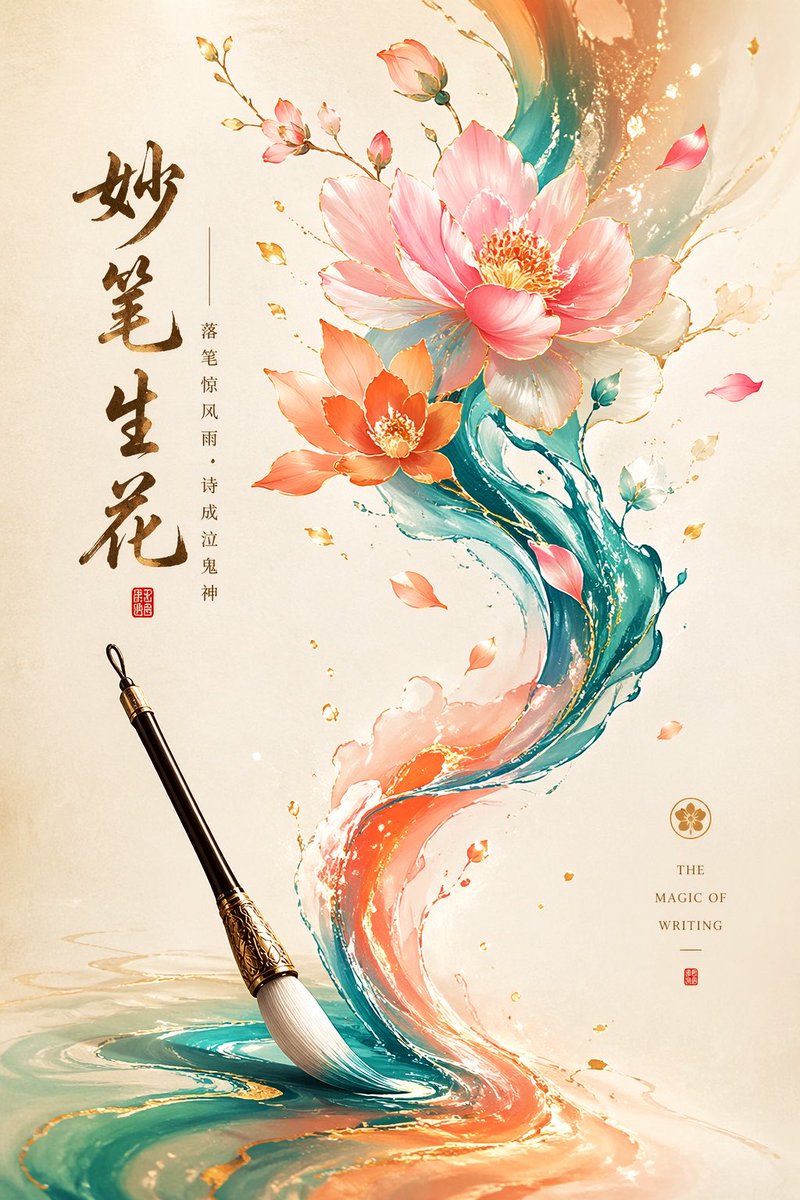
Illustrazione commerciale minimalista in stile orientale
Un'ampia guida per la creazione di illustrazioni minimaliste di alta qualità, che fondono l'estetica orientale tradizionale con il design commerciale moderno.
Questo è un esempio di prompt GPT Image 2 per Illustrazione e arte . Utilizza il prompt pronto per la copia qui sotto per generare immagini simili e verifica l'attribuzione Awesome GPT Image 2 Prompts e i diritti di utilizzo commerciale prima del riutilizzo.
Hai bisogno del set completo di prompt? Usa il Illustrazione e arte hub tematico per ulteriori esempi correlati oppure apri il GPT Image 2 catalogo rapido per l'indice completo degli esempi, le strutture riutilizzabili e l'attribuzione delle fonti.
Free 1K preview
Generate one preview image instantly, no sign-up required.
1159/4000
Richiesta
prompt pronto per la copia
Minimalist Oriental aesthetics × commercial illustration style, theme '{argument name="theme" default="Wonders of the Brush"}', vertical composition, S-shaped flowing visual dynamic, simple yet design-focused screen. The background is {argument name="background color" default="light beige"} rice paper texture with soft gradients. A brush serves as the starting point, the strokes extending into flowing colored ink, which gradually transforms into blooming flowers in the air; flowers are elegant and moderately realistic. Harmonious and rich color system: {argument name="color scheme" default="green-blue + pink + light orange + gold leaf"} accents, soft and transparent colors without over-saturation. Subtle particle light effects and a sense of flow are added, with fine gold lines outlining details. Overall style: high-end commercial illustration, blending Oriental mood with modern design. Clean screen with a sense of breathing, clear visual center, suitable for posters or brand KV. High-precision details, soft lighting, delicate texture, elegant style, cinematic visual quality, trendy style, digital art texture, modern graphic design elements.Variabili di richiesta
Segnaposto per gli argomenti modificabili presenti nel prompt, con i relativi valori predefiniti.
Variabile
theme
Predefinito
Wonders of the Brush
Variabile
background color
Predefinito
light beige
Variabile
color scheme
Predefinito
green-blue + pink + light orange + gold leaf
Best for
- - Illustrazione e arte visual exploration
- - Image generation and reference-image edits
- - Reusable briefs that keep source attribution visible
Change these parts
- - Subject, product, character, or scene
- - Aspect ratio, camera, lighting, and background
- - Brand, text, color, and output constraints
Recommended model and settings
- - Model: gpt-image-2
- - Input mode: Testo in immagine
- - Aspect ratio: source
- - Commercial status: review original source
How to use this prompt
- 1. Copy the prompt and preserve its structure for the first test.
- 2. Replace the subject, context, and publishing channel.
- 3. Change one camera, lighting, or style variable per iteration.
- 4. Inspect the output, source, text, and rights before reuse.
Limitations, source, and reuse cautions
- - Generated output is an editable draft, not factual, legal, or rights evidence.
- - Review the linked source, people, brands, logos, text, and third-party media before commercial use.
Importato da Awesome GPT Image 2 Prompts . È richiesta l'attribuzione. Lo stato di utilizzo commerciale è allowed ; verificare i diritti della fonte prima dell'utilizzo a pagamento.
Altri casi in questa categoria
Prioritizzazione in base a categoria, compatibilità della modalità di input, qualità e minor rischio.

Grumpy Rhino Storybook Illustration
Testo in immagine

Surreal 3D Chess Match Artwork
Testo in immagine

Martial Arts Legend Character Bible Sheet
Testo in immagine

Transparent Earbuds on Stone Pedestal
Testo in immagine

Fashion Studio Portrait with Blue Rim Lighting
Testo in immagine

Spring Editorial Fashion Collage
Testo in immagine
Note sul riutilizzo e sulla fonte
Utilizza questo prompt in tutta sicurezza dopo aver visualizzato in anteprima il caso.
- 1.Copia il prompt oppure aprilo direttamente in Dovoo tramite il pulsante di generazione.
- 2.Regola le variabili, le proporzioni e le immagini di riferimento in base alle tue esigenze.
- 3.Prima della pubblicazione o dell'utilizzo a pagamento, verificare i diritti di fonte, i requisiti di attribuzione e i rischi relativi al marchio o all'immagine.