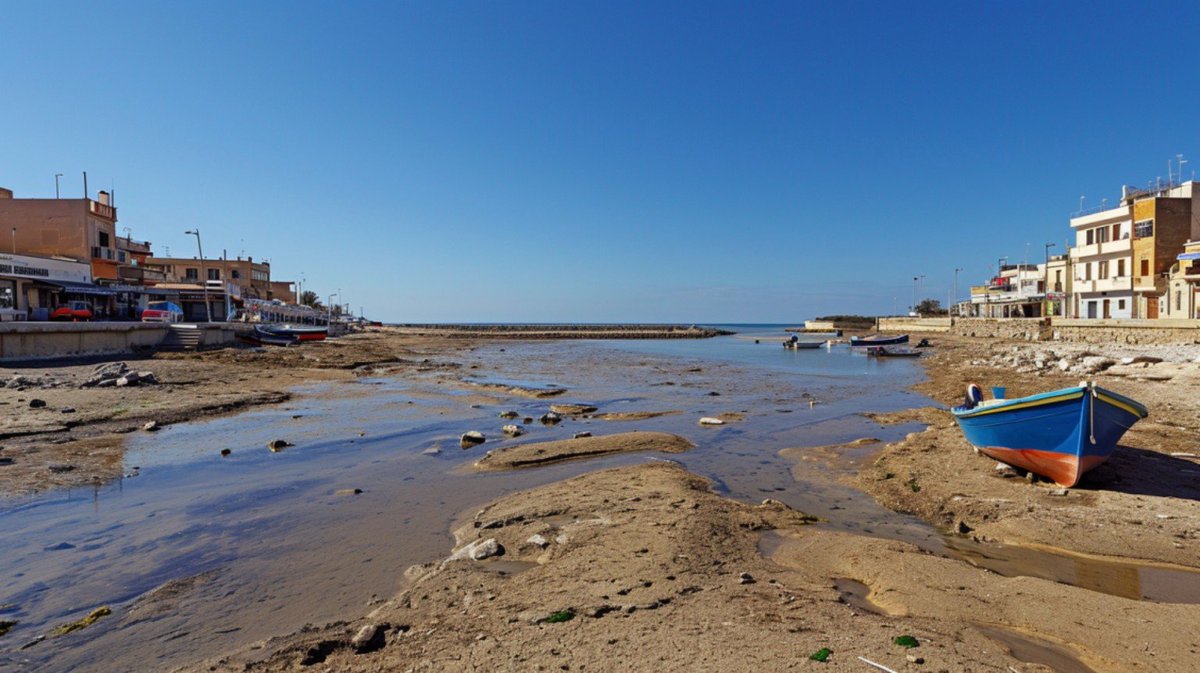
Mediterranean Low Tide Harbor
A realistic wide-angle travel photograph prompt for generating a quiet Mediterranean fishing harbor at low tide with boats, buildings, and bright midday light.
Questo è un esempio di prompt GPT Image 2 per Paesaggio e natura . Utilizza il prompt pronto per la copia qui sotto per generare immagini simili e verifica l'attribuzione Awesome GPT Image 2 Prompts e i diritti di utilizzo commerciale prima del riutilizzo.
Hai bisogno del set completo di prompt? Usa il Paesaggio e natura hub tematico per ulteriori esempi correlati oppure apri il GPT Image 2 catalogo rapido per l'indice completo degli esempi, le strutture riutilizzabili e l'attribuzione delle fonti.
Free 1K preview
Generate one preview image instantly, no sign-up required.
1308/4000
Richiesta
prompt pronto per la copia
Create an ultra-realistic wide-angle documentary landscape photograph of a quiet Mediterranean fishing village inlet at low tide under a clear deep blue sky. The scene is shot from ground level on a muddy, sandy tidal flat with shallow reflective water channels winding toward the sea in the center distance. On the right foreground, place one prominent small wooden fishing boat beached on the sand, painted {argument name="boat color" default="bright blue with a red-orange lower hull and yellow trim"}, casting a dark shadow. In the midground, include exactly three additional small boats floating or resting in the shallow harbor: one red-and-blue boat near the left quay, one small dark boat near the center-right water, and one blue-and-white boat farther right. Low-rise coastal buildings line both sides of the inlet: older tan and beige shopfronts and apartments on the left quay, white and cream apartment blocks on the right seawall, with sparse streetlights, railings, parked cars, and a stone embankment. The horizon opens to a calm blue sea beyond a low breakwater. Lighting should be harsh bright midday sun with crisp shadows, natural colors, candid travel-photography realism, slight lens softness and minor imperfections, 16:9 aspect ratio, no people visible, no text overlay, no watermark.Variabili di richiesta
Segnaposto per gli argomenti modificabili presenti nel prompt, con i relativi valori predefiniti.
Variabile
boat color
Predefinito
bright blue with a red-orange lower hull and yellow trim
Best for
- - Paesaggio e natura visual exploration
- - Image generation and reference-image edits
- - Reusable briefs that keep source attribution visible
Change these parts
- - Subject, product, character, or scene
- - Aspect ratio, camera, lighting, and background
- - Brand, text, color, and output constraints
Recommended model and settings
- - Model: gpt-image-2
- - Input mode: Testo in immagine
- - Aspect ratio: source
- - Commercial status: review original source
How to use this prompt
- 1. Copy the prompt and preserve its structure for the first test.
- 2. Replace the subject, context, and publishing channel.
- 3. Change one camera, lighting, or style variable per iteration.
- 4. Inspect the output, source, text, and rights before reuse.
Limitations, source, and reuse cautions
- - Generated output is an editable draft, not factual, legal, or rights evidence.
- - Review the linked source, people, brands, logos, text, and third-party media before commercial use.
Importato da Awesome GPT Image 2 Prompts . È richiesta l'attribuzione. Lo stato di utilizzo commerciale è allowed ; verificare i diritti della fonte prima dell'utilizzo a pagamento.
Altri casi in questa categoria
Prioritizzazione in base a categoria, compatibilità della modalità di input, qualità e minor rischio.

GPT Image 2 Real-Life Character Street Snap
Testo in immagine

Street Selfie with Cat in Matching Cap
Testo in immagine

GPT Image 2 Prompt: Garden Dappled Light
Testo in immagine

Orange Rooftop Fashion Photo Prompt
Testo in immagine

Gray Denim Lace-Up Top Prompt for GPT Image 2
Testo in immagine

Morning Bed Stretching Legs Prompt
Testo in immagine
Note sul riutilizzo e sulla fonte
Utilizza questo prompt in tutta sicurezza dopo aver visualizzato in anteprima il caso.
- 1.Copia il prompt oppure aprilo direttamente in Dovoo tramite il pulsante di generazione.
- 2.Regola le variabili, le proporzioni e le immagini di riferimento in base alle tue esigenze.
- 3.Prima della pubblicazione o dell'utilizzo a pagamento, verificare i diritti di fonte, i requisiti di attribuzione e i rischi relativi al marchio o all'immagine.