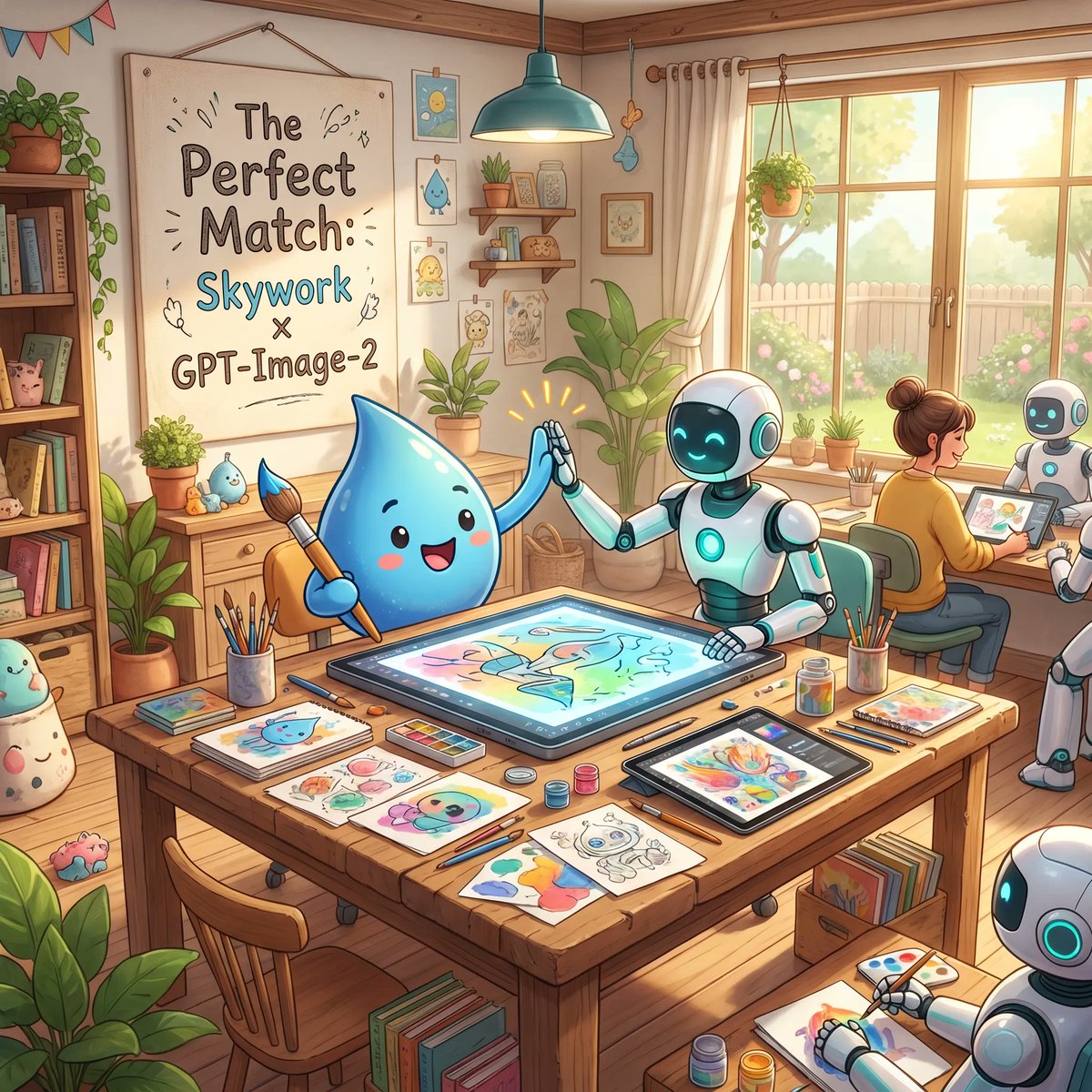
Collaborazione accogliente con studio d'arte basato sull'intelligenza artificiale
Un'affascinante illustrazione promozionale che ritrae una mascotte e dei robot intenti a creare opere d'arte insieme in un accogliente studio, ideale per presentare strumenti creativi basati sull'intelligenza artificiale o collaborazioni tra marchi.
Questo è un esempio di prompt GPT Image 2 per Illustrazione e arte . Utilizza il prompt pronto per la copia qui sotto per generare immagini simili e verifica l'attribuzione Awesome GPT Image 2 Prompts e i diritti di utilizzo commerciale prima del riutilizzo.
Free 1K preview
Generate one preview image instantly, no sign-up required.
Richiesta
prompt pronto per la copia
A warm, whimsical digital illustration of a cozy sunlit art studio showing a friendly collaboration between a cute blue water-drop mascot and cheerful white-and-teal robots. In the foreground, a large wooden worktable is covered with art supplies and finished sketches: exactly 3 paintbrush cups, multiple pencils and pens, watercolor palettes, small paint jars, loose character drawings, and 2 digital drawing tablets. At the center of the table, one large horizontal pen-display tablet shows a colorful pastel illustration in progress. The blue droplet character, with glossy rounded body, tiny arms, rosy cheeks, and a happy open smile, sits on the left holding a paintbrush and giving a high-five to a humanoid robot seated on the right. The robot has a smooth white body with teal glowing accents, a dark face screen with bright cyan smiling eyes, and one hand touching the tablet while the other meets the mascot’s hand, with small celebratory spark lines around the high-five. In the midground on the right, exactly 2 more robots are visible: one seated beside a human artist and one partially visible in the lower-right corner drawing on paper. The human artist is seen from behind, hair in a bun, sitting at a desk near the window and working on a tablet. The studio is filled with cozy decorative details: a large framed poster on the left wall reading "The Perfect Match: Skywork x GPT-Image-2", a bookshelf packed with books and cute objects, potted plants throughout the room, framed mini art prints, wall shelves with jars and decor, hanging bunting in the upper left, a teal pendant lamp above the table, and a large window on the right with cream curtains revealing a bright garden, fence, and soft greenery outside. Use soft golden morning light, pastel colors, polished children’s-book-style rendering, clean linework, gentle shading, inviting creative atmosphere, highly detailed props, and a polished cinematic composition that feels like an uplifting promotional illustration for {argument name="brand collaboration text" default="Skywork x GPT-Image-2"}.Variabili di richiesta
Segnaposto per gli argomenti modificabili presenti nel prompt, con i relativi valori predefiniti.
Best for
- - Illustrazione e arte visual exploration
- - Image generation and reference-image edits
- - Reusable briefs that keep source attribution visible
Change these parts
- - Subject, product, character, or scene
- - Aspect ratio, camera, lighting, and background
- - Brand, text, color, and output constraints
Recommended model and settings
- - Model: gpt-image-2
- - Input mode: Testo in immagine
- - Aspect ratio: source
- - Commercial status: review original source
How to use this prompt
- 1. Copy the prompt and preserve its structure for the first test.
- 2. Replace the subject, context, and publishing channel.
- 3. Change one camera, lighting, or style variable per iteration.
- 4. Inspect the output, source, text, and rights before reuse.
Limitations, source, and reuse cautions
- - Generated output is an editable draft, not factual, legal, or rights evidence.
- - Review the linked source, people, brands, logos, text, and third-party media before commercial use.
Altri casi in questa categoria
Prioritizzazione in base a categoria, compatibilità della modalità di input, qualità e minor rischio.






Note sul riutilizzo e sulla fonte
Utilizza questo prompt in tutta sicurezza dopo aver visualizzato in anteprima il caso.
- 1.Copia il prompt oppure aprilo direttamente in Dovoo tramite il pulsante di generazione.
- 2.Regola le variabili, le proporzioni e le immagini di riferimento in base alle tue esigenze.
- 3.Prima della pubblicazione o dell'utilizzo a pagamento, verificare i diritti di fonte, i requisiti di attribuzione e i rischi relativi al marchio o all'immagine.