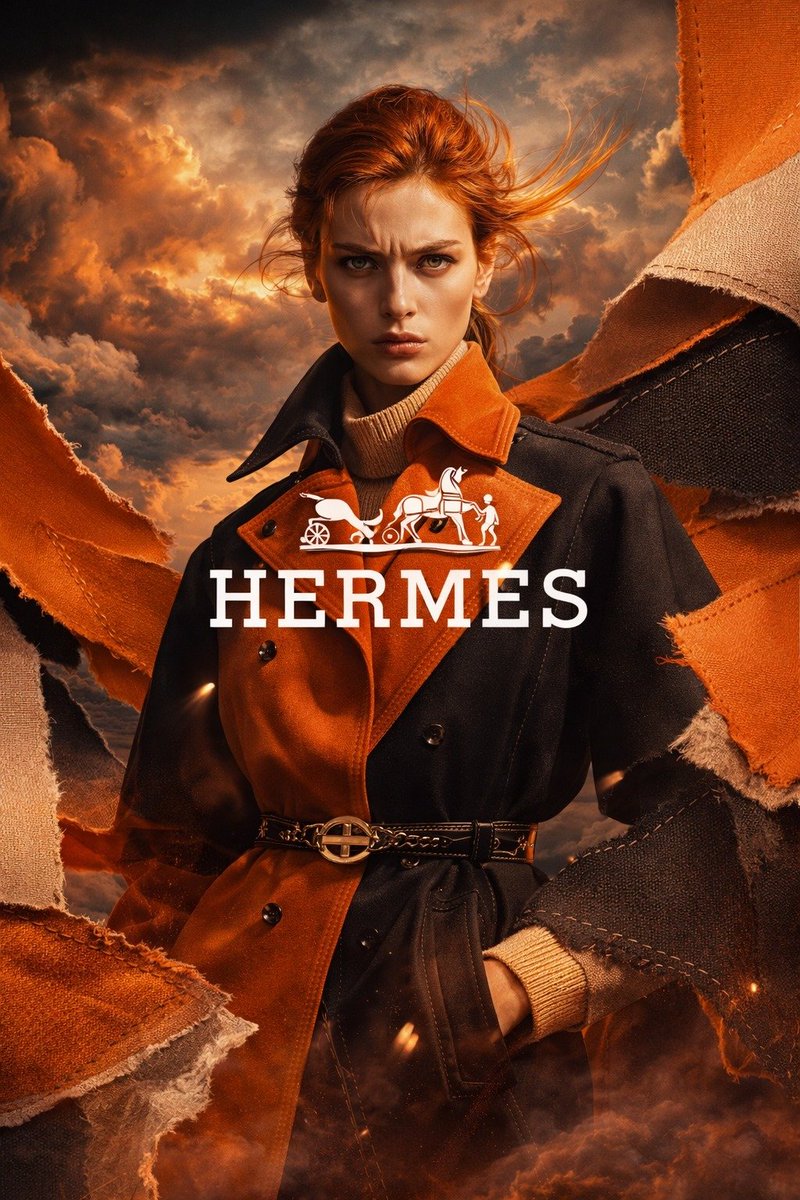
Pubblicità di moda con trench di lusso
Questo prompt genera un poster di moda di lusso dall'aspetto cinematografico, con una modella che indossa un trench coat di grande impatto e uno stile che richiama i marchi premium, ideale per creatività pubblicitarie e campagne editoriali.
Questo è un esempio di prompt GPT Image 2 per Moda e bellezza . Utilizza il prompt pronto per la copia qui sotto per generare immagini simili e verifica l'attribuzione Awesome GPT Image 2 Prompts e i diritti di utilizzo commerciale prima del riutilizzo.
Free 1K preview
Generate one preview image instantly, no sign-up required.
Richiesta
prompt pronto per la copia
A high-end luxury fashion advertising poster in vertical 9:16 format, Show every face clearly with natural, detailed facial features, standing in a dramatic three-quarter pose against a stormy cinematic sky at golden sunset. She has windswept auburn hair pulled back loosely with flying strands, and wears a two-tone belted trench coat split in rich burnt orange and deep black, layered over a cream ribbed turtleneck sweater, with one hand in the coat pocket. The trench has a structured collar, double-breasted buttons, and a slim black leather belt with a polished gold circular buckle. Surround the model with 6 large torn fabric panels framing the composition from the left and right edges, in orange, tan, and charcoal textile textures with visible stitching and frayed edges, as if fabric is ripping open around her. Use a warm amber, copper, and ember color palette, with glowing sparks and smoky haze near the bottom. Place dramatic volumetric clouds in the background, lit with fiery sunset highlights for an epic editorial mood. Add a centered white luxury logo and brand text over the model’s chest area: the horse-and-carriage emblem above the word {argument name="brand text" default="HERMES"} in large elegant serif capitals. Make it look like a premium couture campaign, ultra-detailed, photorealistic, glossy magazine ad, strong contrast, refined fabric texture, fashion photography lighting, heroic composition, sharp focus on the outfit, cinematic atmosphere.Variabili di richiesta
Segnaposto per gli argomenti modificabili presenti nel prompt, con i relativi valori predefiniti.
Best for
- - Moda e bellezza visual exploration
- - Image generation and reference-image edits
- - Reusable briefs that keep source attribution visible
Change these parts
- - Subject, product, character, or scene
- - Aspect ratio, camera, lighting, and background
- - Brand, text, color, and output constraints
Recommended model and settings
- - Model: gpt-image-2
- - Input mode: Testo in immagine
- - Aspect ratio: source
- - Commercial status: review original source
How to use this prompt
- 1. Copy the prompt and preserve its structure for the first test.
- 2. Replace the subject, context, and publishing channel.
- 3. Change one camera, lighting, or style variable per iteration.
- 4. Inspect the output, source, text, and rights before reuse.
Limitations, source, and reuse cautions
- - Generated output is an editable draft, not factual, legal, or rights evidence.
- - Review the linked source, people, brands, logos, text, and third-party media before commercial use.
Altri casi in questa categoria
Prioritizzazione in base a categoria, compatibilità della modalità di input, qualità e minor rischio.






Note sul riutilizzo e sulla fonte
Utilizza questo prompt in tutta sicurezza dopo aver visualizzato in anteprima il caso.
- 1.Copia il prompt oppure aprilo direttamente in Dovoo tramite il pulsante di generazione.
- 2.Regola le variabili, le proporzioni e le immagini di riferimento in base alle tue esigenze.
- 3.Prima della pubblicazione o dell'utilizzo a pagamento, verificare i diritti di fonte, i requisiti di attribuzione e i rischi relativi al marchio o all'immagine.