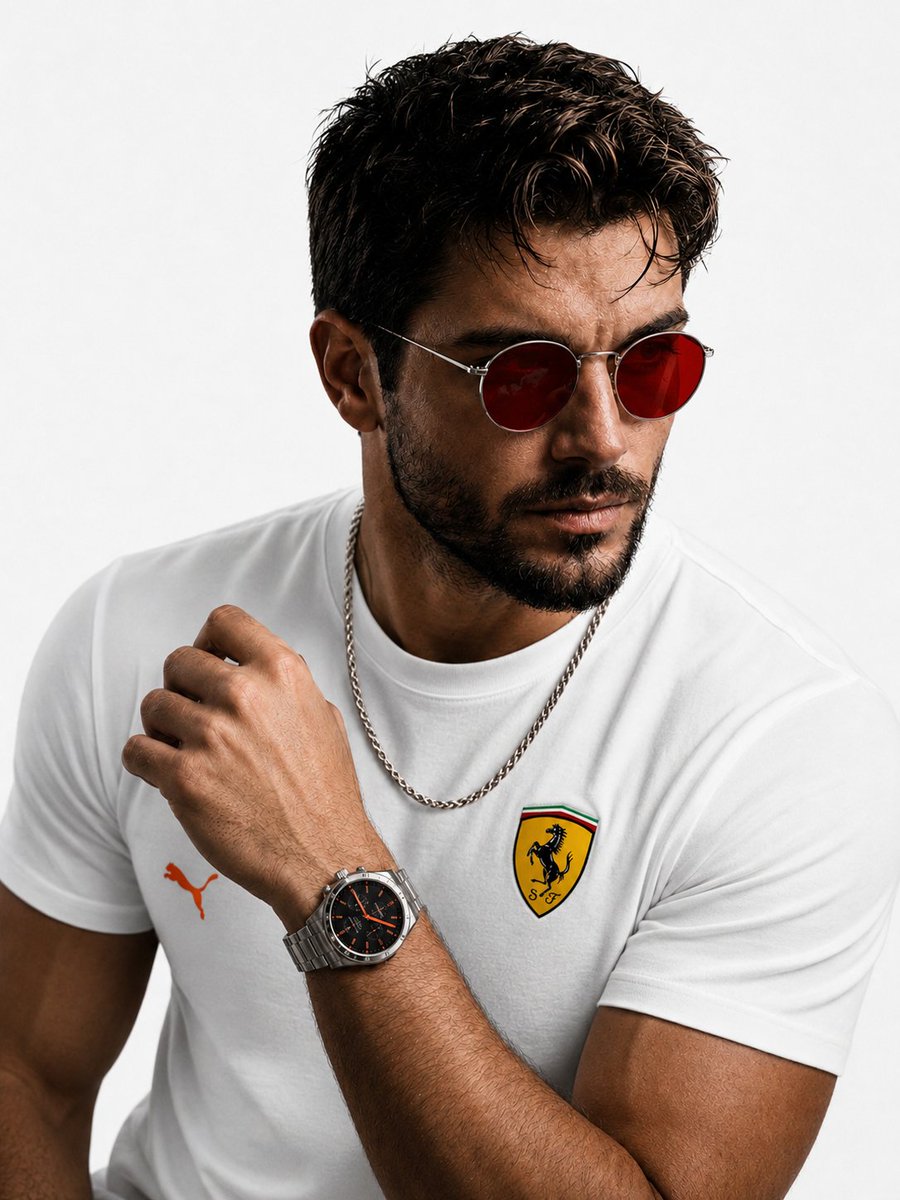
Luxury Fashion Studio Transformation
Transforms a portrait into a high-end editorial fashion shoot with professional studio lighting, luxury attire, and accessories while preserving the subject's face.
Questo è un esempio di prompt GPT Image 2 per Moda e bellezza . Utilizza il prompt pronto per la copia qui sotto per generare immagini simili e verifica l'attribuzione Awesome GPT Image 2 Prompts e i diritti di utilizzo commerciale prima del riutilizzo.
Free 1K preview
Generate one preview image instantly, no sign-up required.
Free text preview doesn’t preserve reference-image consistency.
Richiesta
prompt pronto per la copia
Transform this portrait into a luxury fashion studio photoshoot while keeping the same person's face and hairstyle unchanged. Replace the black background with a clean pure white studio background. Change the T-shirt to a {argument name="shirt" default="premium white Puma T-shirt"} with orange accents and an elegant {argument name="brand logo" default="Ferrari-inspired logo"} on the chest. Replace the current watch with a {argument name="luxury watch" default="stylish premium silver luxury watch (not Rolex)"}. Add a high-quality silver neck chain with a modern masculine design. Change the sunglasses to premium red-tinted shades with a sleek metal frame. Maintain realistic skin texture, sharp facial details, cinematic lighting, and a high-end editorial fashion look. Ultra-realistic, 8K quality, professional photography, soft shadows, luxury lifestyle aesthetic.Variabili di richiesta
Segnaposto per gli argomenti modificabili presenti nel prompt, con i relativi valori predefiniti.
Best for
- - Moda e bellezza visual exploration
- - Image generation and reference-image edits
- - Reusable briefs that keep source attribution visible
Change these parts
- - Subject, product, character, or scene
- - Aspect ratio, camera, lighting, and background
- - Brand, text, color, and output constraints
Recommended model and settings
- - Model: gpt-image-2
- - Input mode: Immagine in immagine
- - Aspect ratio: source
- - Commercial status: review original source
How to use this prompt
- 1. Copy the prompt and preserve its structure for the first test.
- 2. Replace the subject, context, and publishing channel.
- 3. Change one camera, lighting, or style variable per iteration.
- 4. Inspect the output, source, text, and rights before reuse.
Limitations, source, and reuse cautions
- - Generated output is an editable draft, not factual, legal, or rights evidence.
- - Review the linked source, people, brands, logos, text, and third-party media before commercial use.
Altri casi in questa categoria
Prioritizzazione in base a categoria, compatibilità della modalità di input, qualità e minor rischio.






Note sul riutilizzo e sulla fonte
Utilizza questo prompt in tutta sicurezza dopo aver visualizzato in anteprima il caso.
- 1.Copia il prompt oppure aprilo direttamente in Dovoo tramite il pulsante di generazione.
- 2.Regola le variabili, le proporzioni e le immagini di riferimento in base alle tue esigenze.
- 3.Prima della pubblicazione o dell'utilizzo a pagamento, verificare i diritti di fonte, i requisiti di attribuzione e i rischi relativi al marchio o all'immagine.