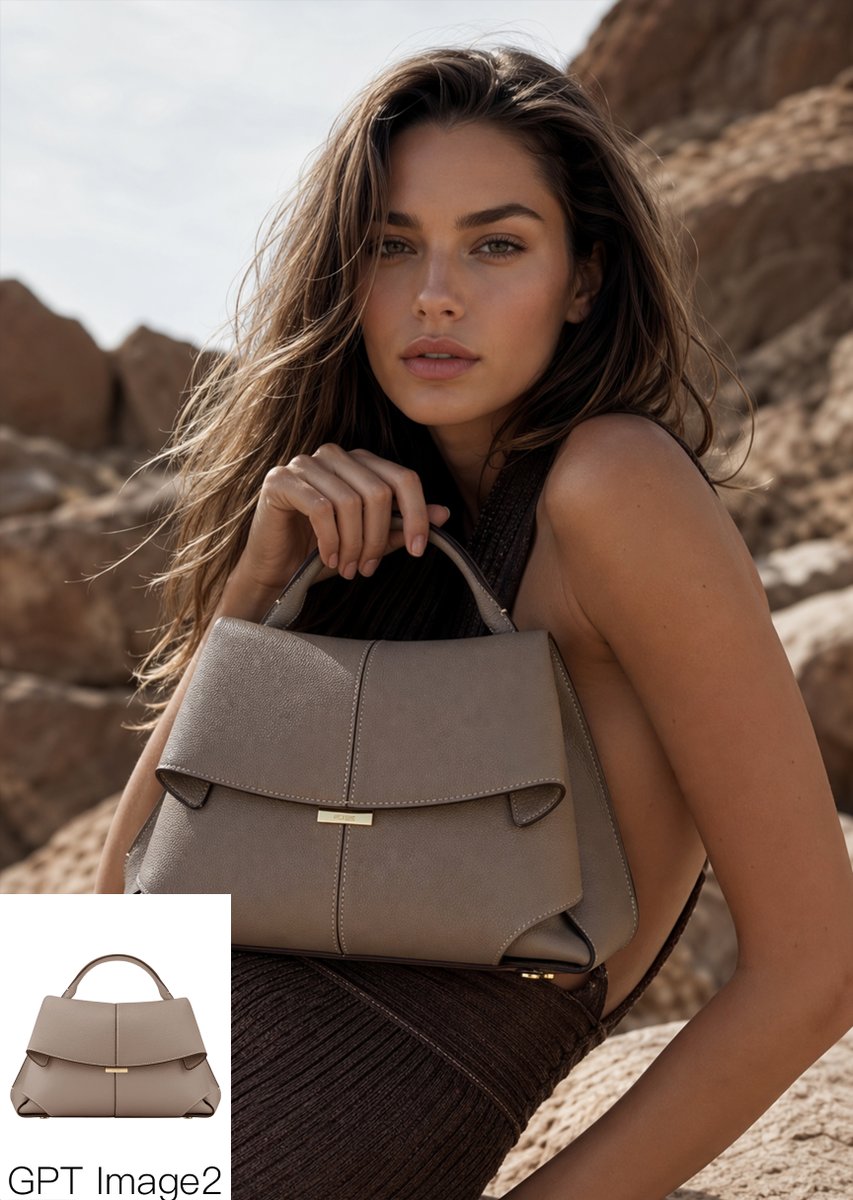
Campagna di borse di lusso Desert
Questo prompt genera un'immagine pubblicitaria di alta moda realistica, con una borsa strutturata in un'ambientazione editoriale desertica, utile per il marketing di prodotti di lusso e per i mockup del marchio.
Questo è un esempio di prompt GPT Image 2 per Moda e bellezza . Utilizza il prompt pronto per la copia qui sotto per generare immagini simili e verifica l'attribuzione Awesome GPT Image 2 Prompts e i diritti di utilizzo commerciale prima del riutilizzo.
Free 1K preview
Generate one preview image instantly, no sign-up required.
Richiesta
prompt pronto per la copia
Luxury fashion editorial product shot of a {argument name="bag color" default="taupe gray"} structured leather handbag with a top handle, wide folded flap, centered vertical seam, small gold bar clasp, and angular side gussets, carried by a glamorous woman posed in a rocky desert landscape. Medium close-up portrait composition, the bag prominently centered in the foreground and held near chest level by one hand gripping the handle, the model turned slightly sideways with bare shoulder and arm visible, wearing a dark brown pleated or textured dress. Long windblown wavy hair in {argument name="hair color" default="light brown with sun-kissed highlights"}, warm tanned skin, high-end campaign styling, confident elegant posture. Natural outdoor sunlight, warm earthy palette, beige and sandstone rock formations softly blurred in the background, shallow depth of field, realistic luxury advertising photography, rich texture on the leather, subtle highlights on the metal hardware, premium fashion magazine look. Add a small white rectangular picture-in-picture inset in the bottom-left corner showing the same handbag alone from the front on a clean white background, with the text {argument name="caption text" default="GPT Image2"} below it in simple black sans-serif lettering.Variabili di richiesta
Segnaposto per gli argomenti modificabili presenti nel prompt, con i relativi valori predefiniti.
Best for
- - Moda e bellezza visual exploration
- - Image generation and reference-image edits
- - Reusable briefs that keep source attribution visible
Change these parts
- - Subject, product, character, or scene
- - Aspect ratio, camera, lighting, and background
- - Brand, text, color, and output constraints
Recommended model and settings
- - Model: gpt-image-2
- - Input mode: Testo in immagine
- - Aspect ratio: source
- - Commercial status: review original source
How to use this prompt
- 1. Copy the prompt and preserve its structure for the first test.
- 2. Replace the subject, context, and publishing channel.
- 3. Change one camera, lighting, or style variable per iteration.
- 4. Inspect the output, source, text, and rights before reuse.
Limitations, source, and reuse cautions
- - Generated output is an editable draft, not factual, legal, or rights evidence.
- - Review the linked source, people, brands, logos, text, and third-party media before commercial use.
Altri casi in questa categoria
Prioritizzazione in base a categoria, compatibilità della modalità di input, qualità e minor rischio.






Note sul riutilizzo e sulla fonte
Utilizza questo prompt in tutta sicurezza dopo aver visualizzato in anteprima il caso.
- 1.Copia il prompt oppure aprilo direttamente in Dovoo tramite il pulsante di generazione.
- 2.Regola le variabili, le proporzioni e le immagini di riferimento in base alle tue esigenze.
- 3.Prima della pubblicazione o dell'utilizzo a pagamento, verificare i diritti di fonte, i requisiti di attribuzione e i rischi relativi al marchio o all'immagine.