Banner in evidenza per SaaS giapponese
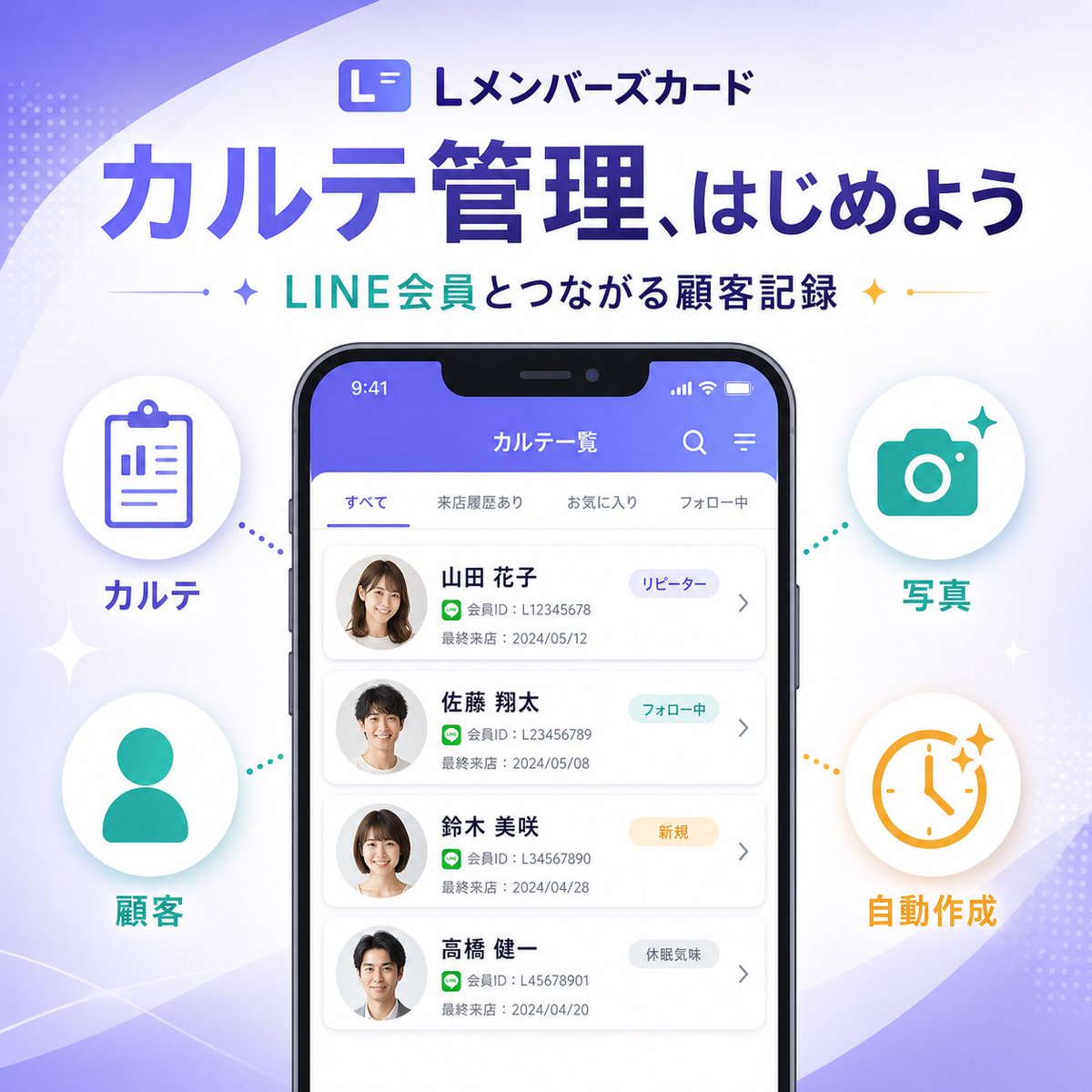
Un elegante banner di marketing quadrato per SaaS giapponese, con un mockup dell'interfaccia utente di uno smartphone e quattro icone infografiche, ideale per annunciare una nuova funzionalità del prodotto sui social media o sulle landing page.
Questo è un esempio di prompt GPT Image 2 per Grafica e poster . Utilizza il prompt pronto per la copia qui sotto per generare immagini simili e verifica l'attribuzione Awesome GPT Image 2 Prompts e i diritti di utilizzo commerciale prima del riutilizzo.
Free 1K preview
Generate one preview image instantly, no sign-up required.
Richiesta
prompt pronto per la copia
{
  "type": "SaaS feature update promotional infographic banner",
  "style": "clean modern Japanese tech marketing, high-quality infographic, soft gradient background, polished UI mockup, minimal and trustworthy",
  "canvas": {
    "aspect_ratio": "1:1",
    "background": "white base with flowing lavender and pale purple abstract wave shapes in the corners, faint dotted halftone textures, subtle sparkle accents"
  },
  "branding": {
    "top_logo": {
      "icon": "rounded square app icon with a stylized white L on a purple gradient background",
      "text": "Lメンバーズカード"
    },
    "headline": "{argument name=\"headline text\" default=\"カルテ管理、はじめよう\"}",
    "subheadline": "{argument name=\"subheadline text\" default=\"LINE会員とつながる顧客記録\"}",
    "headline_style": "large bold Japanese sans-serif in deep purple",
    "subheadline_style": "medium bold Japanese sans-serif with teal and dark navy emphasis, small star icons and thin divider lines on both sides"
  },
  "layout": {
    "centerpiece": "large front-facing smartphone mockup centered vertically, slightly lower than the headline",
    "sections": [
      {
        "title": "left features",
        "position": "left side of phone",
        "count": 2,
        "labels": [
          "カルテ",
          "Customer"
        ],
        "items": [
          {
            "shape": "white circular badge with soft shadow",
            "icon": "purple clipboard line icon",
            "label": "カルテ",
            "accent": "purple dotted connector pointing toward phone"
          },
          {
            "shape": "white circular badge with soft shadow",
            "icon": "teal person silhouette icon",
            "label": "Customer",
            "accent": "teal dotted connector pointing toward phone"
          }
        ]
      },
      {
        "title": "right features",
        "position": "right side of phone",
        "count": 2,
        "labels": [
          "Photo",
          "Automatically generated"
        ],
        "items": [
          {
            "shape": "white circular badge with soft shadow",
            "icon": "teal camera icon",
            "label": "Photo",
            "accent": "teal dotted connector pointing toward phone"
          },
          {
            "shape": "white circular badge with soft shadow",
            "icon": "orange clock icon with sparkles",
            "label": "Automatically generated",
            "accent": "orange dotted connector pointing toward phone"
          }
        ]
      }
    ],
    "decorations_count": 6
  },
  "app_screen": {
    "screen_title": "カルテ一覧",
    "status_bar": {
      "time": "9:41",
      "battery": true,
      "signal": true
    },
    "top_icons_count": 2,
    "top_icons": [
      "search",
      "menu"
    ],
    "tabs": {
      "count": 4,
      "labels": [
        "すべて",
        "来店履歴あり",
        "お気に入り",
        "フォロー中"
      ],
      "active": "すべて"
    },
    "customer_cards": {
      "count": 4,
      "items": [
        {
          "name": "{argument name=\"customer name 1\" default=\"Yamada Hanako\"}",
          "member_id": "L12345678",
          "last_visit": "2024/05/12",
          "tag": "リピーター",
          "avatar": "blurred female headshot"
        },
        {
          "name": "Sato Shota",
          "member_id": "L123456789",
          "last_visit": "2024/05/08",
          "tag": "フォロー中",
          "avatar": "blurred male headshot"
        },
        {
          "name": "Suzuki Misaki",
          "member_id": "L34567890",
          "last_visit": "2024/04/28",
          "tag": "New User",
          "avatar": "blurred female headshot"
        },
        {
          "name": "Takahashi Kenichi",
          "member_id": "L45678901",
          "last_visit": "2024/04/20",
          "tag": "Inactive User",
          "avatar": "blurred male headshot"
        }
      ]
    },
    "ui_style": "rounded white list cards on a very light gray background, purple app header, subtle shadows, Japanese sans-serif typography"
  },
  "color_palette": {
    "primary": "#5B5CEB to #6C63FF",
    "secondary": "#22C7B8",
    "accent": "#F4B23A",
    "text_dark": "#2B2E5B",
    "white": "#FFFFFF"
  },
  "rendering": "crisp vector-like marketing graphic with realistic smartphone frame, centered balanced composition, premium SaaS launch banner aesthetic"
}
Variabili di richiesta
Segnaposto per gli argomenti modificabili presenti nel prompt, con i relativi valori predefiniti.
Best for
- - Grafica e poster visual exploration
- - Image generation and reference-image edits
- - Reusable briefs that keep source attribution visible
Change these parts
- - Subject, product, character, or scene
- - Aspect ratio, camera, lighting, and background
- - Brand, text, color, and output constraints
Recommended model and settings
- - Model: gpt-image-2
- - Input mode: Testo in immagine
- - Aspect ratio: source
- - Commercial status: review original source
How to use this prompt
- 1. Copy the prompt and preserve its structure for the first test.
- 2. Replace the subject, context, and publishing channel.
- 3. Change one camera, lighting, or style variable per iteration.
- 4. Inspect the output, source, text, and rights before reuse.
Limitations, source, and reuse cautions
- - Generated output is an editable draft, not factual, legal, or rights evidence.
- - Review the linked source, people, brands, logos, text, and third-party media before commercial use.
Altri casi in questa categoria
Prioritizzazione in base a categoria, compatibilità della modalità di input, qualità e minor rischio.






Note sul riutilizzo e sulla fonte
Utilizza questo prompt in tutta sicurezza dopo aver visualizzato in anteprima il caso.
- 1.Copia il prompt oppure aprilo direttamente in Dovoo tramite il pulsante di generazione.
- 2.Regola le variabili, le proporzioni e le immagini di riferimento in base alle tue esigenze.
- 3.Prima della pubblicazione o dell'utilizzo a pagamento, verificare i diritti di fonte, i requisiti di attribuzione e i rischi relativi al marchio o all'immagine.