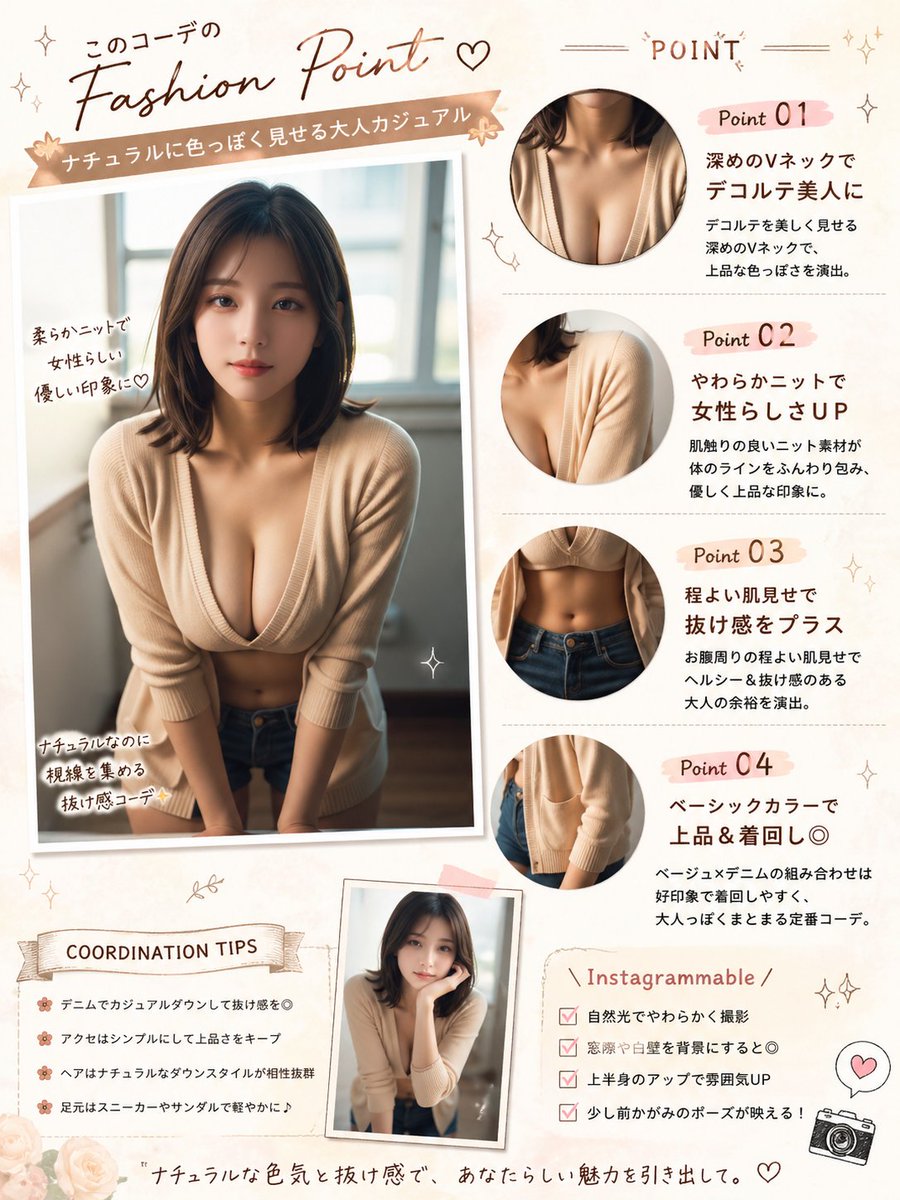
Modifica del poster di Japanese Fashion Point
Questo spunto trasforma un ritratto di riferimento in un poster di commento di moda in stile rivista giapponese, ideale per post sui social, analisi di outfit e presentazioni di stile.
Questo è un esempio di prompt GPT Image 2 per Grafica e poster . Utilizza il prompt pronto per la copia qui sotto per generare immagini simili e verifica l'attribuzione Awesome GPT Image 2 Prompts e i diritti di utilizzo commerciale prima del riutilizzo.
Hai bisogno del set completo di prompt? Usa il Grafica e poster hub tematico per ulteriori esempi correlati oppure apri il GPT Image 2 catalogo rapido per l'indice completo degli esempi, le strutture riutilizzabili e l'attribuzione delle fonti.
Free 1K preview
Generate one preview image instantly, no sign-up required.
Free text preview doesn’t preserve reference-image consistency.
1553/4000
Richiesta
prompt pronto per la copia
Using REFERENCE_0, turn the photo into a soft feminine Japanese fashion-check infographic poster while keeping the same person, outfit, indoor window setting, Show every face clearly with natural, detailed facial features. Create a scrapbook/editorial layout on a warm cream background with blush-pink and beige accents. Place the main full-body photo on the left as a slightly tilted printed snapshot with handwritten callouts. Add 4 circular close-up detail crops on the right showing: 1) neckline/chest area, 2) knit shoulder and sleeve texture, 3) waist and jeans area, 4) cardigan hem and pocket area. Add a small extra inset portrait near the bottom center using the same outfit and person in a casual leaning pose. Include Japanese magazine-style typography and decorative doodles throughout. The visible text should include these sections and labels: top headline 「このコーデの Fashion Point ♡」, ribbon subtitle 「ナチュラルに色っぽく見せる大人カジュアル」, right header 「POINT」, point labels 「Point 01」「Point 02」「Point 03」「Point 04」, left photo notes 「柔らかニットで女性らしい優しい印象に♡」「ナチュラルなのに視線を集める抜け感コーデ✨」, a tips box titled 「COORDINATION TIPS」 with 4 bullet lines, a box titled 「Instagrammable」 with 4 checklist lines, and a bottom tagline 「ナチュラルな色気と抜け感で、あなたらしい魅力を引き出して。」. For the point descriptions, write short Japanese copy praising the deep V-neck, soft knit, subtle midriff reveal, and basic color styling. Add small stars, hearts, sparkles, flowers, stitched lines, and a tiny camera icon. Make it look like a polished social-media fashion advice sheet, portrait orientation.
Best for
- - Grafica e poster visual exploration
- - Image generation and reference-image edits
- - Reusable briefs that keep source attribution visible
Change these parts
- - Subject, product, character, or scene
- - Aspect ratio, camera, lighting, and background
- - Brand, text, color, and output constraints
Recommended model and settings
- - Model: gpt-image-2
- - Input mode: Immagine in immagine
- - Aspect ratio: source
- - Commercial status: review original source
How to use this prompt
- 1. Copy the prompt and preserve its structure for the first test.
- 2. Replace the subject, context, and publishing channel.
- 3. Change one camera, lighting, or style variable per iteration.
- 4. Inspect the output, source, text, and rights before reuse.
Limitations, source, and reuse cautions
- - Generated output is an editable draft, not factual, legal, or rights evidence.
- - Review the linked source, people, brands, logos, text, and third-party media before commercial use.
Importato da Awesome GPT Image 2 Prompts . È richiesta l'attribuzione. Lo stato di utilizzo commerciale è allowed ; verificare i diritti della fonte prima dell'utilizzo a pagamento.
Altri casi in questa categoria
Prioritizzazione in base a categoria, compatibilità della modalità di input, qualità e minor rischio.

Surreal Macro Fashion Illusion
Immagine in immagine

Split Face Horror Transformation
Immagine in immagine

Vintage Digital Camera Mirror Selfie
Immagine in immagine

Multi-Pose Wavy Dark Hair Portrait
Immagine in immagine

Dax Cinematic Character Bible Sheet
Immagine in immagine

Pink Hijab Mirror Selfie Portrait
Testo in immagine
Note sul riutilizzo e sulla fonte
Utilizza questo prompt in tutta sicurezza dopo aver visualizzato in anteprima il caso.
- 1.Copia il prompt oppure aprilo direttamente in Dovoo tramite il pulsante di generazione.
- 2.Regola le variabili, le proporzioni e le immagini di riferimento in base alle tue esigenze.
- 3.Prima della pubblicazione o dell'utilizzo a pagamento, verificare i diritti di fonte, i requisiti di attribuzione e i rischi relativi al marchio o all'immagine.