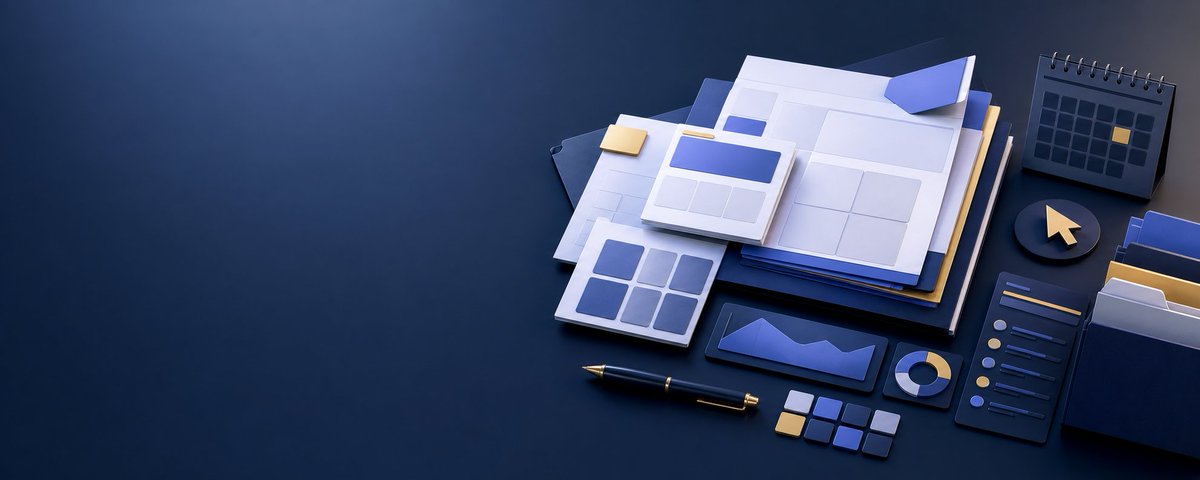
Isometric Productivity Desk Scene
Generates a wide navy-and-gold 3D productivity workspace hero image for business, tech, or planning-themed banners.
Questo è un esempio di prompt GPT Image 2 per Prodotto e commerciale . Utilizza il prompt pronto per la copia qui sotto per generare immagini simili e verifica l'attribuzione Awesome GPT Image 2 Prompts e i diritti di utilizzo commerciale prima del riutilizzo.
Hai bisogno del set completo di prompt? Usa il Prodotto e commerciale hub tematico per ulteriori esempi correlati oppure apri il GPT Image 2 catalogo rapido per l'indice completo degli esempi, le strutture riutilizzabili e l'attribuzione delle fonti.
Free 1K preview
Generate one preview image instantly, no sign-up required.
2536/4000
Richiesta
prompt pronto per la copia
Create a wide 2:1 cinematic 3D isometric desktop scene about digital planning and productivity, with a large empty dark navy workspace on the left for copy space and the objects clustered on the right. Use a premium matte clay-render style with soft bevels, realistic ambient occlusion, subtle depth of field, and dramatic blue-and-gold accent lighting. The surface is a dark navy desk with a smooth gradient background fading from deep blue to charcoal.

Subject and layout: Arrange exactly 10 main object groups on the right half of the canvas: 1) a layered stack of documents and folders in white, navy, royal blue, and muted gold, slightly rotated in perspective; 2) a central open document or dashboard sheet showing pale rectangular UI wireframes and blue header blocks; 3) a small raised web page card on top with one blue title rectangle and three lower content blocks; 4) a smaller analytics tile in front with six blue-gray rounded squares; 5) a dark horizontal chart card with a blue folded area graph; 6) a compact donut chart disk with blue and gold segments; 7) a vertical dark checklist panel with six circular status dots and six short horizontal list lines, including one gold highlighted dot; 8) a spiral desk calendar in the upper right with a grid of small dark squares and one gold highlighted date; 9) a circular mouse-button icon with a gold cursor arrow; 10) a blue-and-white file organizer box on the far right holding folders.

Additional desk details: Include exactly 1 black fountain pen with gold trim lying diagonally near the bottom center, exactly 1 small gold sticky note on the paper stack, exactly 9 small color swatches near the bottom right arranged as tiny rounded squares in navy, blue, gray, white, and gold, and exactly 3 visible file folders inside the right organizer. Keep all text as abstract lines and blocks, no readable words.

Visual style: Minimal corporate design, elegant planning-dashboard concept, monochrome navy palette with {argument name="accent color" default="warm gold"} highlights, clean geometric shapes, smooth plastic-paper materials, soft shadows, high-end product mockup aesthetic. Use {argument name="canvas ratio" default="2:1 ultra-wide landscape"}, {argument name="background color" default="deep navy gradient"}, and a quiet professional mood suitable for a technology or productivity hero banner.

Constraints: No people, no logos, no watermark, no realistic clutter, no readable text, leave the left 45% of the image mostly empty and dark for headline placement.
Variabili di richiesta
Segnaposto per gli argomenti modificabili presenti nel prompt, con i relativi valori predefiniti.
Variabile
accent color
Predefinito
warm gold
Variabile
canvas ratio
Predefinito
2:1 ultra-wide landscape
Variabile
background color
Predefinito
deep navy gradient
Best for
- - Prodotto e commerciale visual exploration
- - Image generation and reference-image edits
- - Reusable briefs that keep source attribution visible
Change these parts
- - Subject, product, character, or scene
- - Aspect ratio, camera, lighting, and background
- - Brand, text, color, and output constraints
Recommended model and settings
- - Model: gpt-image-2
- - Input mode: Testo in immagine
- - Aspect ratio: source
- - Commercial status: review original source
How to use this prompt
- 1. Copy the prompt and preserve its structure for the first test.
- 2. Replace the subject, context, and publishing channel.
- 3. Change one camera, lighting, or style variable per iteration.
- 4. Inspect the output, source, text, and rights before reuse.
Limitations, source, and reuse cautions
- - Generated output is an editable draft, not factual, legal, or rights evidence.
- - Review the linked source, people, brands, logos, text, and third-party media before commercial use.
Importato da Awesome GPT Image 2 Prompts . È richiesta l'attribuzione. Lo stato di utilizzo commerciale è allowed ; verificare i diritti della fonte prima dell'utilizzo a pagamento.
Altri casi in questa categoria
Prioritizzazione in base a categoria, compatibilità della modalità di input, qualità e minor rischio.

Matte Black B.AI Keyboard Keycap
Testo in immagine

Luxury Travel Fashion Portrait Prompt
Testo in immagine

Gray Denim Lace-Up Top Prompt for GPT Image 2
Testo in immagine

Hiker in Red Jacket
Testo in immagine

Orange Rooftop Fashion Photo Prompt
Testo in immagine

Autumn Cozy Casual Outfit Prompt
Testo in immagine
Note sul riutilizzo e sulla fonte
Utilizza questo prompt in tutta sicurezza dopo aver visualizzato in anteprima il caso.
- 1.Copia il prompt oppure aprilo direttamente in Dovoo tramite il pulsante di generazione.
- 2.Regola le variabili, le proporzioni e le immagini di riferimento in base alle tue esigenze.
- 3.Prima della pubblicazione o dell'utilizzo a pagamento, verificare i diritti di fonte, i requisiti di attribuzione e i rischi relativi al marchio o all'immagine.