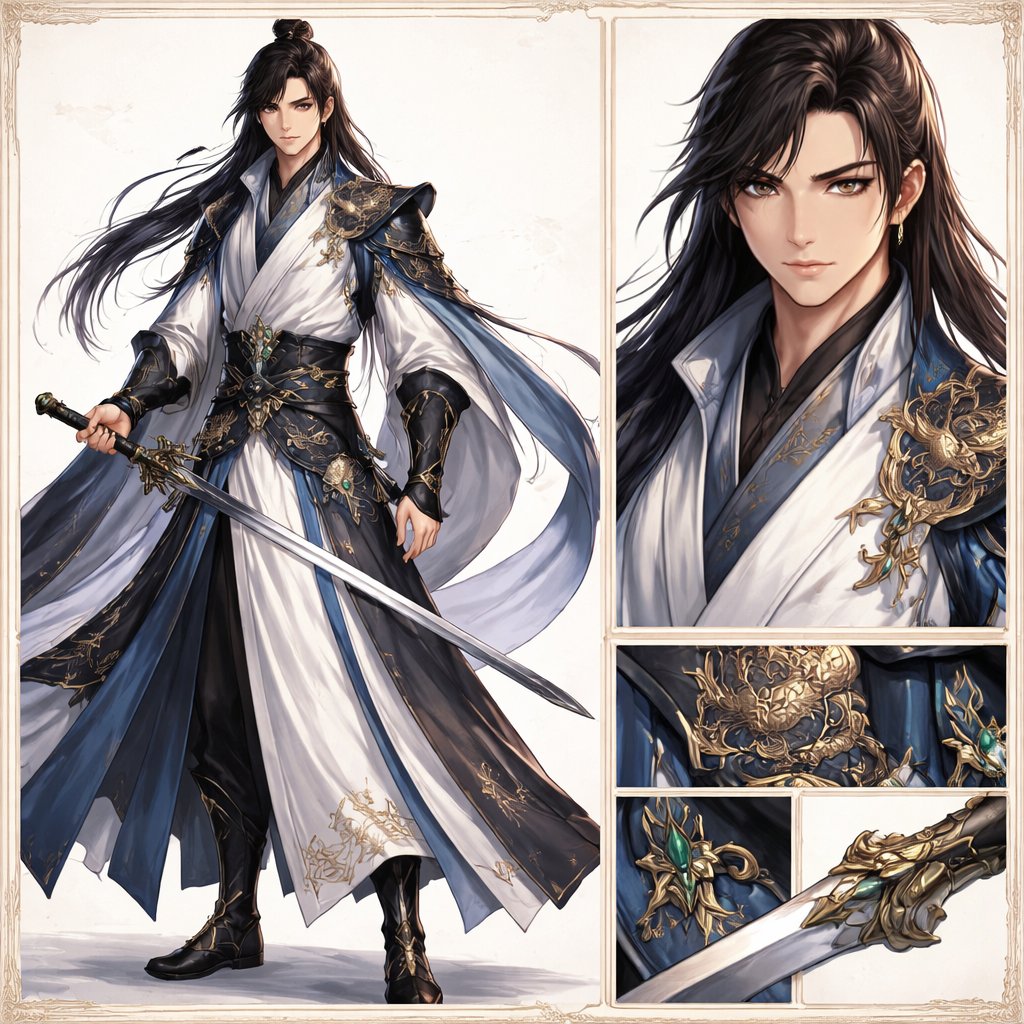
Foglio illustrativo elegante per spadaccini Wuxia
Genera un'illustrazione raffinata in stile character reference fantasy di un nobile spadaccino maschio, con vista a figura intera e dettagli ingranditi di costume e arma, ideale per la presentazione di concept art.
Questo è un esempio di prompt GPT Image 2 per Ritratto e personaggio . Utilizza il prompt pronto per la copia qui sotto per generare immagini simili e verifica l'attribuzione Awesome GPT Image 2 Prompts e i diritti di utilizzo commerciale prima del riutilizzo.
Free 1K preview
Generate one preview image instantly, no sign-up required.
Richiesta
prompt pronto per la copia
Create an elegant high-fantasy character design sheet in a refined wuxia/xianxia style on a clean ivory background with a thin ornate vintage border. The layout is a split showcase with 5 visible panels: 1 large full-body panel on the left, 1 tall upper-right portrait close-up, and 3 stacked/lower detail panels on the right showing armor and weapon craftsmanship. The main subject is a handsome adult male swordsman, {argument name="character name" default="original character"}, with long flowing {argument name="hair color" default="black"} hair tied in a half-up topknot, the rest loose and wind-swept, wearing a small gold earring. His expression is calm, noble, and slightly aloof. He wears luxurious layered robes in {argument name="robe colors" default="white, deep navy blue, and black"}, with wide sleeves, flowing sashes, and highly detailed gold embroidery. Over the shoulders and torso are ornate dark blue and black armor elements with elaborate gold filigree and dragon-like decorative metalwork, plus a jade-green gemstone set into the waist ornament and weapon fittings. In the full-body panel he stands in a poised three-quarter stance holding a long straight jian sword diagonally downward, with the robe hems and ribbons flowing gracefully to suggest motion. The costume should include exactly 6 standout outfit elements: white inner robe, dark blue outer robe panels, black underlayer trousers, wide black-and-gold waist belt, sculpted gold shoulder armor, and black bracers with gold detailing. The right-side close-up portrait emphasizes the layered collar, glossy hair texture, shoulder ornament, and elegant fabric rendering. The 3 detail panels show exactly these focus areas: a gold dragon-like waist armor emblem, a jade-set sword guard or accessory ornament, and a close-up of the ornate gold sword hilt and guard with part of the blade. Overall aesthetic: ultra-detailed concept art, stylish and polished, crisp linework blended with painterly rendering, premium character-sheet presentation, soft neutral studio lighting, subtle shadows, luxurious textures, and a restrained palette of ivory, midnight blue, black, gold, and jade green.Variabili di richiesta
Segnaposto per gli argomenti modificabili presenti nel prompt, con i relativi valori predefiniti.
Best for
- - Ritratto e personaggio visual exploration
- - Image generation and reference-image edits
- - Reusable briefs that keep source attribution visible
Change these parts
- - Subject, product, character, or scene
- - Aspect ratio, camera, lighting, and background
- - Brand, text, color, and output constraints
Recommended model and settings
- - Model: gpt-image-2
- - Input mode: Testo in immagine
- - Aspect ratio: source
- - Commercial status: review original source
How to use this prompt
- 1. Copy the prompt and preserve its structure for the first test.
- 2. Replace the subject, context, and publishing channel.
- 3. Change one camera, lighting, or style variable per iteration.
- 4. Inspect the output, source, text, and rights before reuse.
Limitations, source, and reuse cautions
- - Generated output is an editable draft, not factual, legal, or rights evidence.
- - Review the linked source, people, brands, logos, text, and third-party media before commercial use.
Altri casi in questa categoria
Prioritizzazione in base a categoria, compatibilità della modalità di input, qualità e minor rischio.






Note sul riutilizzo e sulla fonte
Utilizza questo prompt in tutta sicurezza dopo aver visualizzato in anteprima il caso.
- 1.Copia il prompt oppure aprilo direttamente in Dovoo tramite il pulsante di generazione.
- 2.Regola le variabili, le proporzioni e le immagini di riferimento in base alle tue esigenze.
- 3.Prima della pubblicazione o dell'utilizzo a pagamento, verificare i diritti di fonte, i requisiti di attribuzione e i rischi relativi al marchio o all'immagine.