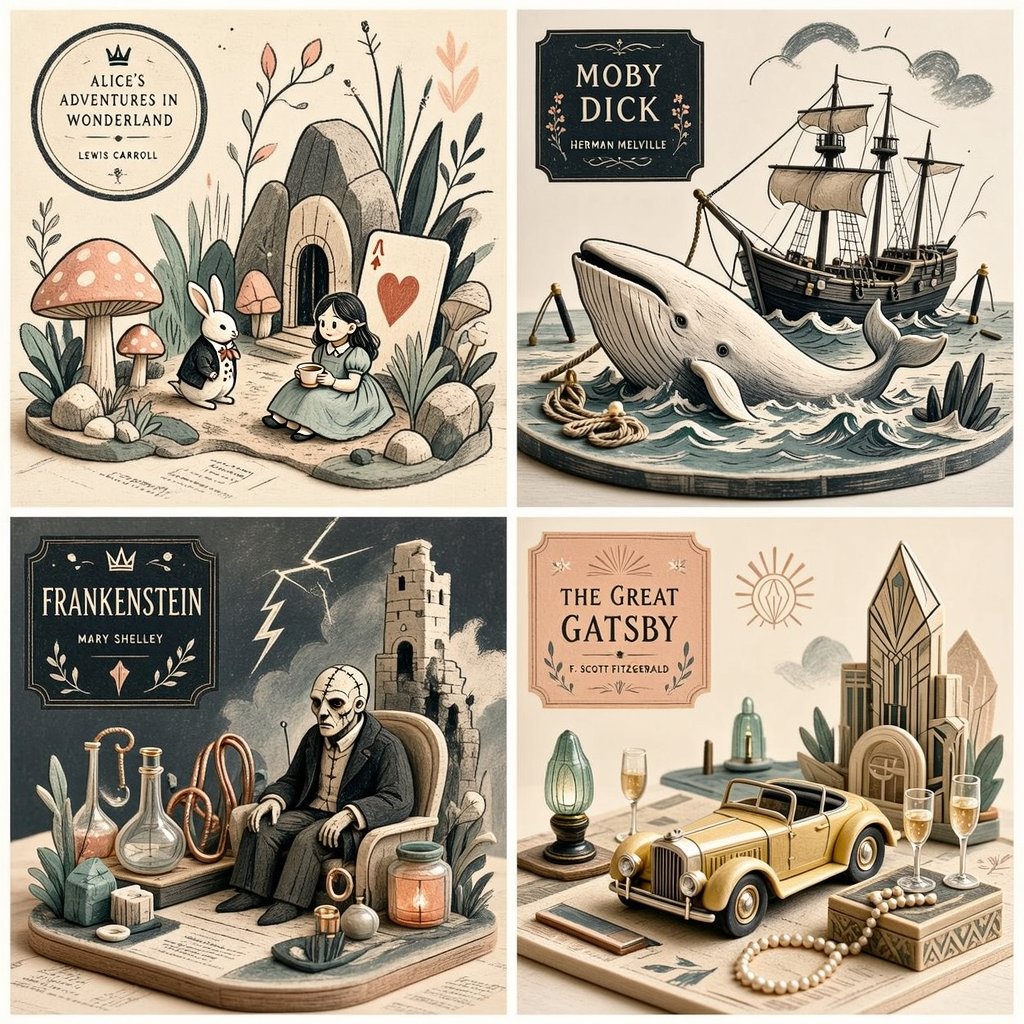
Stylized Editorial Illustration Grid
A complex instruction set for creating a stylized editorial 2x2 grid illustration that blends drawing techniques with miniature object logic.
Questo è un esempio di prompt GPT Image 2 per Illustrazione e arte . Utilizza il prompt pronto per la copia qui sotto per generare immagini simili e verifica l'attribuzione Awesome GPT Image 2 Prompts e i diritti di utilizzo commerciale prima del riutilizzo.
Free 1K preview
Generate one preview image instantly, no sign-up required.
Free text preview doesn’t preserve reference-image consistency.
Richiesta
prompt pronto per la copia
2x2 grid, 1:1 do this for {argument name="subject" default="4 famous books"} <transformation> - Preserve the subject’s recognizable structure, but reinterpret it as a stylized editorial composition where drawing and miniature object-world logic coexist. - Convert some forms into sparse grainy line illustration while converting other forms into soft pastel miniatures or still-life objects. - Reinterpret texture-rich or detailed areas as small clusters of plants, props, vessels, terrain fragments, or decorative micro-world motifs. - Convert smooth surfaces into matte pastel color fields, while using graphic linework to describe edges, volume, and texture selectively. - Reduce complexity into a limited color system with one dominant graphic ink tone and a few quiet pastel support colors. - Replace deep realism with poster-like clarity, paper-print tactility, and curated tabletop arrangement. - Allow the subject to feel partially drawn and partially physically staged, creating a deliberate ambiguity between illustration and object. - Use negative space and sparse composition to keep the image clean, modern, and highly readable. </transformation> <shape_language> - Favor simple containers, rounded objects, leaves, stems, pebbles, tabletop silhouettes, miniature clusters, and clean abstract forms. - Use a mix of flat contour areas and soft low-relief sculptural accents. - Keep repetition rhythmic and decorative. - Let small details feel intentional and editorial rather than busy. </shape_language> <rendering_rules> - Use visibly grainy printed or crayon-like marks for lines and texture accents. - Keep volumetric forms soft, simplified, and pastel. - Limit the palette aggressively for a designed, print-friendly look. - Use shallow spatial depth with subtle diorama hints. - Make the final result feel like an art print, a magazine illustration, and a miniature set all at once. </rendering_rules> <finish> - Graphic limited-palette editorial hybrid. - Printmaking texture fused with soft pastel mini-world staging. - Smart, modern, collectible, and quietly distinctive. </finish> <avoid> - Avoid photoreal rendering. - Avoid deep cinematic perspective or strong realism. - Avoid overstuffing with too many tiny details. - Avoid using too many colors; keep it controlled and designed. </avoid>Variabili di richiesta
Segnaposto per gli argomenti modificabili presenti nel prompt, con i relativi valori predefiniti.
Best for
- - Illustrazione e arte visual exploration
- - Image generation and reference-image edits
- - Reusable briefs that keep source attribution visible
Change these parts
- - Subject, product, character, or scene
- - Aspect ratio, camera, lighting, and background
- - Brand, text, color, and output constraints
Recommended model and settings
- - Model: gpt-image-2
- - Input mode: Immagine in immagine
- - Aspect ratio: source
- - Commercial status: review original source
How to use this prompt
- 1. Copy the prompt and preserve its structure for the first test.
- 2. Replace the subject, context, and publishing channel.
- 3. Change one camera, lighting, or style variable per iteration.
- 4. Inspect the output, source, text, and rights before reuse.
Limitations, source, and reuse cautions
- - Generated output is an editable draft, not factual, legal, or rights evidence.
- - Review the linked source, people, brands, logos, text, and third-party media before commercial use.
Altri casi in questa categoria
Prioritizzazione in base a categoria, compatibilità della modalità di input, qualità e minor rischio.






Note sul riutilizzo e sulla fonte
Utilizza questo prompt in tutta sicurezza dopo aver visualizzato in anteprima il caso.
- 1.Copia il prompt oppure aprilo direttamente in Dovoo tramite il pulsante di generazione.
- 2.Regola le variabili, le proporzioni e le immagini di riferimento in base alle tue esigenze.
- 3.Prima della pubblicazione o dell'utilizzo a pagamento, verificare i diritti di fonte, i requisiti di attribuzione e i rischi relativi al marchio o all'immagine.