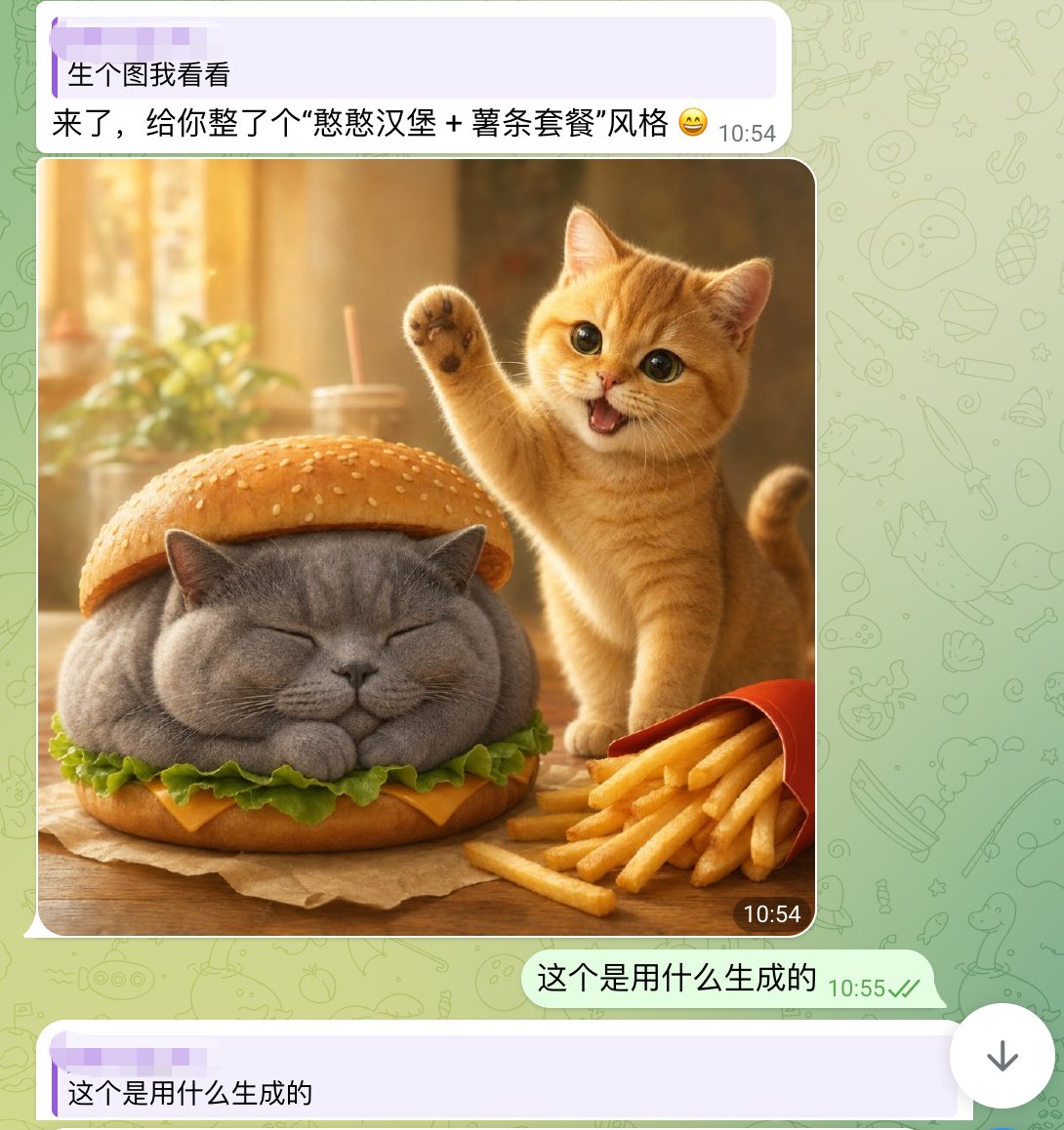
Screenshot della chat con un simpatico Cat Burger
Uno screenshot di una chat per smartphone in stile WhatsApp con l'immagine fotorealistica di un simpatico gatto che mangia un hamburger, utile per ricreare post virali di condivisione di immagini tramite intelligenza artificiale sui social media.
Questo è un esempio di prompt GPT Image 2 per Ritratto e personaggio . Utilizza il prompt pronto per la copia qui sotto per generare immagini simili e verifica l'attribuzione Awesome GPT Image 2 Prompts e i diritti di utilizzo commerciale prima del riutilizzo.
Hai bisogno del set completo di prompt? Usa il Ritratto e personaggio hub tematico per ulteriori esempi correlati oppure apri il GPT Image 2 catalogo rapido per l'indice completo degli esempi, le strutture riutilizzabili e l'attribuzione delle fonti.
Free 1K preview
Generate one preview image instantly, no sign-up required.
1903/4000
Richiesta
prompt pronto per la copia
A realistic and fun mobile chat screenshot displayed in full screen, with an interface similar to WhatsApp. The background is a light green with faint doodle icons. At the top is a light purple receive message bubble containing two lines of Chinese text, with a timestamp on the right. The first line reads: “生个图我看看” (Show me a generated image), and the second line reads: “来了,给你整了个“憨憨汉堡 + 薯条套餐”风格 😄” (Here, I've created a “Silly Burger + Fries Combo” style for you 😄). Below is a large, rounded image in the chat. The generated image depicts a warm and inviting desktop food scene: a chubby gray British Shorthair cat is designed as a burger, with its eyes closed and paws tucked in, sandwiched between the top and bottom sesame seed bun layers. Green lettuce and a slice of yellow cheese are visible around the cat's body. To the right of the burger cat is a small orange cat, lively and cute, standing upright with one paw raised in a waving gesture, its mouth open in a happy smile, and large, bright eyes looking at the camera. In the lower right foreground is a slightly tilted red fries box, with golden fries spilling out. The table is wooden, and a brown baking paper is placed under the burger cat. The photo background is softly blurred, presenting a golden sunlight effect with out-of-focus images of cups, straws, and plants. Add a dark rounded timestamp label “10:54” in the lower right corner of the image. Below the image, add a right-aligned light green send message bubble with the Chinese text “这个是用什么生成的” (What was this generated with?), accompanied by a gray-green timestamp “10:55” and two checkmarks. At the very bottom, display another light purple receive bubble, starting with “这个是用什么生成的” (What was this generated with?). The overall composition should fully simulate a mobile chat screenshot, combining lovely, photo-realistic animal food art with a simple social software UI.
Best for
- - Ritratto e personaggio visual exploration
- - Image generation and reference-image edits
- - Reusable briefs that keep source attribution visible
Change these parts
- - Subject, product, character, or scene
- - Aspect ratio, camera, lighting, and background
- - Brand, text, color, and output constraints
Recommended model and settings
- - Model: gpt-image-2
- - Input mode: Testo in immagine
- - Aspect ratio: source
- - Commercial status: review original source
How to use this prompt
- 1. Copy the prompt and preserve its structure for the first test.
- 2. Replace the subject, context, and publishing channel.
- 3. Change one camera, lighting, or style variable per iteration.
- 4. Inspect the output, source, text, and rights before reuse.
Limitations, source, and reuse cautions
- - Generated output is an editable draft, not factual, legal, or rights evidence.
- - Review the linked source, people, brands, logos, text, and third-party media before commercial use.
Importato da Awesome GPT Image 2 Prompts . È richiesta l'attribuzione. Lo stato di utilizzo commerciale è allowed ; verificare i diritti della fonte prima dell'utilizzo a pagamento.
Altri casi in questa categoria
Prioritizzazione in base a categoria, compatibilità della modalità di input, qualità e minor rischio.

Y2K Style Photo Booth Collage
Testo in immagine

Pink Hijab Mirror Selfie Portrait
Testo in immagine

Natural Face Realism Modifier
Testo in immagine

Greyscale Puzzle Portrait with Color Accent
Testo in immagine

Glitch Aesthetic Surreal Portrait
Testo in immagine

Asymmetrical Realistic Human Face
Testo in immagine
Note sul riutilizzo e sulla fonte
Utilizza questo prompt in tutta sicurezza dopo aver visualizzato in anteprima il caso.
- 1.Copia il prompt oppure aprilo direttamente in Dovoo tramite il pulsante di generazione.
- 2.Regola le variabili, le proporzioni e le immagini di riferimento in base alle tue esigenze.
- 3.Prima della pubblicazione o dell'utilizzo a pagamento, verificare i diritti di fonte, i requisiti di attribuzione e i rischi relativi al marchio o all'immagine.