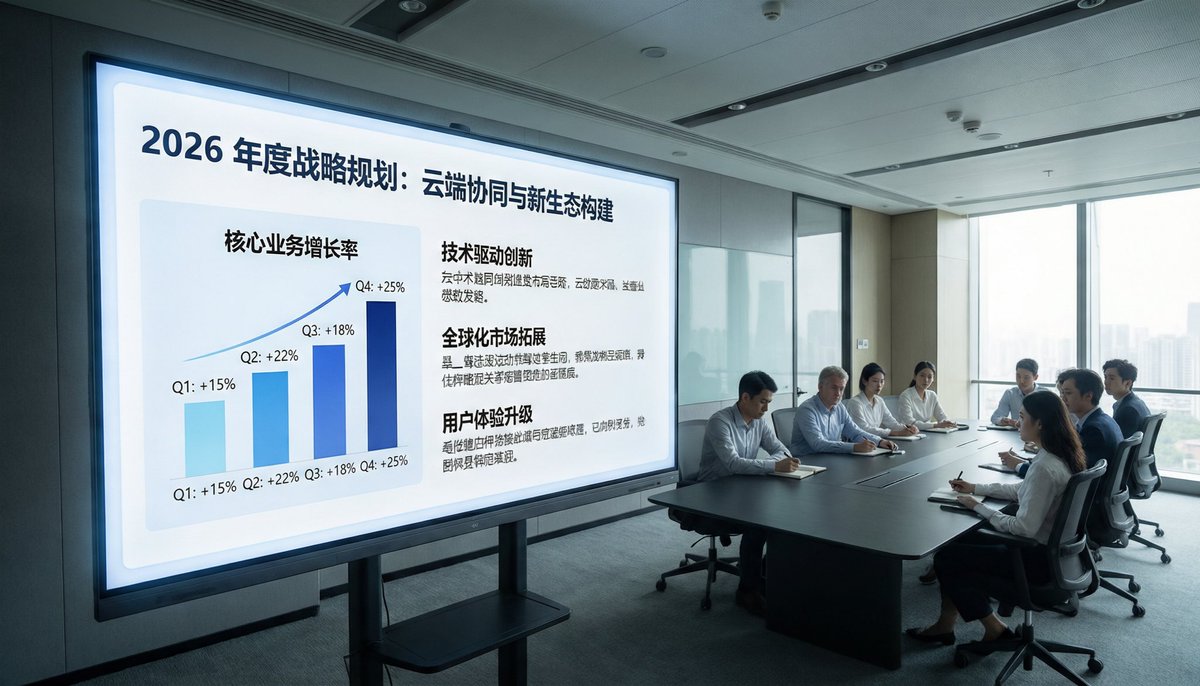
Aggiornamento fotografico per riunioni aziendali
Questo suggerimento trasforma un riferimento a una sala conferenze in stile videosorveglianza in una foto aziendale brillante e di alta qualità, adatta per presentazioni aziendali, report o materiale di marketing.
Questo è un esempio di prompt GPT Image 2 per Interni e architettura . Utilizza il prompt pronto per la copia qui sotto per generare immagini simili e verifica l'attribuzione Awesome GPT Image 2 Prompts e i diritti di utilizzo commerciale prima del riutilizzo.
Hai bisogno del set completo di prompt? Usa il Interni e architettura hub tematico per ulteriori esempi correlati oppure apri il GPT Image 2 catalogo rapido per l'indice completo degli esempi, le strutture riutilizzabili e l'attribuzione delle fonti.
Free 1K preview
Generate one preview image instantly, no sign-up required.
Free text preview doesn’t preserve reference-image consistency.
1358/4000
Richiesta
prompt pronto per la copia
Using the provided reference image, recreate the same business meeting from a fresh perspective, transforming it into a sophisticated, high-end corporate promotional photo. Shift the viewpoint closer to the presentation screen and switch to a wide-angle view from the left front, positioning the display on the left side and the conference table and attendees on the right side near the floor-to-ceiling windows. Replace the dim surveillance camera style with bright natural light, clean modern office lighting, and professional architectural interior textures. Remove all CCTV overlays, timestamps, recording indicators, floor/equipment text, and other surveillance camera artifacts. Upgrade the displayed content to exquisite Keynote-style strategic slides, titled “2026 Annual Strategic Plan: Cloud Collaboration and New Ecosystem Construction.” On the left side of the slides, display a quarterly growth trend bar chart, labeling four quarters: Q1 +15%, Q2 +22%, Q3 +18%, Q4 +25%. On the right side, display three text blocks with bold headings: “Technology-Driven Innovation,” “Global Market Expansion,” and “User Experience Upgrade,” each accompanied by a brief Chinese text. Maintain the realism of the scene, presenting a high-end corporate brand aesthetic, with neat seating arrangements and subtle anonymization or soft focus applied to the people.
Best for
- - Interni e architettura visual exploration
- - Image generation and reference-image edits
- - Reusable briefs that keep source attribution visible
Change these parts
- - Subject, product, character, or scene
- - Aspect ratio, camera, lighting, and background
- - Brand, text, color, and output constraints
Recommended model and settings
- - Model: gpt-image-2
- - Input mode: Immagine in immagine
- - Aspect ratio: source
- - Commercial status: review original source
How to use this prompt
- 1. Copy the prompt and preserve its structure for the first test.
- 2. Replace the subject, context, and publishing channel.
- 3. Change one camera, lighting, or style variable per iteration.
- 4. Inspect the output, source, text, and rights before reuse.
Limitations, source, and reuse cautions
- - Generated output is an editable draft, not factual, legal, or rights evidence.
- - Review the linked source, people, brands, logos, text, and third-party media before commercial use.
Importato da Awesome GPT Image 2 Prompts . È richiesta l'attribuzione. Lo stato di utilizzo commerciale è allowed ; verificare i diritti della fonte prima dell'utilizzo a pagamento.
Altri casi in questa categoria
Prioritizzazione in base a categoria, compatibilità della modalità di input, qualità e minor rischio.

Stylish Man Street Lamp Portrait
Immagine in immagine

Sci-Fi Cyan Lighting Effect
Immagine in immagine

Orange Rooftop Fashion Photo Prompt
Testo in immagine

Luxury Travel Fashion Portrait Prompt
Testo in immagine

Gray Denim Lace-Up Top Prompt for GPT Image 2
Testo in immagine

Hiker in Red Jacket
Testo in immagine
Note sul riutilizzo e sulla fonte
Utilizza questo prompt in tutta sicurezza dopo aver visualizzato in anteprima il caso.
- 1.Copia il prompt oppure aprilo direttamente in Dovoo tramite il pulsante di generazione.
- 2.Regola le variabili, le proporzioni e le immagini di riferimento in base alle tue esigenze.
- 3.Prima della pubblicazione o dell'utilizzo a pagamento, verificare i diritti di fonte, i requisiti di attribuzione e i rischi relativi al marchio o all'immagine.