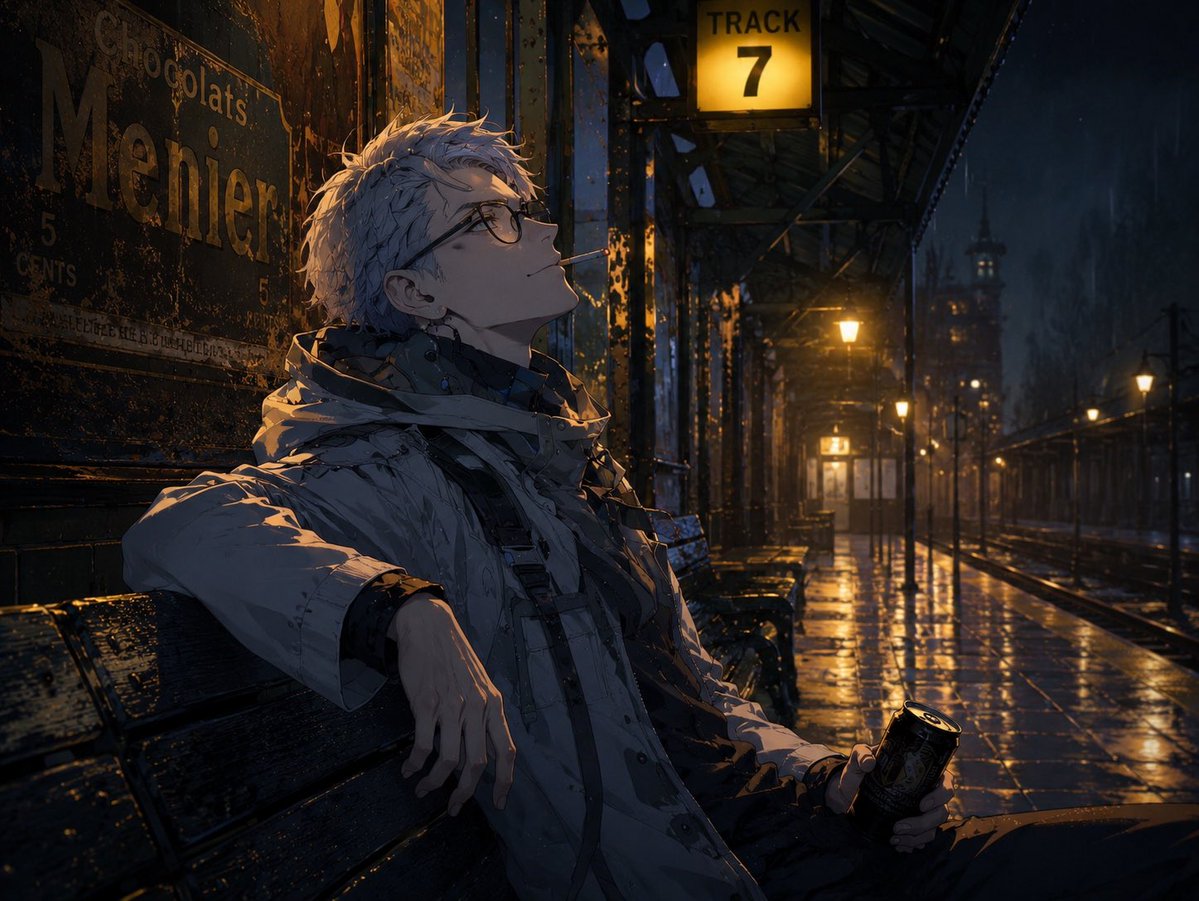
Cinematic Game Character in Midnight Station
A highly detailed prompt for GPT Image 2 to create a cinematic game-style scene of a character sitting on a midnight train platform with European film aesthetics.
Questo è un esempio di prompt GPT Image 2 per Anime e videogiochi . Utilizza il prompt pronto per la copia qui sotto per generare immagini simili e verifica l'attribuzione Awesome GPT Image 2 Prompts e i diritti di utilizzo commerciale prima del riutilizzo.
Hai bisogno del set completo di prompt? Usa il Anime e videogiochi hub tematico per ulteriori esempi correlati oppure apri il GPT Image 2 catalogo rapido per l'indice completo degli esempi, le strutture riutilizzabili e l'attribuzione delle fonti.
Free 1K preview
Generate one preview image instantly, no sign-up required.
1252/4000
Richiesta
prompt pronto per la copia
Please create an image using the uploaded character. A game made with Unreal Engine.

The character should be depicted as a high-quality game character.

Maintain clear and high-definition facial features, eyes, eyelashes, hair, outlines, hair clumps, and skin shading.

Do not make the screen grainy.

Avoid graininess, film grain, noise, paper texture, and analog dirt expressions.

The setting is:
* {argument name="setting" default="a wet platform"}
* Old iron
* Amber lights
* Late night
* Old advertisements

The character is {argument name="action" default="sitting on a station bench waiting for a train"}. Holding a {argument name="item" default="canned coffee"}, they have their other arm over the back of the seat and are looking up.

Do not look at the camera.

Not a pose, but a natural action in progress.

Make it look like a natural scene cut from the middle of a movie.
Everything except the character should have a realistic live-action video style.
Give it a cinematic European atmosphere.

The character should be depicted sharp and clean, like ultra-high-quality game event CG.

Emphasis on lighting.

Aerial perspective.
Cinematic depth.

High-quality background art. Atmospheric photograph.
Cinematic.
High-end game event CG.
8K.
Variabili di richiesta
Segnaposto per gli argomenti modificabili presenti nel prompt, con i relativi valori predefiniti.
Variabile
setting
Predefinito
a wet platform
Variabile
action
Predefinito
sitting on a station bench waiting for a train
Variabile
item
Predefinito
canned coffee
Best for
- - Anime e videogiochi visual exploration
- - Image generation and reference-image edits
- - Reusable briefs that keep source attribution visible
Change these parts
- - Subject, product, character, or scene
- - Aspect ratio, camera, lighting, and background
- - Brand, text, color, and output constraints
Recommended model and settings
- - Model: gpt-image-2
- - Input mode: Testo in immagine
- - Aspect ratio: source
- - Commercial status: review original source
How to use this prompt
- 1. Copy the prompt and preserve its structure for the first test.
- 2. Replace the subject, context, and publishing channel.
- 3. Change one camera, lighting, or style variable per iteration.
- 4. Inspect the output, source, text, and rights before reuse.
Limitations, source, and reuse cautions
- - Generated output is an editable draft, not factual, legal, or rights evidence.
- - Review the linked source, people, brands, logos, text, and third-party media before commercial use.
Importato da Awesome GPT Image 2 Prompts . È richiesta l'attribuzione. Lo stato di utilizzo commerciale è allowed ; verificare i diritti della fonte prima dell'utilizzo a pagamento.
Altri casi in questa categoria
Prioritizzazione in base a categoria, compatibilità della modalità di input, qualità e minor rischio.

Manga Desert Radio Telescope Road Trip
Testo in immagine

Female Clown Cyborg Portrait
Testo in immagine

Greyscale Puzzle Portrait with Color Accent
Testo in immagine

Imperial Research Bunker on Volcanic Planet
Testo in immagine

Android Quantum Lab Workstation
Testo in immagine

Surreal 3D Chess Match Artwork
Testo in immagine
Note sul riutilizzo e sulla fonte
Utilizza questo prompt in tutta sicurezza dopo aver visualizzato in anteprima il caso.
- 1.Copia il prompt oppure aprilo direttamente in Dovoo tramite il pulsante di generazione.
- 2.Regola le variabili, le proporzioni e le immagini di riferimento in base alle tue esigenze.
- 3.Prima della pubblicazione o dell'utilizzo a pagamento, verificare i diritti di fonte, i requisiti di attribuzione e i rischi relativi al marchio o all'immagine.