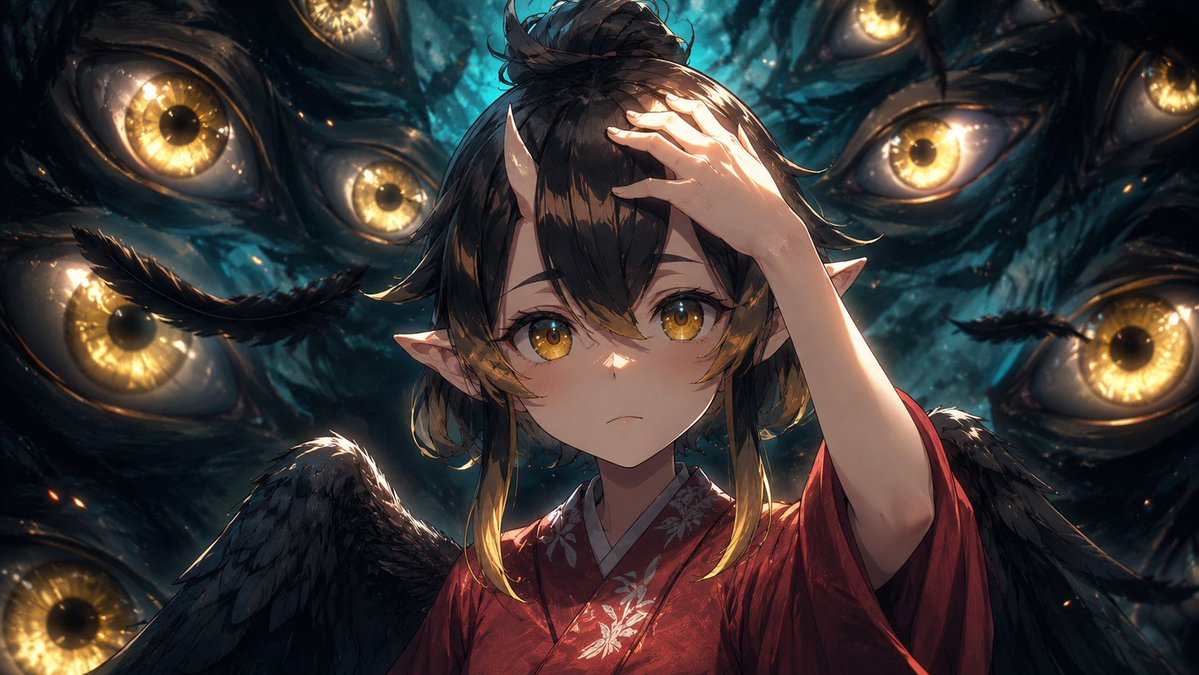
Ripasso dei fotogrammi dell'anime cinematografico
Trasforma una scena anime di riferimento in un'immagine fissa di produzione cinematografica più rifinita, preservando al contempo la posa, l'inquadratura e il volto mascherato originali.
Questo è un esempio di prompt GPT Image 2 per Anime e videogiochi . Utilizza il prompt pronto per la copia qui sotto per generare immagini simili e verifica l'attribuzione Awesome GPT Image 2 Prompts e i diritti di utilizzo commerciale prima del riutilizzo.
Free 1K preview
Generate one preview image instantly, no sign-up required.
Free text preview doesn’t preserve reference-image consistency.
Richiesta
prompt pronto per la copia
Using the provided reference image as the base frame, brush it up into a high-end cinematic anime key visual while preserving the original composition, character pose, outfit, wings, pointed ears, hand placement, and the central rectangular privacy mask over the face. Keep the same dark supernatural scene with exactly 8 visible surrounding golden eyes, but greatly increase the drawing density, shadow detail, rim lighting, depth, texture, and contrast. Make the background eyes sharper and more luminous, with wet organic texture, teal-black darkness, glowing amber irises, subtle sparks, and layered depth of field. Refine the hair strands, feathers, kimono fabric, floral embroidery, skin shading, and highlights so the frame feels like a polished production still rather than a rough anime cut. Maintain the same widescreen crop and overall framing. Style target: {argument name="visual style" default="premium cinematic anime illustration"}. Enhancement strength: {argument name="enhancement strength" default="strong brush-up with more detail, shadows, and depth"}. Lighting mood: {argument name="lighting mood" default="dramatic teal-and-gold supernatural lighting"}. Privacy mask: {argument name="privacy mask" default="keep the opaque rectangular block covering the face"}.Variabili di richiesta
Segnaposto per gli argomenti modificabili presenti nel prompt, con i relativi valori predefiniti.
Best for
- - Anime e videogiochi visual exploration
- - Image generation and reference-image edits
- - Reusable briefs that keep source attribution visible
Change these parts
- - Subject, product, character, or scene
- - Aspect ratio, camera, lighting, and background
- - Brand, text, color, and output constraints
Recommended model and settings
- - Model: gpt-image-2
- - Input mode: Immagine in immagine
- - Aspect ratio: source
- - Commercial status: review original source
How to use this prompt
- 1. Copy the prompt and preserve its structure for the first test.
- 2. Replace the subject, context, and publishing channel.
- 3. Change one camera, lighting, or style variable per iteration.
- 4. Inspect the output, source, text, and rights before reuse.
Limitations, source, and reuse cautions
- - Generated output is an editable draft, not factual, legal, or rights evidence.
- - Review the linked source, people, brands, logos, text, and third-party media before commercial use.
Altri casi in questa categoria
Prioritizzazione in base a categoria, compatibilità della modalità di input, qualità e minor rischio.






Note sul riutilizzo e sulla fonte
Utilizza questo prompt in tutta sicurezza dopo aver visualizzato in anteprima il caso.
- 1.Copia il prompt oppure aprilo direttamente in Dovoo tramite il pulsante di generazione.
- 2.Regola le variabili, le proporzioni e le immagini di riferimento in base alle tue esigenze.
- 3.Prima della pubblicazione o dell'utilizzo a pagamento, verificare i diritti di fonte, i requisiti di attribuzione e i rischi relativi al marchio o all'immagine.