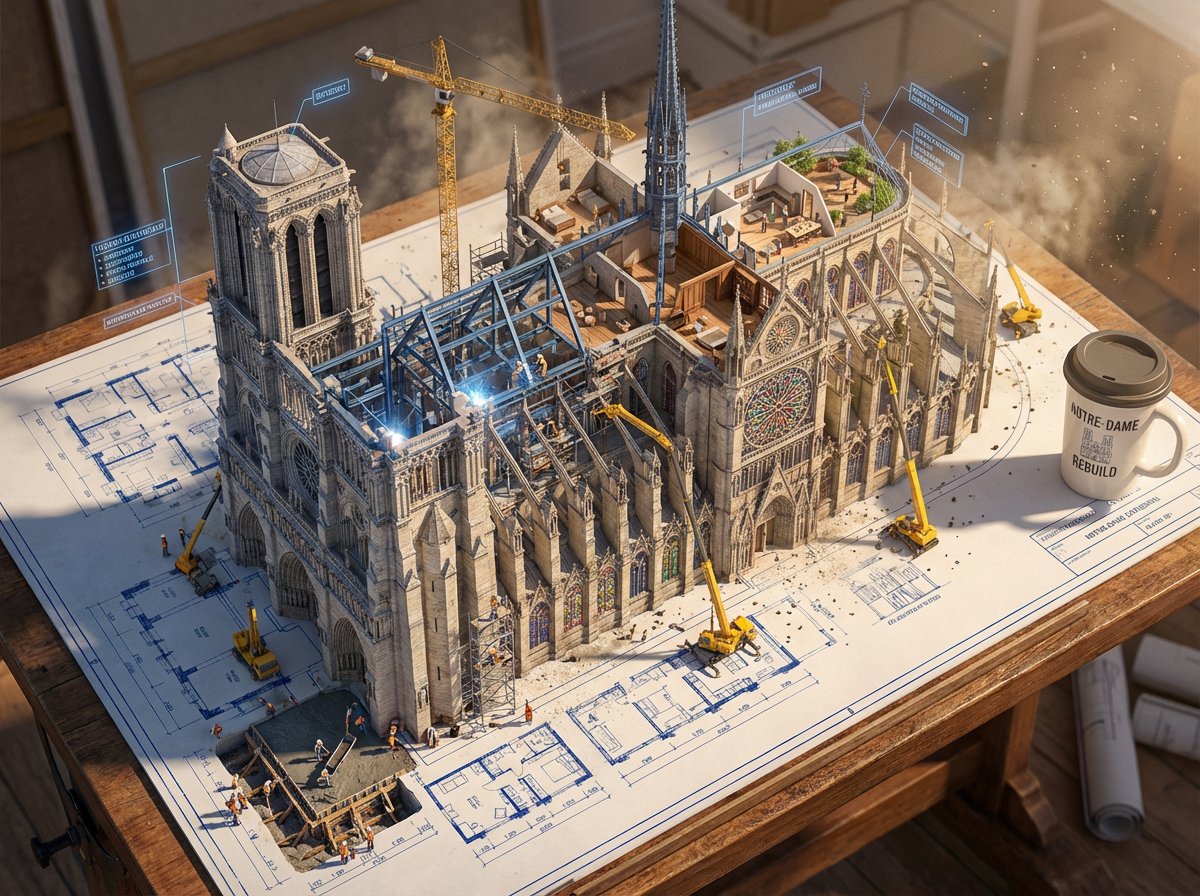
Blueprint to Living Construction Site
An epic prompt where architectural blueprint lines lift off paper and transform into a real, multi-phase 3D construction site.
Questo è un esempio di prompt GPT Image 2 per Interni e architettura . Utilizza il prompt pronto per la copia qui sotto per generare immagini simili e verifica l'attribuzione Awesome GPT Image 2 Prompts e i diritti di utilizzo commerciale prima del riutilizzo.
Hai bisogno del set completo di prompt? Usa il Interni e architettura hub tematico per ulteriori esempi correlati oppure apri il GPT Image 2 catalogo rapido per l'indice completo degli esempi, le strutture riutilizzabili e l'attribuzione delle fonti.
Free 1K preview
Generate one preview image instantly, no sign-up required.
Free text preview doesn’t preserve reference-image consistency.
1173/4000
Richiesta
prompt pronto per la copia
Create an epic photorealistic 3D scene where a huge architectural blueprint for a {argument name="structure" default="[BUILDING/STRUCTURE]"} is pinned to a drafting table, and the ink lines lift off the paper into a real construction site. The blue plan lines transform into steel beams being welded in midair, floor plans expand into furnished rooms, and elevation drawings push outward into facades with working windows.

Show multiple construction phases at the same time: one corner has the foundation being poured while another section already has a finished, inhabited penthouse. Add tiny workers, cranes, scaffolding, construction equipment, and activity all over the rising structure. The flat technical drawing and the living building should merge at impossible angles, with dimensional annotation labels floating like signage around the build.

Place an architect's {argument name="object" default="coffee cup"} near the edge of the table, casting a shadow across parts of the blueprint that have not been built yet. Emphasize extreme scale contrast, construction dust glowing in afternoon light, intricate detail, cinematic realism, 8K, photorealistic rendering.
Variabili di richiesta
Segnaposto per gli argomenti modificabili presenti nel prompt, con i relativi valori predefiniti.
Variabile
structure
Predefinito
[BUILDING/STRUCTURE]
Variabile
object
Predefinito
coffee cup
Best for
- - Interni e architettura visual exploration
- - Image generation and reference-image edits
- - Reusable briefs that keep source attribution visible
Change these parts
- - Subject, product, character, or scene
- - Aspect ratio, camera, lighting, and background
- - Brand, text, color, and output constraints
Recommended model and settings
- - Model: gpt-image-2
- - Input mode: Immagine in immagine
- - Aspect ratio: source
- - Commercial status: review original source
How to use this prompt
- 1. Copy the prompt and preserve its structure for the first test.
- 2. Replace the subject, context, and publishing channel.
- 3. Change one camera, lighting, or style variable per iteration.
- 4. Inspect the output, source, text, and rights before reuse.
Limitations, source, and reuse cautions
- - Generated output is an editable draft, not factual, legal, or rights evidence.
- - Review the linked source, people, brands, logos, text, and third-party media before commercial use.
Importato da Awesome GPT Image 2 Prompts . È richiesta l'attribuzione. Lo stato di utilizzo commerciale è allowed ; verificare i diritti della fonte prima dell'utilizzo a pagamento.
Altri casi in questa categoria
Prioritizzazione in base a categoria, compatibilità della modalità di input, qualità e minor rischio.

Split Face Horror Transformation
Immagine in immagine

Surreal Macro Fashion Illusion
Immagine in immagine

Dax Cinematic Character Bible Sheet
Immagine in immagine

Vintage Digital Camera Mirror Selfie
Immagine in immagine

Multi-Pose Wavy Dark Hair Portrait
Immagine in immagine

Surreal 3D Chess Match Artwork
Testo in immagine
Note sul riutilizzo e sulla fonte
Utilizza questo prompt in tutta sicurezza dopo aver visualizzato in anteprima il caso.
- 1.Copia il prompt oppure aprilo direttamente in Dovoo tramite il pulsante di generazione.
- 2.Regola le variabili, le proporzioni e le immagini di riferimento in base alle tue esigenze.
- 3.Prima della pubblicazione o dell'utilizzo a pagamento, verificare i diritti di fonte, i requisiti di attribuzione e i rischi relativi al marchio o all'immagine.