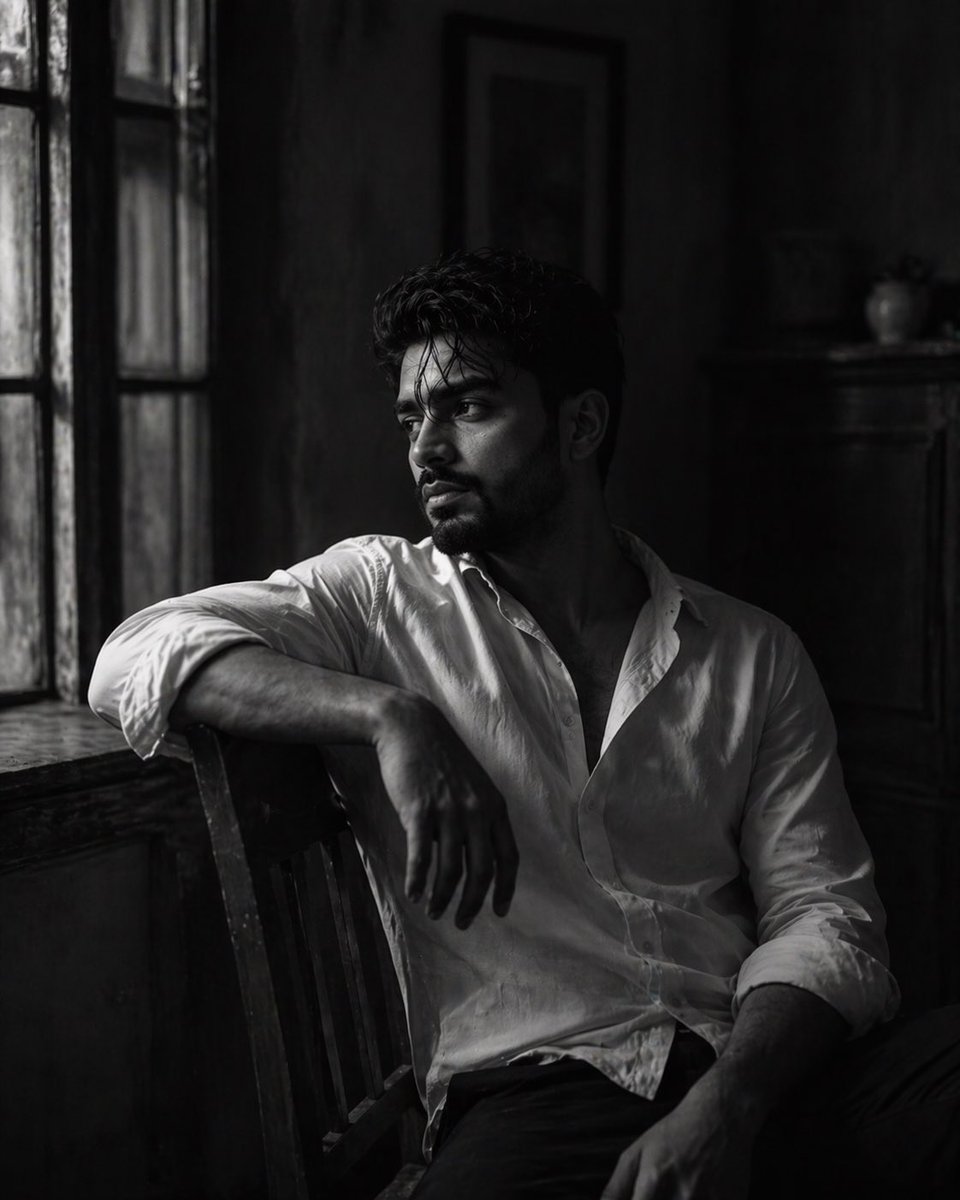
Ritratto artistico in bianco e nero
Un soggetto per un ritratto cinematografico in bianco e nero che ritrae un uomo introspettivo in un'ambientazione vintage con illuminazione ad alto contrasto.
Questo è un esempio di prompt GPT Image 2 per Ritratto e personaggio . Utilizza il prompt pronto per la copia qui sotto per generare immagini simili e verifica l'attribuzione Awesome GPT Image 2 Prompts e i diritti di utilizzo commerciale prima del riutilizzo.
Free 1K preview
Generate one preview image instantly, no sign-up required.
Free text preview doesn’t preserve reference-image consistency.
Richiesta
prompt pronto per la copia
A cinematic, black-and-white portrait of a {argument name="subject" default="young man"} sitting on a {argument name="furniture" default="wooden chair"} in a vintage indoor setting. He is positioned sideways, leaning forward slightly, resting his head gently on his folded arms placed over the backrest of the chair. His posture is relaxed but heavy, conveying emotional depth and quiet introspection. He gazes downward, lost in thought, with a soft, melancholic expression.

He has slightly messy dark hair, subtle texture, and light stubble or a short beard, adding realism and character. A few strands of hair fall naturally across his forehead. He wears a {argument name="clothing" default="simple, slightly oversized white shirt"} with soft fabric folds, enhancing the candid, natural aesthetic.

Lighting is soft and natural, coming from a large window behind or to the side of him. The light wraps gently around his face and arms, creating delicate highlights while casting deep, dramatic shadows across the room. The lighting is diffused yet high-contrast, evoking classic analog film photography.

The environment is a vintage interior—aged wooden furniture, textured walls, and a large window with visible panes. The background is softly blurred but still readable, adding depth and context without distracting from the subject.

Mood is emotional, quiet, and introspective—capturing loneliness, contemplation, and stillness.

Color grading: monochrome (black and white) with rich contrast, deep blacks, soft highlights, and a film-like tonal range.

Depth of field is shallow, focusing sharply on the subject’s face and arms while smoothly blurring the background.

Style: fine art photography, cinematic film still, analog aesthetic, high dynamic range, subtle grain, timeless mood.

Camera details: 50mm or 85mm lens, f/1.8–f/2.2 aperture, natural light photography, strong subject isolation, gentle vignette.

Composition: vertical frame (4:5 or 9:16), subject slightly off-center, using the chair as a framing element for a layered, storytelling composition.
Generate image using uploaded image as reference
Variabili di richiesta
Segnaposto per gli argomenti modificabili presenti nel prompt, con i relativi valori predefiniti.
Best for
- - Ritratto e personaggio visual exploration
- - Image generation and reference-image edits
- - Reusable briefs that keep source attribution visible
Change these parts
- - Subject, product, character, or scene
- - Aspect ratio, camera, lighting, and background
- - Brand, text, color, and output constraints
Recommended model and settings
- - Model: gpt-image-2
- - Input mode: Immagine in immagine
- - Aspect ratio: source
- - Commercial status: review original source
How to use this prompt
- 1. Copy the prompt and preserve its structure for the first test.
- 2. Replace the subject, context, and publishing channel.
- 3. Change one camera, lighting, or style variable per iteration.
- 4. Inspect the output, source, text, and rights before reuse.
Limitations, source, and reuse cautions
- - Generated output is an editable draft, not factual, legal, or rights evidence.
- - Review the linked source, people, brands, logos, text, and third-party media before commercial use.
Altri casi in questa categoria
Prioritizzazione in base a categoria, compatibilità della modalità di input, qualità e minor rischio.






Note sul riutilizzo e sulla fonte
Utilizza questo prompt in tutta sicurezza dopo aver visualizzato in anteprima il caso.
- 1.Copia il prompt oppure aprilo direttamente in Dovoo tramite il pulsante di generazione.
- 2.Regola le variabili, le proporzioni e le immagini di riferimento in base alle tue esigenze.
- 3.Prima della pubblicazione o dell'utilizzo a pagamento, verificare i diritti di fonte, i requisiti di attribuzione e i rischi relativi al marchio o all'immagine.