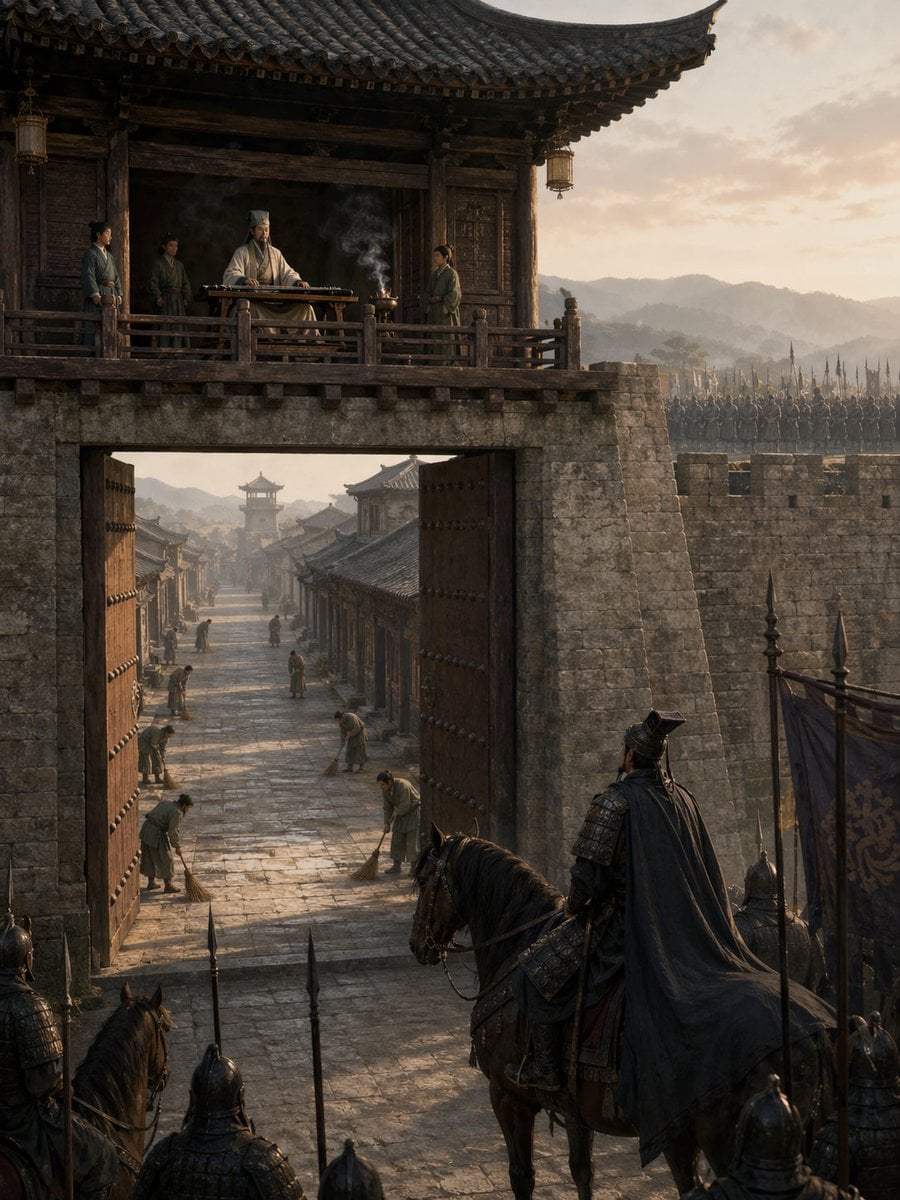
空城计
Source-attributed GPT Image 2 image prompt from the Awesome GPT Image 2 Prompts repository.
Questo è un esempio di prompt GPT Image 2 per Paesaggio e natura . Utilizza il prompt pronto per la copia qui sotto per generare immagini simili e verifica l'attribuzione Awesome GPT Image 2 Prompts e i diritti di utilizzo commerciale prima del riutilizzo.
Hai bisogno del set completo di prompt? Usa il Paesaggio e natura hub tematico per ulteriori esempi correlati oppure apri il GPT Image 2 catalogo rapido per l'indice completo degli esempi, le strutture riutilizzabili e l'attribuzione delle fonti.
Free 1K preview
Generate one preview image instantly, no sign-up required.
369/4000
Richiesta
prompt pronto per la copia
一幅极具电影感的中国历史场景,描绘了黎明时分的“空城计”,视角从巨大的古代城门外望去。前景中,一位身披黑色斗篷的暗甲将军骑在马上,背影示人,他与几名持矛士兵及旗手停下脚步,疑虑地注视着敞开的城门。巨大的木质城门大开,露出城内长长的石板街道。城内清晰可见 6 名平民,他们正从容地扫着地,沿街道分布,营造出一种诡异的平静感。城门上方,在传统瓦顶城楼的木质露台上,一位身着白袍、头戴高冠的谋士正从容地坐在古琴桌后,桌上香炉升起缕缕青烟。露台上还有 3 名侍从环绕在他身边。城墙由古老的灰石砌成,背景中的城垛上排列着手持长矛的士兵。采用真实的三国时代建筑风格、风化的木材、层叠的瓦片、柔和的大地色调、清晨的金色暖光、远处的朦胧山峦、长长的阴影、大气层雾气、超精细纹理、极具戏剧性的纵向构图、史诗般的历史写实感、电影级取景,以及紧张而静谧的氛围。
Best for
- - Paesaggio e natura visual exploration
- - Image generation and reference-image edits
- - Reusable briefs that keep source attribution visible
Change these parts
- - Subject, product, character, or scene
- - Aspect ratio, camera, lighting, and background
- - Brand, text, color, and output constraints
Recommended model and settings
- - Model: gpt-image-2
- - Input mode: Testo in immagine
- - Aspect ratio: source
- - Commercial status: restricted
How to use this prompt
- 1. Copy the prompt and preserve its structure for the first test.
- 2. Replace the subject, context, and publishing channel.
- 3. Change one camera, lighting, or style variable per iteration.
- 4. Inspect the output, source, text, and rights before reuse.
Limitations, source, and reuse cautions
- - Generated output is an editable draft, not factual, legal, or rights evidence.
- - Review the linked source, people, brands, logos, text, and third-party media before commercial use.
Importato da Awesome GPT Image 2 Prompts . È richiesta l'attribuzione. Lo stato di utilizzo commerciale è allowed ; verificare i diritti della fonte prima dell'utilizzo a pagamento.
Altri casi in questa categoria
Prioritizzazione in base a categoria, compatibilità della modalità di input, qualità e minor rischio.






Note sul riutilizzo e sulla fonte
Utilizza questo prompt in tutta sicurezza dopo aver visualizzato in anteprima il caso.
- 1.Copia il prompt oppure aprilo direttamente in Dovoo tramite il pulsante di generazione.
- 2.Regola le variabili, le proporzioni e le immagini di riferimento in base alle tue esigenze.
- 3.Prima della pubblicazione o dell'utilizzo a pagamento, verificare i diritti di fonte, i requisiti di attribuzione e i rischi relativi al marchio o all'immagine.