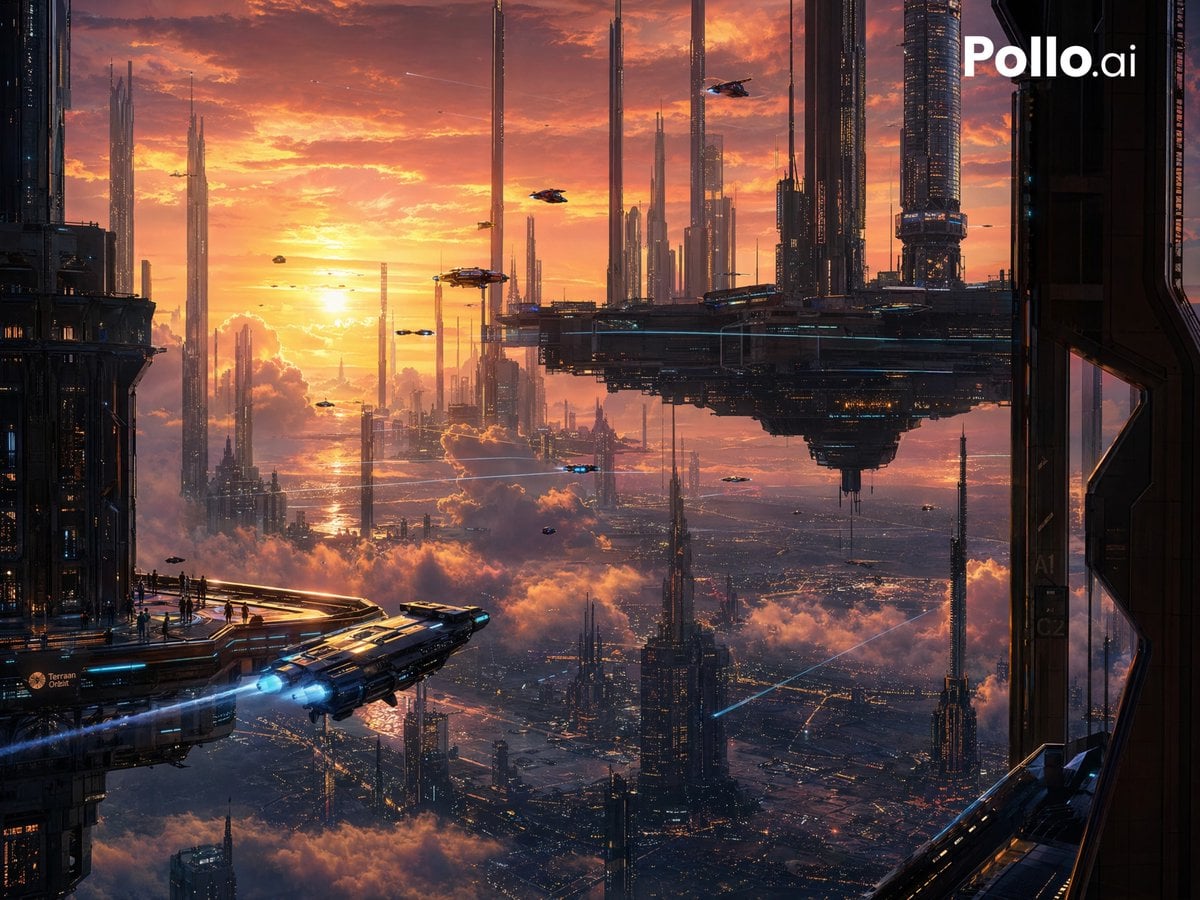
未来主义日落大都市
Source-attributed GPT Image 2 image prompt from the Awesome GPT Image 2 Prompts repository.
Questo è un esempio di prompt GPT Image 2 per Paesaggio e natura . Utilizza il prompt pronto per la copia qui sotto per generare immagini simili e verifica l'attribuzione Awesome GPT Image 2 Prompts e i diritti di utilizzo commerciale prima del riutilizzo.
Hai bisogno del set completo di prompt? Usa il Paesaggio e natura hub tematico per ulteriori esempi correlati oppure apri il GPT Image 2 catalogo rapido per l'indice completo degli esempi, le strutture riutilizzabili e l'attribuzione delle fonti.
Free 1K preview
Generate one preview image instantly, no sign-up required.
402/4000
Richiesta
prompt pronto per la copia
在日落时分,从高处的观景平台俯瞰广阔的电影感科幻大都市,周围是巨大的深色金属摩天大楼。天空呈现出戏剧性的橙色、金色和玫瑰色云彩,低垂的太阳将温暖的光芒洒向延伸至远方、笼罩在云雾之上的宏伟未来城市。画面右上角中心处有 1 个巨大的悬浮巨型结构,像巨大的浮动平台一样悬挂在城市上方,周围环绕着无数超高针状塔楼和下方灯火通明的密集城区。左下角包含 1 个前景着陆甲板,边缘站着一小群微小的人影,另有 1 艘流线型航天器正从该平台起飞,明亮的蓝色引擎轨迹向外呈对角线延伸。天空中散布着多辆小型飞行载具,在建筑群的衬托下显得格外渺小。画面左右两侧采用深色结构元素进行构图以营造深度感,仿佛从未来塔楼的走廊或阳台向外眺望。风格为超精细概念艺术、史诗级规模、大气透视、反光金属表面、错综复杂的城市灯光、体积云、轻微雾气、温暖日落光线与冷色调蓝色科技感之间的戏剧性对比,极具电影感,宏大的未来乌托邦,高度精致的数字绘景。
Best for
- - Paesaggio e natura visual exploration
- - Image generation and reference-image edits
- - Reusable briefs that keep source attribution visible
Change these parts
- - Subject, product, character, or scene
- - Aspect ratio, camera, lighting, and background
- - Brand, text, color, and output constraints
Recommended model and settings
- - Model: gpt-image-2
- - Input mode: Testo in immagine
- - Aspect ratio: source
- - Commercial status: restricted
How to use this prompt
- 1. Copy the prompt and preserve its structure for the first test.
- 2. Replace the subject, context, and publishing channel.
- 3. Change one camera, lighting, or style variable per iteration.
- 4. Inspect the output, source, text, and rights before reuse.
Limitations, source, and reuse cautions
- - Generated output is an editable draft, not factual, legal, or rights evidence.
- - Review the linked source, people, brands, logos, text, and third-party media before commercial use.
Importato da Awesome GPT Image 2 Prompts . È richiesta l'attribuzione. Lo stato di utilizzo commerciale è allowed ; verificare i diritti della fonte prima dell'utilizzo a pagamento.
Altri casi in questa categoria
Prioritizzazione in base a categoria, compatibilità della modalità di input, qualità e minor rischio.

MotoGP POV Cornering Shot
Testo in immagine

Luxury Travel Fashion Portrait Prompt
Testo in immagine

Anime Girl Heterochromia Portrait
Testo in immagine

Street Selfie with Cat in Matching Cap
Testo in immagine

Hell Hound Character Sheet Infographic
Testo in immagine

Orange Rooftop Fashion Photo Prompt
Testo in immagine
Note sul riutilizzo e sulla fonte
Utilizza questo prompt in tutta sicurezza dopo aver visualizzato in anteprima il caso.
- 1.Copia il prompt oppure aprilo direttamente in Dovoo tramite il pulsante di generazione.
- 2.Regola le variabili, le proporzioni e le immagini di riferimento in base alle tue esigenze.
- 3.Prima della pubblicazione o dell'utilizzo a pagamento, verificare i diritti di fonte, i requisiti di attribuzione e i rischi relativi al marchio o all'immagine.