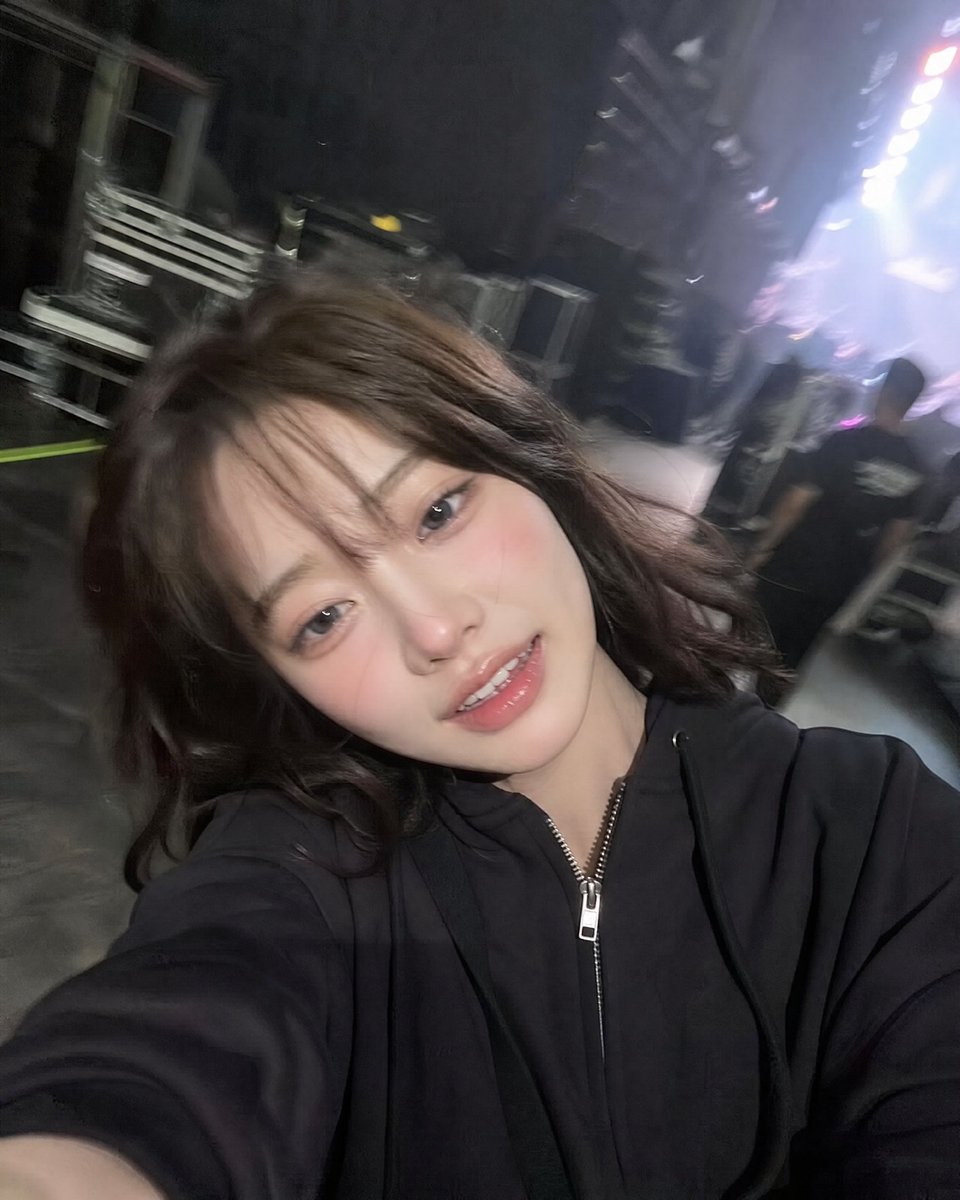
Accidental iPhone Front Camera Selfie
A candid, low-light smartphone selfie designed to look like an accidental iPhone shot, featuring motion blur and digital grain for a nostalgic aesthetic.
Questo è un esempio di prompt GPT Image 2 per Ritratto e personaggio . Utilizza il prompt pronto per la copia qui sotto per generare immagini simili e verifica l'attribuzione Awesome GPT Image 2 Prompts e i diritti di utilizzo commerciale prima del riutilizzo.
Free 1K preview
Generate one preview image instantly, no sign-up required.
Free text preview doesn’t preserve reference-image consistency.
Richiesta
prompt pronto per la copia
Ultra-realistic accidental iPhone front-camera selfie of the same woman from the reference image, preserving exact identity, facial features, hairstyle, and proportions. {argument name="setting" default="Backstage at a live concert"}, captured candidly while walking through a corridor. She turns slightly with a {argument name="expression" default="relaxed, tired post-performance smile and soft laugh"}, messy wind-blown hair, natural unposed expression.
Shot feels accidental: arm extended, phone too close, tilted framing, off-center crop, slight motion blur on hair and arm. Authentic iPhone front-camera look with low-light grain, slight overexposure from stage lights, lens bloom, mild focus inconsistency, and natural smartphone processing.
Background softly blurred: {argument name="background details" default="backstage hallway, LED lights, equipment cases, staff silhouettes, arena glow"}. 3:4 aspect ratio.
Variabili di richiesta
Segnaposto per gli argomenti modificabili presenti nel prompt, con i relativi valori predefiniti.
Best for
- - Ritratto e personaggio visual exploration
- - Image generation and reference-image edits
- - Reusable briefs that keep source attribution visible
Change these parts
- - Subject, product, character, or scene
- - Aspect ratio, camera, lighting, and background
- - Brand, text, color, and output constraints
Recommended model and settings
- - Model: gpt-image-2
- - Input mode: Immagine in immagine
- - Aspect ratio: source
- - Commercial status: review original source
How to use this prompt
- 1. Copy the prompt and preserve its structure for the first test.
- 2. Replace the subject, context, and publishing channel.
- 3. Change one camera, lighting, or style variable per iteration.
- 4. Inspect the output, source, text, and rights before reuse.
Limitations, source, and reuse cautions
- - Generated output is an editable draft, not factual, legal, or rights evidence.
- - Review the linked source, people, brands, logos, text, and third-party media before commercial use.
Altri casi in questa categoria
Prioritizzazione in base a categoria, compatibilità della modalità di input, qualità e minor rischio.






Note sul riutilizzo e sulla fonte
Utilizza questo prompt in tutta sicurezza dopo aver visualizzato in anteprima il caso.
- 1.Copia il prompt oppure aprilo direttamente in Dovoo tramite il pulsante di generazione.
- 2.Regola le variabili, le proporzioni e le immagini di riferimento in base alle tue esigenze.
- 3.Prima della pubblicazione o dell'utilizzo a pagamento, verificare i diritti di fonte, i requisiti di attribuzione e i rischi relativi al marchio o all'immagine.