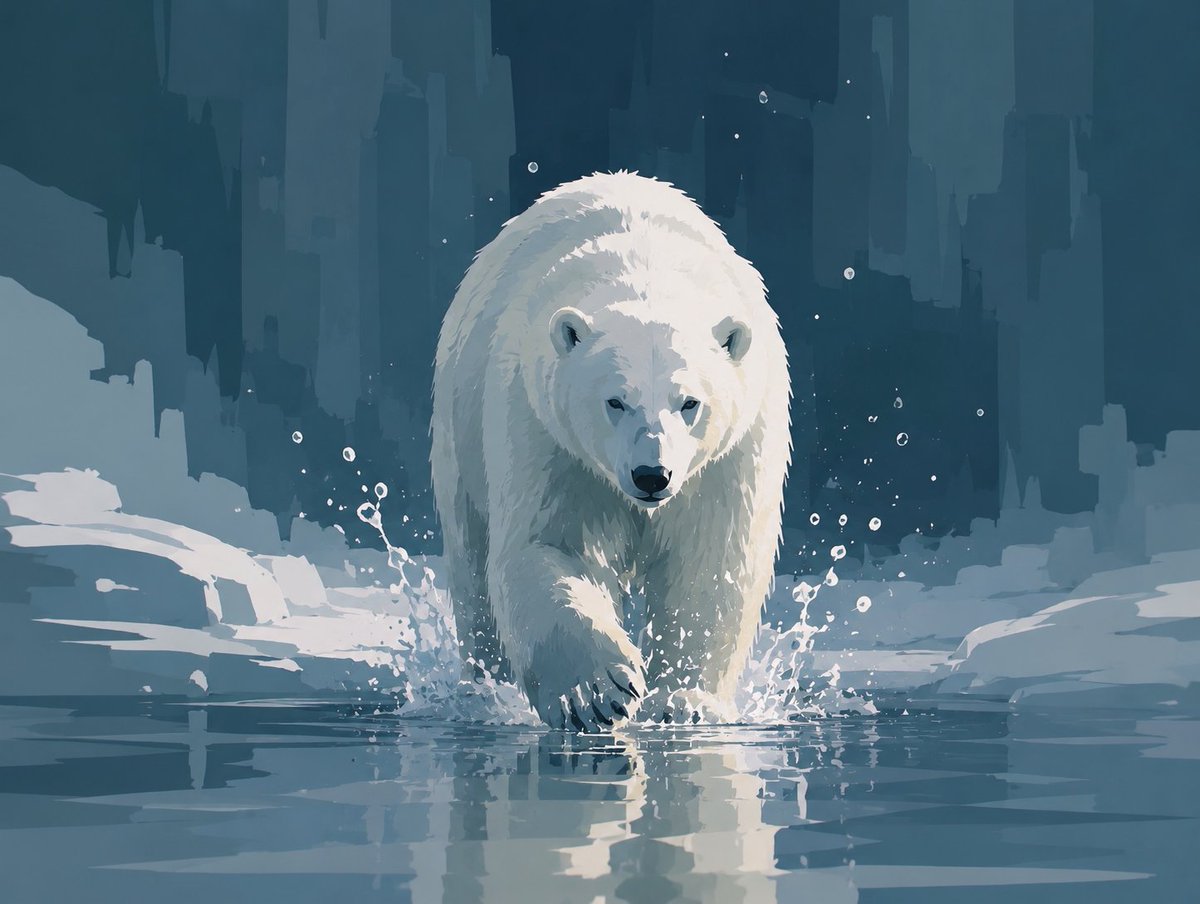
Abstract Polar Bear in Icy Water
A painterly arctic scene featuring a lone polar bear advancing through cold water, ideal for expressive wildlife concept art.
Questo è un esempio di prompt GPT Image 2 per Illustrazione e arte . Utilizza il prompt pronto per la copia qui sotto per generare immagini simili e verifica l'attribuzione Awesome GPT Image 2 Prompts e i diritti di utilizzo commerciale prima del riutilizzo.
Hai bisogno del set completo di prompt? Usa il Illustrazione e arte hub tematico per ulteriori esempi correlati oppure apri il GPT Image 2 catalogo rapido per l'indice completo degli esempi, le strutture riutilizzabili e l'attribuzione delle fonti.
Free 1K preview
Generate one preview image instantly, no sign-up required.
1201/4000
Richiesta
prompt pronto per la copia
Create a stylized semi-abstract digital painting of a single polar bear walking directly toward the viewer through shallow icy water. The bear is centered, large, and imposing, with a lowered head, dark nose and eyes, rounded ears, thick white fur rendered with painterly angular brushstrokes, and one front paw stepping forward into the water. Show cold splashes around both front legs and a clear reflection of the bear on the water surface. The environment is an arctic ice landscape with flat snowbanks and broken ice shelves on both sides, using only color and shape to express coldness and silence rather than photorealism. In the background, create tall abstract vertical glacier or ice-cliff silhouettes like a frozen city skyline, in deep teal, blue-gray, and muted navy layers. Include exactly one polar bear, many small white droplets and specks around the splashing water, no other animals or humans, no text. Use a limited palette of icy whites, pale blue-gray, desaturated teal, and dark blue shadows; soft diffused lighting; high contrast on the bear; painterly concept-art style with broad geometric brush marks, crisp splash details, calm atmosphere, square-ish landscape composition.
Best for
- - Illustrazione e arte visual exploration
- - Image generation and reference-image edits
- - Reusable briefs that keep source attribution visible
Change these parts
- - Subject, product, character, or scene
- - Aspect ratio, camera, lighting, and background
- - Brand, text, color, and output constraints
Recommended model and settings
- - Model: gpt-image-2
- - Input mode: Testo in immagine
- - Aspect ratio: source
- - Commercial status: review original source
How to use this prompt
- 1. Copy the prompt and preserve its structure for the first test.
- 2. Replace the subject, context, and publishing channel.
- 3. Change one camera, lighting, or style variable per iteration.
- 4. Inspect the output, source, text, and rights before reuse.
Limitations, source, and reuse cautions
- - Generated output is an editable draft, not factual, legal, or rights evidence.
- - Review the linked source, people, brands, logos, text, and third-party media before commercial use.
Importato da Awesome GPT Image 2 Prompts . È richiesta l'attribuzione. Lo stato di utilizzo commerciale è allowed ; verificare i diritti della fonte prima dell'utilizzo a pagamento.
Altri casi in questa categoria
Prioritizzazione in base a categoria, compatibilità della modalità di input, qualità e minor rischio.

Hell Hound Character Sheet Infographic
Testo in immagine

Boisterous Shrimpers Entering Pub
Testo in immagine

Tuxedo Cat Photo and Line Art Diptych
Testo in immagine

Cute Focus Desk Flat Lay and Kawaii Illustration
Testo in immagine

Anime Girl Heterochromia Portrait
Testo in immagine

MotoGP POV Cornering Shot
Testo in immagine
Note sul riutilizzo e sulla fonte
Utilizza questo prompt in tutta sicurezza dopo aver visualizzato in anteprima il caso.
- 1.Copia il prompt oppure aprilo direttamente in Dovoo tramite il pulsante di generazione.
- 2.Regola le variabili, le proporzioni e le immagini di riferimento in base alle tue esigenze.
- 3.Prima della pubblicazione o dell'utilizzo a pagamento, verificare i diritti di fonte, i requisiti di attribuzione e i rischi relativi al marchio o all'immagine.