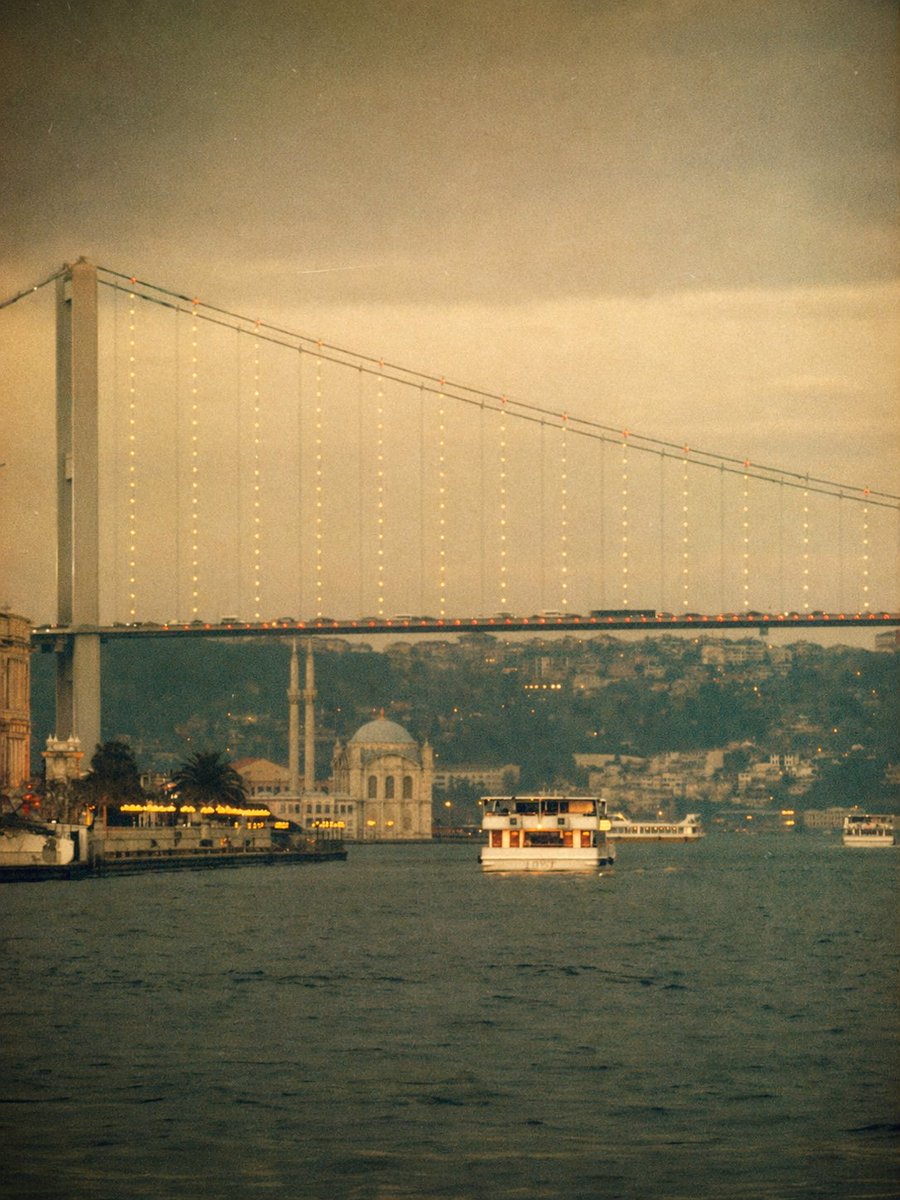
Pemandangan feri Jembatan Bosphorus klasik
Prompt ini menghasilkan pemandangan tepi laut Istanbul bernuansa sepia yang muram dengan jembatan Bosphorus, feri, dan estetika filter Instagram retro yang bernostalgia untuk gambar editorial perjalanan atau atmosferik.
Ini adalah contoh kasus GPT Image 2 untuk Pemandangan & Alam . Gunakan contoh siap salin di bawah ini untuk menghasilkan visual serupa, dan tinjau atribusi Awesome GPT Image 2 Prompts serta hak penggunaan komersial sebelum digunakan kembali.
Free 1K preview
Generate one preview image instantly, no sign-up required.
Mengingatkan
Prompt siap salin
A dreamy vintage-style photograph of the Bosphorus in {argument name="city" default="Istanbul"} at dusk, shot from water level in a vertical composition. The enormous suspension bridge spans the frame from upper left to upper right, with a tall bridge tower on the far left and delicate strings of warm lights hanging down from the cables, plus a line of tiny orange lights tracing the roadway. Below the bridge, calm dark water fills the foreground. Place 3 visible boats total: 1 medium white passenger ferry centered in the middle distance facing the viewer, 1 long low white ferry farther back near the right side under the bridge, and 1 small boat at the far right edge. On the left shoreline, show an illuminated waterfront with warm yellow lights, a few palm trees, and part of an old building at the extreme left edge. Near the center-left background beneath the bridge, include a pale waterside mosque with 1 dome and 2 slender minarets. Behind everything, add a hazy hillside dense with buildings fading into the distance. Use a nostalgic viral Instagram-filter look: heavy warm sepia and muted olive tones, faded contrast, soft focus, visible film grain, subtle vignette, slight light leaks, low clarity, and an aged analog print texture. The atmosphere should feel moody, romantic, cinematic, and softly blurred, like an old travel memory.Variabel perintah
Placeholder argumen yang dapat diedit ditemukan dalam prompt, beserta nilai defaultnya.
Best for
- - Pemandangan & Alam visual exploration
- - Image generation and reference-image edits
- - Reusable briefs that keep source attribution visible
Change these parts
- - Subject, product, character, or scene
- - Aspect ratio, camera, lighting, and background
- - Brand, text, color, and output constraints
Recommended model and settings
- - Model: gpt-image-2
- - Input mode: Teks ke Gambar
- - Aspect ratio: source
- - Commercial status: review original source
How to use this prompt
- 1. Copy the prompt and preserve its structure for the first test.
- 2. Replace the subject, context, and publishing channel.
- 3. Change one camera, lighting, or style variable per iteration.
- 4. Inspect the output, source, text, and rights before reuse.
Limitations, source, and reuse cautions
- - Generated output is an editable draft, not factual, legal, or rights evidence.
- - Review the linked source, people, brands, logos, text, and third-party media before commercial use.
Lebih banyak kasus dalam kategori ini
Diprioritaskan berdasarkan kategori, kompatibilitas mode input, kualitas, dan risiko yang lebih rendah.






Catatan penggunaan kembali dan sumber
Gunakan perintah ini dengan aman setelah melihat pratinjau kasus.
- 1.Salin perintah tersebut atau buka langsung di Dovoo dengan tombol pembuatan.
- 2.Sesuaikan variabel, rasio aspek, dan gambar referensi untuk kebutuhan Anda sendiri.
- 3.Sebelum mempublikasikan atau menggunakan untuk tujuan berbayar, verifikasi hak sumber, persyaratan atribusi, dan risiko merek atau citra.