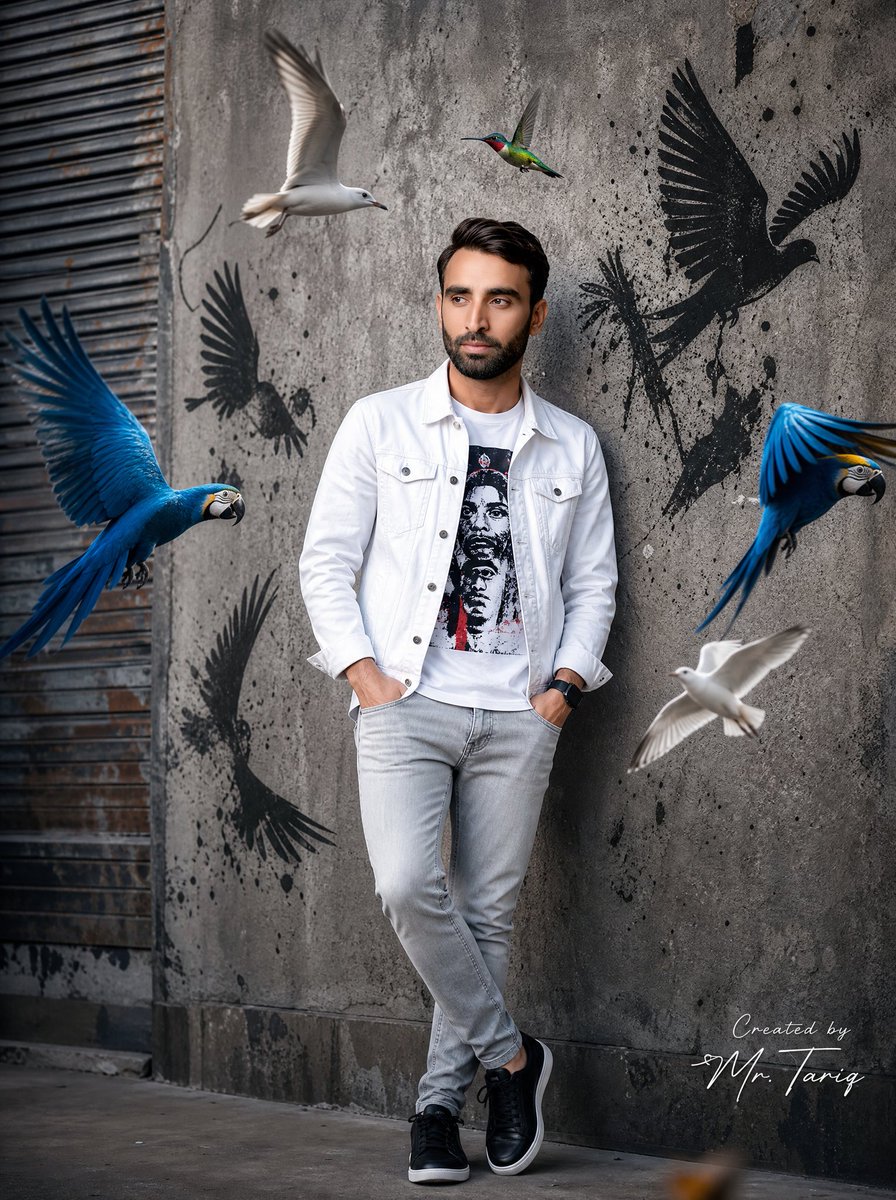
Potret Fesyen Jalanan Perkotaan
A street fashion portrait prompt that uses a face reference to place the subject in an urban environment surrounded by colorful birds.
Ini adalah contoh kasus GPT Image 2 untuk Potret & Karakter . Gunakan contoh siap salin di bawah ini untuk menghasilkan visual serupa, dan tinjau atribusi Awesome GPT Image 2 Prompts serta hak penggunaan komersial sebelum digunakan kembali.
Butuh seluruh rangkaian prompt? Gunakan Potret & Karakter Untuk contoh terkait lainnya, kunjungi pusat topik, atau buka GPT Image 2 katalog cepat untuk indeks contoh lengkap, struktur yang dapat digunakan kembali, dan atribusi sumber.
Free 1K preview
Generate one preview image instantly, no sign-up required.
Free text preview doesn’t preserve reference-image consistency.
1742/4000
Mengingatkan
Prompt siap salin
Use uploaded image as exact face reference. STRICT FACE LOCK — preserve exact facial features, hairstyle, beard shape, skin tone, jawline, eyes, nose, and overall identity with zero modification.

Create an ultra-realistic cinematic street fashion portrait of the same man standing confidently against a rough textured concrete wall in an urban environment.

Outfit:
{argument name="jacket style" default="white denim jacket"}, graphic printed t-shirt, slim light-grey jeans, black premium sneakers, black smartwatch.

Pose:
hands inside pockets, relaxed crossed-leg stance, looking sideways naturally with confident expression.

Surround the subject with dynamic flying birds:
- {argument name="birds" default="two vibrant blue macaws"} with fully spread wings
- two realistic white seagulls flying near the subject
- one colorful hummingbird hovering near upper center

Add black graffiti bird silhouettes with paint splatter effects on the wall behind him to create a modern street-art atmosphere.

Scene style:
cinematic urban photography, hyper realistic, ultra detailed feathers, realistic shadows and reflections, soft daylight with studio contrast, shallow depth of field, DSLR photography look, fashion editorial aesthetic, highly detailed skin texture and beard, realistic motion blur on bird wings, balanced composition, premium Instagram influencer vibe, 8K ultra HD quality.

Camera:
full body shot, slightly low angle, 85mm lens, f/1.8 aperture, cinematic color grading.

Add a professional luxury handwritten signature on one side corner:
“Created by {argument name="signature name" default="Mr. Tariq"}”

Signature should look elegant, minimal, professional, and naturally blended into the image like a real creator watermark.
Variabel perintah
Placeholder argumen yang dapat diedit ditemukan dalam prompt, beserta nilai defaultnya.
Variabel
jacket style
Bawaan
white denim jacket
Variabel
birds
Bawaan
two vibrant blue macaws
Variabel
signature name
Bawaan
Mr. Tariq
Best for
- - Potret & Karakter visual exploration
- - Image generation and reference-image edits
- - Reusable briefs that keep source attribution visible
Change these parts
- - Subject, product, character, or scene
- - Aspect ratio, camera, lighting, and background
- - Brand, text, color, and output constraints
Recommended model and settings
- - Model: gpt-image-2
- - Input mode: Gambar ke Gambar
- - Aspect ratio: source
- - Commercial status: review original source
How to use this prompt
- 1. Copy the prompt and preserve its structure for the first test.
- 2. Replace the subject, context, and publishing channel.
- 3. Change one camera, lighting, or style variable per iteration.
- 4. Inspect the output, source, text, and rights before reuse.
Limitations, source, and reuse cautions
- - Generated output is an editable draft, not factual, legal, or rights evidence.
- - Review the linked source, people, brands, logos, text, and third-party media before commercial use.
Diimpor dari Awesome GPT Image 2 Prompts . Atribusi diperlukan. Status penggunaan komersial adalah allowed ; tinjau hak sumber sebelum penggunaan berbayar.
Lebih banyak kasus dalam kategori ini
Diprioritaskan berdasarkan kategori, kompatibilitas mode input, kualitas, dan risiko yang lebih rendah.






Catatan penggunaan kembali dan sumber
Gunakan perintah ini dengan aman setelah melihat pratinjau kasus.
- 1.Salin perintah tersebut atau buka langsung di Dovoo dengan tombol pembuatan.
- 2.Sesuaikan variabel, rasio aspek, dan gambar referensi untuk kebutuhan Anda sendiri.
- 3.Sebelum mempublikasikan atau menggunakan untuk tujuan berbayar, verifikasi hak sumber, persyaratan atribusi, dan risiko merek atau citra.