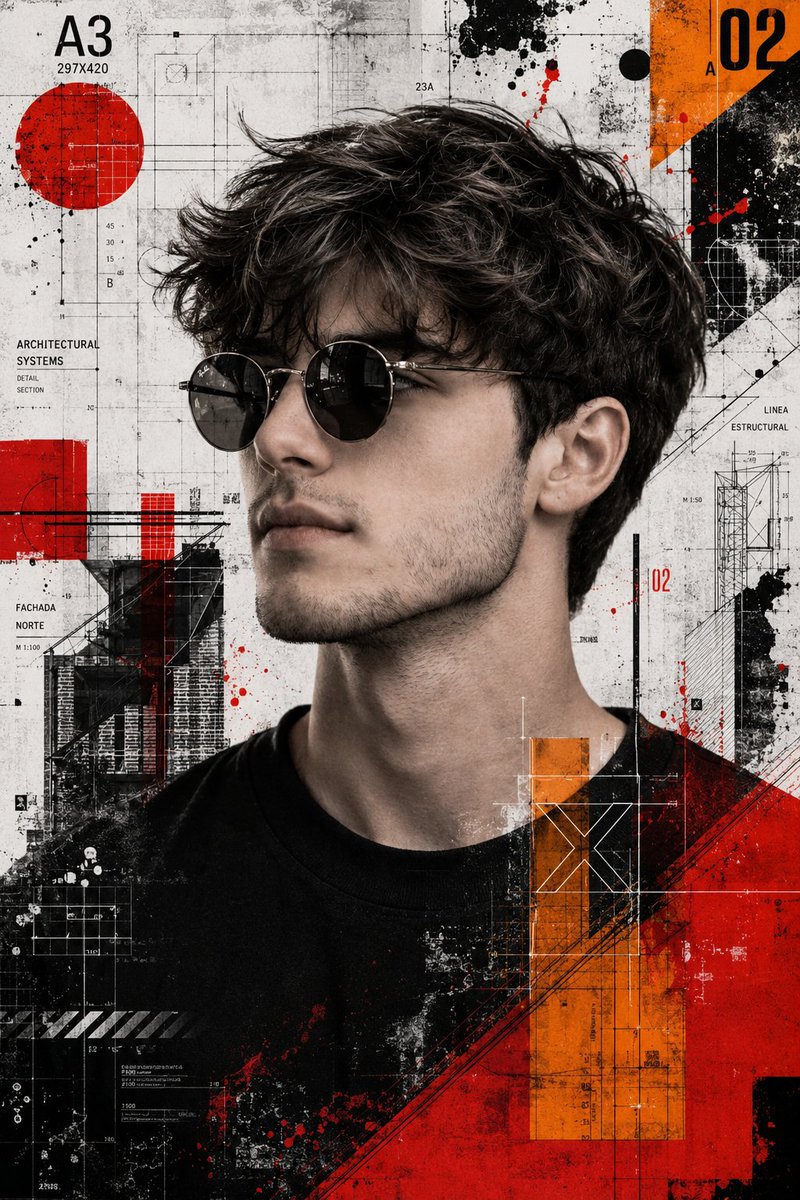
Karya Seni Media Campuran Trash Polka
Sebuah panduan untuk membuat karya seni bergaya Trash Polka dari foto referensi, menampilkan kontras tinggi, nada monokrom dengan aksen geometris merah dan oranye.
Ini adalah contoh kasus GPT Image 2 untuk Ilustrasi & Seni . Gunakan contoh siap salin di bawah ini untuk menghasilkan visual serupa, dan tinjau atribusi Awesome GPT Image 2 Prompts serta hak penggunaan komersial sebelum digunakan kembali.
Free 1K preview
Generate one preview image instantly, no sign-up required.
Free text preview doesn’t preserve reference-image consistency.
Mengingatkan
Prompt siap salin
Create a high resolution mixed media {argument name="art style" default="Trash Polka artwork"} using the provided reference image strictly for identity preservation. The face, hairstyle, and beard must remain exactly the same as the reference with no alteration or beautifying. Keep sharp focus, strong detail, and strict style consistency.
The subject should be shown in a side profile view wearing {argument name="accessory" default="round sunglasses"}. Glasses are allowed but must not change the facial structure in any way.
Style the artwork in Trash Polka with a realistic black and white photographic base layered with abstract graphic elements. Add grunge and collage textures with high contrast. Include vivid {argument name="accent colors" default="orange and red"} geometric shapes, architectural blueprint lines, and schematic drawing elements.
The background should look like an abstract technical collage made of blueprint style line work and schematic diagrams. Keep the overall palette mostly monochrome with strong orange and red accents.
Use cinematic lighting that enhances depth and contrast. The overall aesthetic should feel sharp, cinematic, editorial, and like an art collage.
Restrictions: do not change facial structure, hairstyle, or beard. Do not beautify or stylize the face beyond the reference. Avoid smooth digital painting and keep a realistic photographic base.
Variabel perintah
Placeholder argumen yang dapat diedit ditemukan dalam prompt, beserta nilai defaultnya.
Best for
- - Ilustrasi & Seni visual exploration
- - Image generation and reference-image edits
- - Reusable briefs that keep source attribution visible
Change these parts
- - Subject, product, character, or scene
- - Aspect ratio, camera, lighting, and background
- - Brand, text, color, and output constraints
Recommended model and settings
- - Model: gpt-image-2
- - Input mode: Gambar ke Gambar
- - Aspect ratio: source
- - Commercial status: review original source
How to use this prompt
- 1. Copy the prompt and preserve its structure for the first test.
- 2. Replace the subject, context, and publishing channel.
- 3. Change one camera, lighting, or style variable per iteration.
- 4. Inspect the output, source, text, and rights before reuse.
Limitations, source, and reuse cautions
- - Generated output is an editable draft, not factual, legal, or rights evidence.
- - Review the linked source, people, brands, logos, text, and third-party media before commercial use.
Lebih banyak kasus dalam kategori ini
Diprioritaskan berdasarkan kategori, kompatibilitas mode input, kualitas, dan risiko yang lebih rendah.






Catatan penggunaan kembali dan sumber
Gunakan perintah ini dengan aman setelah melihat pratinjau kasus.
- 1.Salin perintah tersebut atau buka langsung di Dovoo dengan tombol pembuatan.
- 2.Sesuaikan variabel, rasio aspek, dan gambar referensi untuk kebutuhan Anda sendiri.
- 3.Sebelum mempublikasikan atau menggunakan untuk tujuan berbayar, verifikasi hak sumber, persyaratan atribusi, dan risiko merek atau citra.