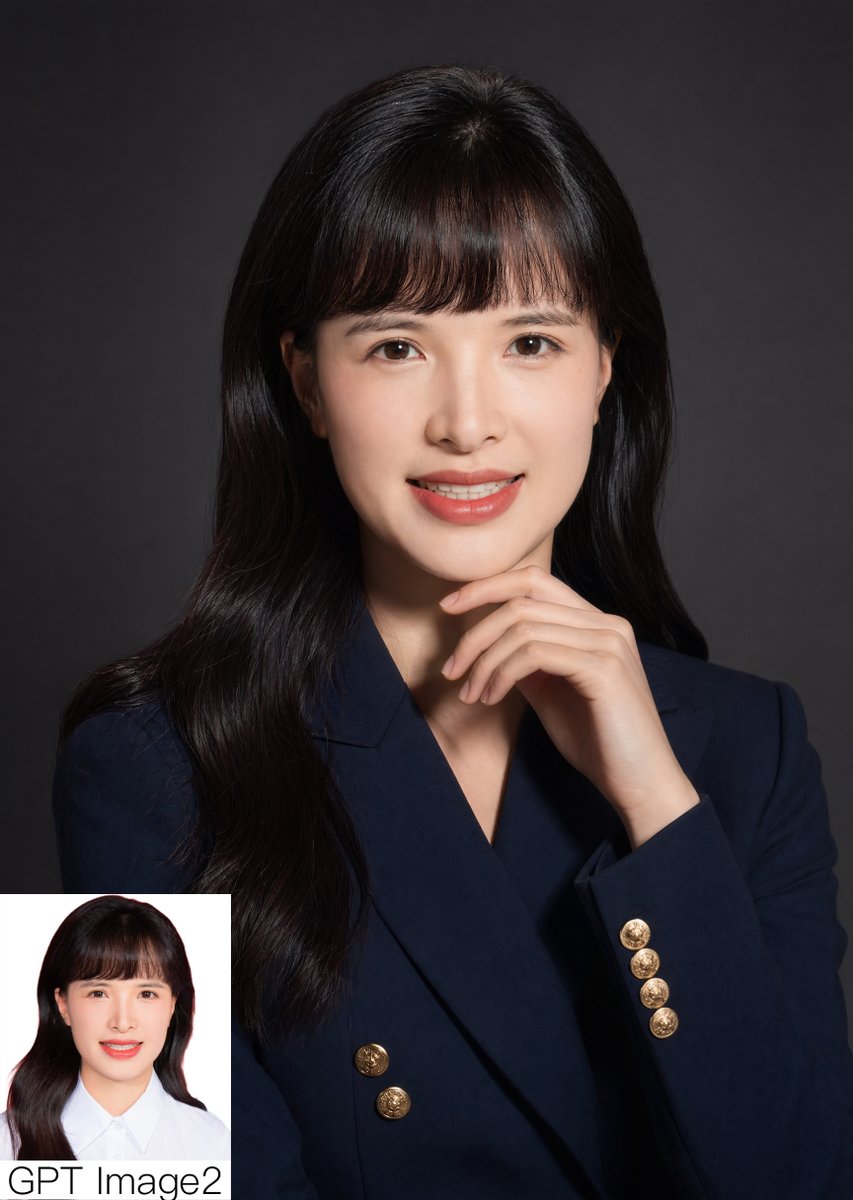
Potret Korporat Studio dengan Sisipan
Perintah ini menghasilkan foto potret studio profesional fotorealistik dengan pose yang dipikirkan matang-matang dan sisipan perbandingan kecil, cocok untuk postingan perbandingan model AI atau demo kualitas potret.
Ini adalah contoh kasus GPT Image 2 untuk Potret & Karakter . Gunakan contoh siap salin di bawah ini untuk menghasilkan visual serupa, dan tinjau atribusi Awesome GPT Image 2 Prompts serta hak penggunaan komersial sebelum digunakan kembali.
Free 1K preview
Generate one preview image instantly, no sign-up required.
Mengingatkan
Prompt siap salin
A polished studio portrait of a {argument name="subject" default="young East Asian woman"} from the chest up, centered and facing forward against a smooth dark charcoal gray backdrop with subtle vignette lighting. She has long, glossy, slightly wavy {argument name="hair color" default="black"} hair falling over both shoulders, with soft straight bangs and a neat center-top part. She wears a tailored double-breasted {argument name="blazer color" default="deep navy"} blazer with 6 visible round gold crest buttons, creating an elegant professional look. Her right hand is raised thoughtfully under her chin with relaxed fingers, forming a poised formal pose. Use soft directional studio lighting from the front-left, high detail skin texture, realistic fabric, gentle shadows, and a premium corporate headshot aesthetic. Compose the image vertically, clean and minimal, with the subject occupying most of the frame. In the bottom-left corner, add 1 small rectangular inset comparison photo on a white background showing the same woman in a simpler ID-style portrait wearing a white collared shirt, and place the text {argument name="corner text" default="GPT Image2"} beneath or overlapping the inset in large black sans-serif letters. Photorealistic, refined, editorial portrait quality.Variabel perintah
Placeholder argumen yang dapat diedit ditemukan dalam prompt, beserta nilai defaultnya.
Best for
- - Potret & Karakter visual exploration
- - Image generation and reference-image edits
- - Reusable briefs that keep source attribution visible
Change these parts
- - Subject, product, character, or scene
- - Aspect ratio, camera, lighting, and background
- - Brand, text, color, and output constraints
Recommended model and settings
- - Model: gpt-image-2
- - Input mode: Teks ke Gambar
- - Aspect ratio: source
- - Commercial status: review original source
How to use this prompt
- 1. Copy the prompt and preserve its structure for the first test.
- 2. Replace the subject, context, and publishing channel.
- 3. Change one camera, lighting, or style variable per iteration.
- 4. Inspect the output, source, text, and rights before reuse.
Limitations, source, and reuse cautions
- - Generated output is an editable draft, not factual, legal, or rights evidence.
- - Review the linked source, people, brands, logos, text, and third-party media before commercial use.
Lebih banyak kasus dalam kategori ini
Diprioritaskan berdasarkan kategori, kompatibilitas mode input, kualitas, dan risiko yang lebih rendah.






Catatan penggunaan kembali dan sumber
Gunakan perintah ini dengan aman setelah melihat pratinjau kasus.
- 1.Salin perintah tersebut atau buka langsung di Dovoo dengan tombol pembuatan.
- 2.Sesuaikan variabel, rasio aspek, dan gambar referensi untuk kebutuhan Anda sendiri.
- 3.Sebelum mempublikasikan atau menggunakan untuk tujuan berbayar, verifikasi hak sumber, persyaratan atribusi, dan risiko merek atau citra.