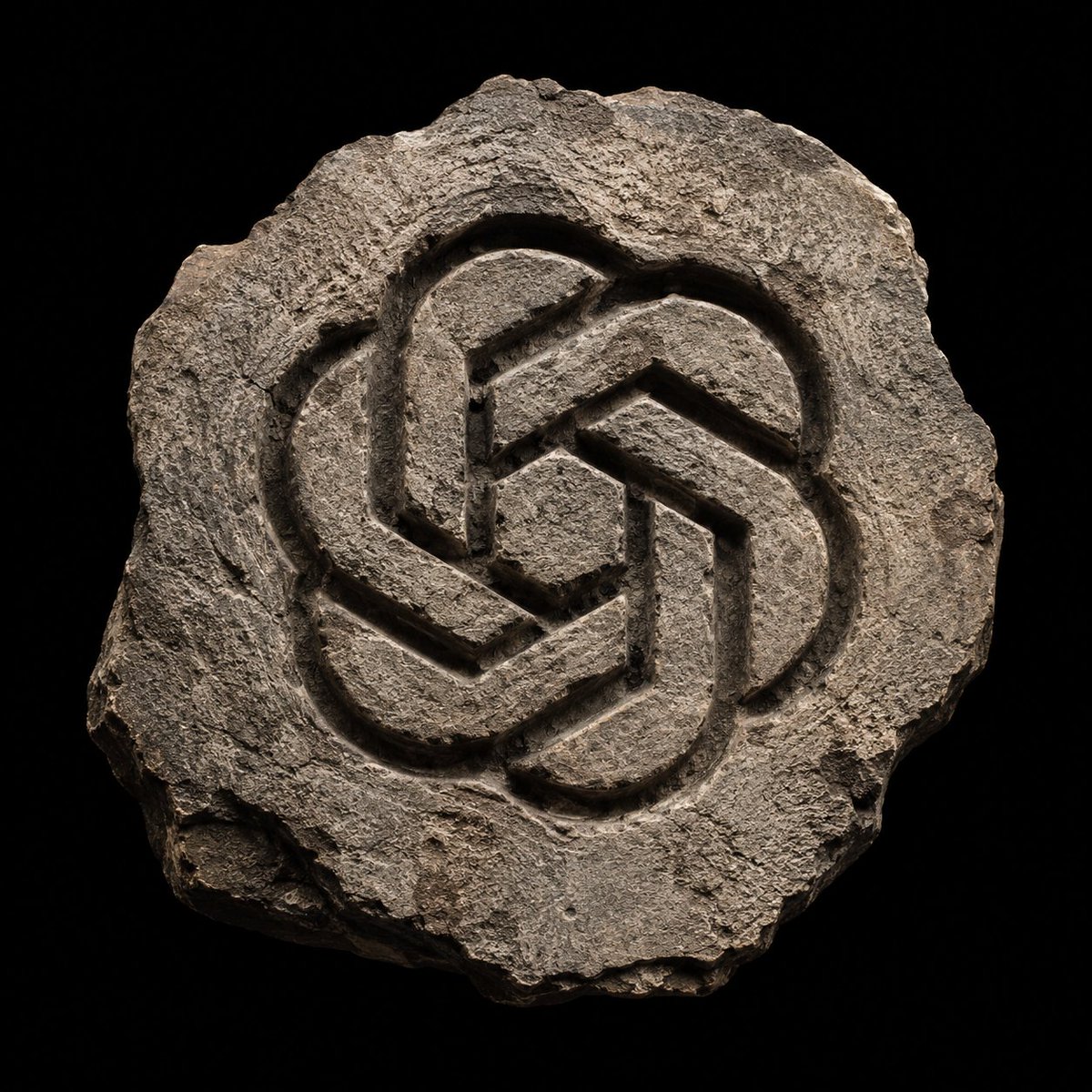
Logo Artefak Batu Kuno yang Dipahat dengan Tangan
Sebuah panduan fotorealistik untuk menghasilkan peninggalan batu kuno yang lapuk dengan logo khusus yang terukir di permukaannya.
Ini adalah contoh kasus GPT Image 2 untuk Produk & Komersial . Gunakan contoh siap salin di bawah ini untuk menghasilkan visual serupa, dan tinjau atribusi Awesome GPT Image 2 Prompts serta hak penggunaan komersial sebelum digunakan kembali.
Butuh seluruh rangkaian prompt? Gunakan Produk & Komersial Untuk contoh terkait lainnya, kunjungi pusat topik, atau buka GPT Image 2 katalog cepat untuk indeks contoh lengkap, struktur yang dapat digunakan kembali, dan atribusi sumber.
Free 1K preview
Generate one preview image instantly, no sign-up required.
928/4000
Mengingatkan
Prompt siap salin
Create a photorealistic stone artifact with the logo of {argument name="logo name" default="{LOGO}"} carved into the surface. The stone must have an {argument name="stone shape" default="irregular, fractured shape"}, with {argument name="edges" default="weathered edges and a raw, ancient look"}. The engraved logo should appear chiseled by hand, with deep grooves, rough tool marks, and natural erosion.
Lighting: soft but directional, coming from above, creating strong highlights and deep shadows that accentuate the relief.
Background: pure black to isolate the object.
Style: archaeological relic, primitive stone emblem, hyper-detailed mineral textures, matte surface, subtle cracks and dust.
Composition: centered, symmetrical or balanced, single object.
Render: ultra-realistic, high contrast, tactile stone material, no color except natural rock tones.
Format: 1:1, clean silhouette, museum-grade photography aesthetic.
Variabel perintah
Placeholder argumen yang dapat diedit ditemukan dalam prompt, beserta nilai defaultnya.
Variabel
logo name
Bawaan
{LOGO}
Variabel
stone shape
Bawaan
irregular, fractured shape
Variabel
edges
Bawaan
weathered edges and a raw, ancient look
Best for
- - Produk & Komersial visual exploration
- - Image generation and reference-image edits
- - Reusable briefs that keep source attribution visible
Change these parts
- - Subject, product, character, or scene
- - Aspect ratio, camera, lighting, and background
- - Brand, text, color, and output constraints
Recommended model and settings
- - Model: gpt-image-2
- - Input mode: Teks ke Gambar
- - Aspect ratio: source
- - Commercial status: review original source
How to use this prompt
- 1. Copy the prompt and preserve its structure for the first test.
- 2. Replace the subject, context, and publishing channel.
- 3. Change one camera, lighting, or style variable per iteration.
- 4. Inspect the output, source, text, and rights before reuse.
Limitations, source, and reuse cautions
- - Generated output is an editable draft, not factual, legal, or rights evidence.
- - Review the linked source, people, brands, logos, text, and third-party media before commercial use.
Diimpor dari Awesome GPT Image 2 Prompts . Atribusi diperlukan. Status penggunaan komersial adalah allowed ; tinjau hak sumber sebelum penggunaan berbayar.
Lebih banyak kasus dalam kategori ini
Diprioritaskan berdasarkan kategori, kompatibilitas mode input, kualitas, dan risiko yang lebih rendah.

Matte Black B.AI Keyboard Keycap
Teks ke Gambar

Studio Portrait of Woman with Sunglasses
Teks ke Gambar

Tuxedo Cat Photo and Line Art Diptych
Teks ke Gambar

Orange Rooftop Fashion Photo Prompt
Teks ke Gambar

Luxury Travel Fashion Portrait Prompt
Teks ke Gambar

Gray Denim Lace-Up Top Prompt for GPT Image 2
Teks ke Gambar
Catatan penggunaan kembali dan sumber
Gunakan perintah ini dengan aman setelah melihat pratinjau kasus.
- 1.Salin perintah tersebut atau buka langsung di Dovoo dengan tombol pembuatan.
- 2.Sesuaikan variabel, rasio aspek, dan gambar referensi untuk kebutuhan Anda sendiri.
- 3.Sebelum mempublikasikan atau menggunakan untuk tujuan berbayar, verifikasi hak sumber, persyaratan atribusi, dan risiko merek atau citra.