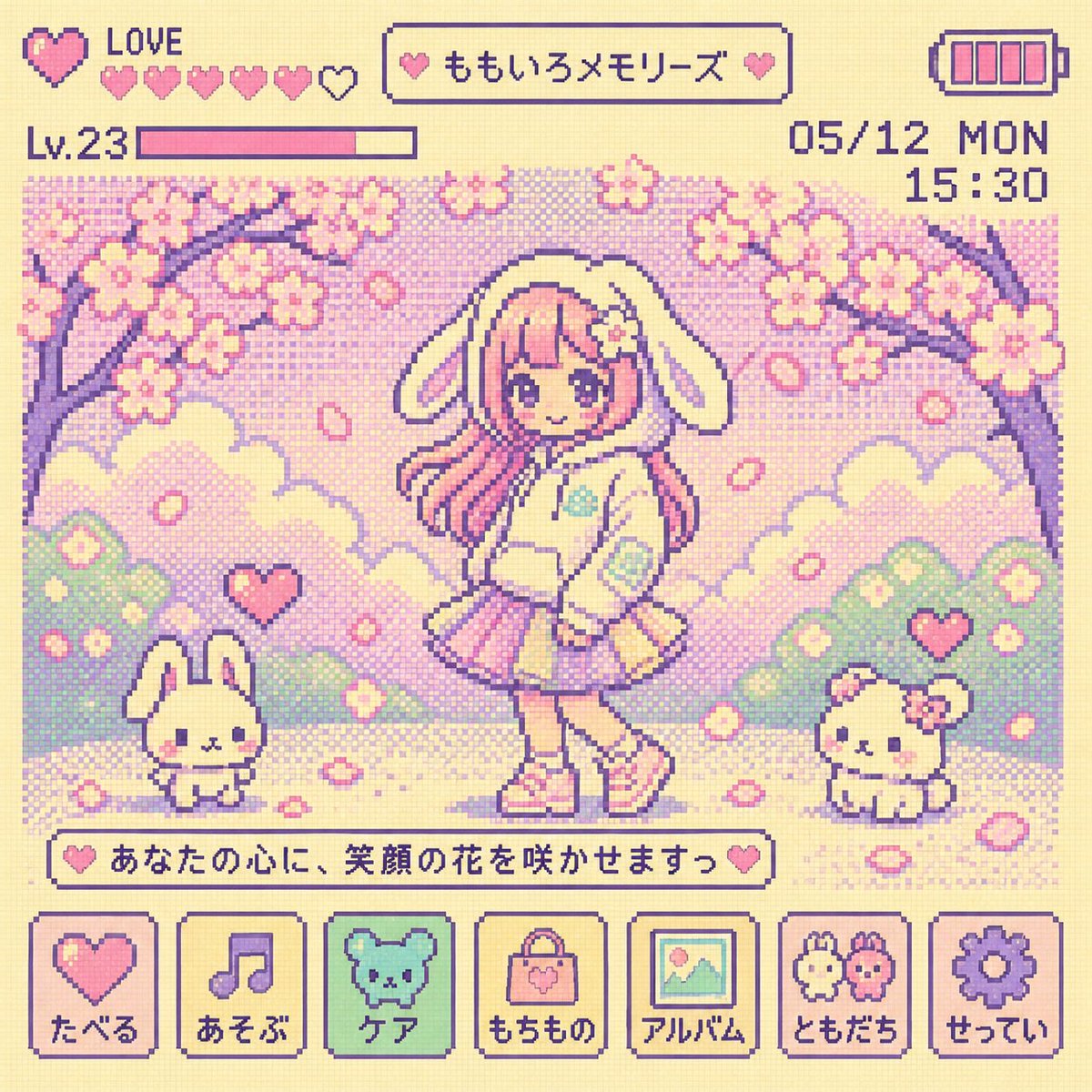
Filter LCD Tamagotchi Y2K
Mengubah gambar standar menjadi layar seni piksel 8-bit Tamagotchi retro tahun 90-an dengan elemen UI otentik.
Ini adalah contoh kasus GPT Image 2 untuk Ilustrasi & Seni . Gunakan contoh siap salin di bawah ini untuk menghasilkan visual serupa, dan tinjau atribusi Awesome GPT Image 2 Prompts serta hak penggunaan komersial sebelum digunakan kembali.
Butuh seluruh rangkaian prompt? Gunakan Ilustrasi & Seni Untuk contoh terkait lainnya, kunjungi pusat topik, atau buka GPT Image 2 katalog cepat untuk indeks contoh lengkap, struktur yang dapat digunakan kembali, dan atribusi sumber.
Free 1K preview
Generate one preview image instantly, no sign-up required.
Free text preview doesn’t preserve reference-image consistency.
730/4000
Mengingatkan
Prompt siap salin
Change the image into a {argument name="era" default="90s Y2K"} Tamagotchi LCD screen style. Keep the original characters and situation, but reinterpret and simplify them into cute and insignificant 8-bit pixel characters and backgrounds. Use a bright and lovely pastel LCD palette ({argument name="colors" default="centered on cream, pink, mint, and lavender"}), dot matrix texture, large pixels, 4-color limit, and flat LCD expression. Include retro UI such as battery icons, status windows, menu icons, hearts, levels, date/time, and short pixel text. Do not show the Tamagotchi device body, buttons, bezel, or frame. Create a nostalgic and lovely Tamagotchi pixel screen that fills only the inside of the LCD. Sharp focus. 8k.Variabel perintah
Placeholder argumen yang dapat diedit ditemukan dalam prompt, beserta nilai defaultnya.
Variabel
era
Bawaan
90s Y2K
Variabel
colors
Bawaan
centered on cream, pink, mint, and lavender
Best for
- - Ilustrasi & Seni visual exploration
- - Image generation and reference-image edits
- - Reusable briefs that keep source attribution visible
Change these parts
- - Subject, product, character, or scene
- - Aspect ratio, camera, lighting, and background
- - Brand, text, color, and output constraints
Recommended model and settings
- - Model: gpt-image-2
- - Input mode: Gambar ke Gambar
- - Aspect ratio: source
- - Commercial status: review original source
How to use this prompt
- 1. Copy the prompt and preserve its structure for the first test.
- 2. Replace the subject, context, and publishing channel.
- 3. Change one camera, lighting, or style variable per iteration.
- 4. Inspect the output, source, text, and rights before reuse.
Limitations, source, and reuse cautions
- - Generated output is an editable draft, not factual, legal, or rights evidence.
- - Review the linked source, people, brands, logos, text, and third-party media before commercial use.
Diimpor dari Awesome GPT Image 2 Prompts . Atribusi diperlukan. Status penggunaan komersial adalah allowed ; tinjau hak sumber sebelum penggunaan berbayar.
Lebih banyak kasus dalam kategori ini
Diprioritaskan berdasarkan kategori, kompatibilitas mode input, kualitas, dan risiko yang lebih rendah.

Sci-Fi Cyan Lighting Effect
Gambar ke Gambar

Oversized Head Cartoon Caricature Prompt
Gambar ke GambarRisiko sedang

Cute Focus Desk Flat Lay and Kawaii Illustration
Teks ke Gambar

Stylish Man Street Lamp Portrait
Gambar ke Gambar

Boisterous Shrimpers Entering Pub
Teks ke Gambar

Tuxedo Cat Photo and Line Art Diptych
Teks ke Gambar
Catatan penggunaan kembali dan sumber
Gunakan perintah ini dengan aman setelah melihat pratinjau kasus.
- 1.Salin perintah tersebut atau buka langsung di Dovoo dengan tombol pembuatan.
- 2.Sesuaikan variabel, rasio aspek, dan gambar referensi untuk kebutuhan Anda sendiri.
- 3.Sebelum mempublikasikan atau menggunakan untuk tujuan berbayar, verifikasi hak sumber, persyaratan atribusi, dan risiko merek atau citra.