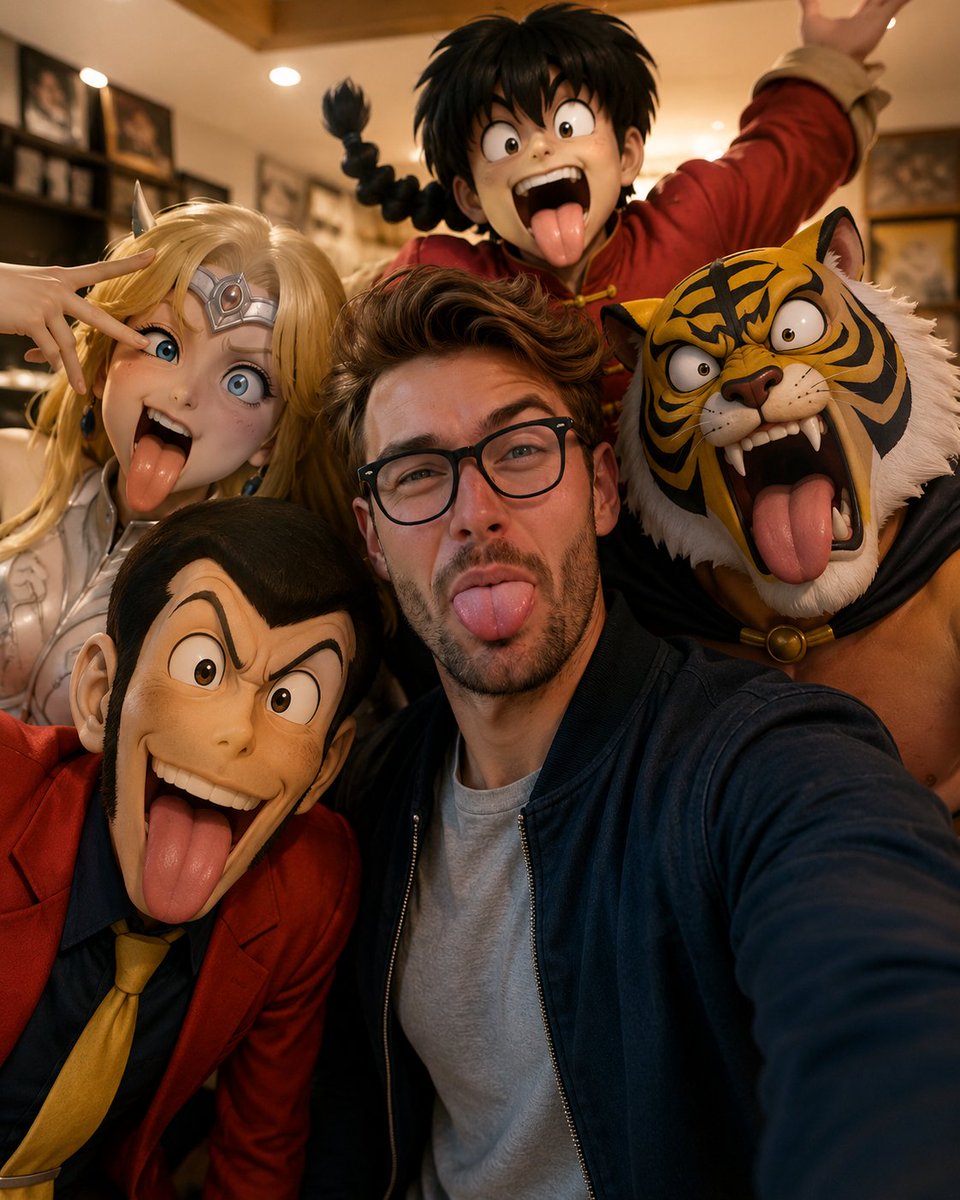
Realistic Selfie with Cartoon Characters
A creative prompt for generating a highly detailed, ultra-realistic selfie that integrates a human subject with famous anime and cartoon characters in a domestic setting.
Ini adalah contoh kasus GPT Image 2 untuk Potret & Karakter . Gunakan contoh siap salin di bawah ini untuk menghasilkan visual serupa, dan tinjau atribusi Awesome GPT Image 2 Prompts serta hak penggunaan komersial sebelum digunakan kembali.
Free 1K preview
Generate one preview image instantly, no sign-up required.
Free text preview doesn’t preserve reference-image consistency.
Mengingatkan
Prompt siap salin
Create a fun and ultra-realistic selfie with the uploaded photo as the main subject.

Preserve the original facial features, hairstyle, skin tone, and expression exactly as in the uploaded photo. If two people are uploaded, preserve both subjects exactly.

Place the subject(s) in a {argument name="setting" default="cozy living room"} taking a close-up selfie with {argument name="characters" default="famous cartoon characters"} surrounding them:

Lupin the third in the center front

Saint Sia on the left making a silly face

Tiger Mask wrestler on the right with a funny surprised expression

Ranma 1/2 in the background shouting dramatically

All characters are sticking out their tongues and making goofy expressions, while the subject(s) in the center also make a funny exaggerated face.

Style:

Ultra realistic

Cinematic lighting

Highly detailed

Playful and humorous

Warm indoor lighting

Pixar-like quality

Sharp focus

Professional composition

Composition:

Close-up selfie perspective

Subject(s) centered

Cartoon characters tightly grouped around

Arms extended as if holding the camera

{argument name="aspect ratio" default="Vertical portrait (4:5)"}

Mood:

Funny

Wholesome

Chaotic friendship vibes

Viral social media style

4K, ultra detailed, photorealistic.
Variabel perintah
Placeholder argumen yang dapat diedit ditemukan dalam prompt, beserta nilai defaultnya.
Best for
- - Potret & Karakter visual exploration
- - Image generation and reference-image edits
- - Reusable briefs that keep source attribution visible
Change these parts
- - Subject, product, character, or scene
- - Aspect ratio, camera, lighting, and background
- - Brand, text, color, and output constraints
Recommended model and settings
- - Model: gpt-image-2
- - Input mode: Gambar ke Gambar
- - Aspect ratio: source
- - Commercial status: review original source
How to use this prompt
- 1. Copy the prompt and preserve its structure for the first test.
- 2. Replace the subject, context, and publishing channel.
- 3. Change one camera, lighting, or style variable per iteration.
- 4. Inspect the output, source, text, and rights before reuse.
Limitations, source, and reuse cautions
- - Generated output is an editable draft, not factual, legal, or rights evidence.
- - Review the linked source, people, brands, logos, text, and third-party media before commercial use.
Lebih banyak kasus dalam kategori ini
Diprioritaskan berdasarkan kategori, kompatibilitas mode input, kualitas, dan risiko yang lebih rendah.






Catatan penggunaan kembali dan sumber
Gunakan perintah ini dengan aman setelah melihat pratinjau kasus.
- 1.Salin perintah tersebut atau buka langsung di Dovoo dengan tombol pembuatan.
- 2.Sesuaikan variabel, rasio aspek, dan gambar referensi untuk kebutuhan Anda sendiri.
- 3.Sebelum mempublikasikan atau menggunakan untuk tujuan berbayar, verifikasi hak sumber, persyaratan atribusi, dan risiko merek atau citra.