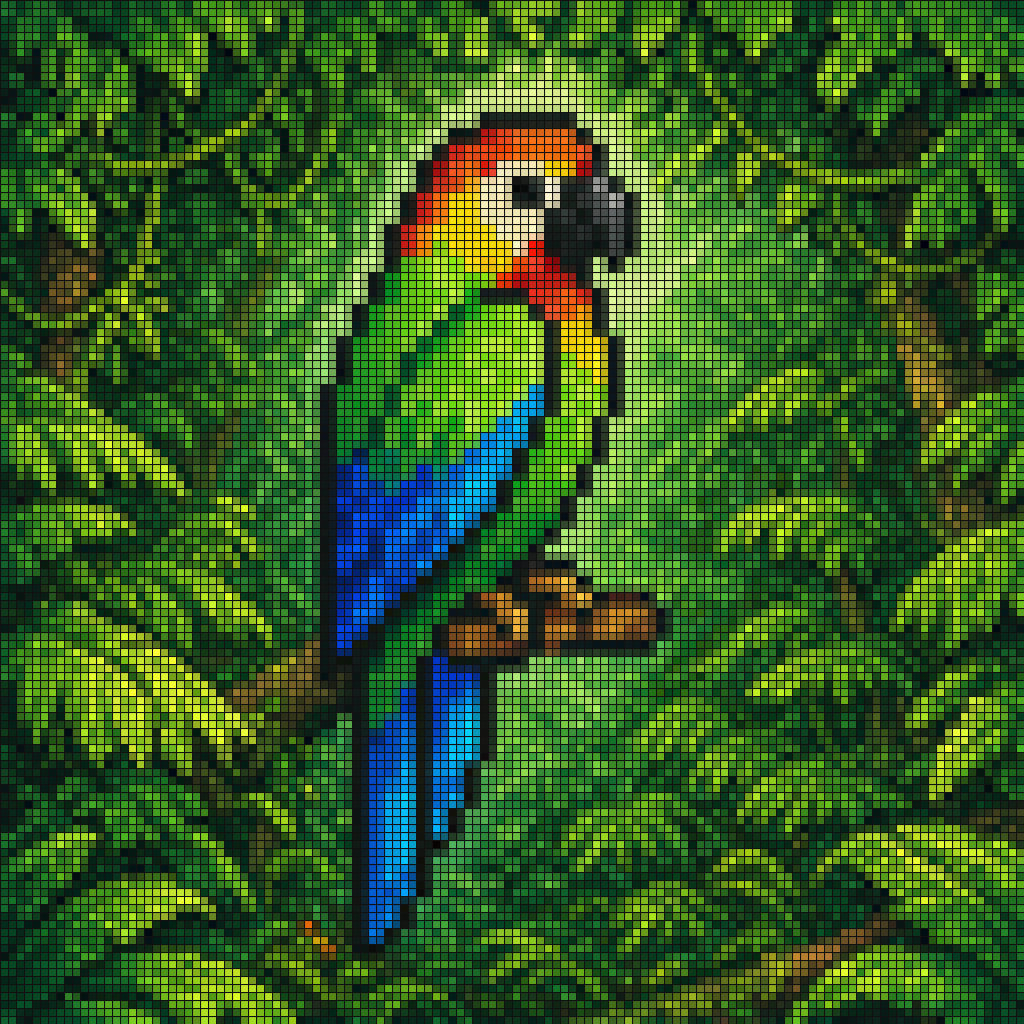
Burung Beo Hutan Mosaik Piksel
Perintah ini menghasilkan mosaik seni piksel persegi berwarna-warni bergambar burung beo tropis di antara dedaunan hijau lebat, ideal untuk poster bergaya retro, wallpaper, atau seni digital dekoratif.
Ini adalah contoh kasus GPT Image 2 untuk Potret & Karakter . Gunakan contoh siap salin di bawah ini untuk menghasilkan visual serupa, dan tinjau atribusi Awesome GPT Image 2 Prompts serta hak penggunaan komersial sebelum digunakan kembali.
Butuh seluruh rangkaian prompt? Gunakan Potret & Karakter Untuk contoh terkait lainnya, kunjungi pusat topik, atau buka GPT Image 2 katalog cepat untuk indeks contoh lengkap, struktur yang dapat digunakan kembali, dan atribusi sumber.
Free 1K preview
Generate one preview image instantly, no sign-up required.
1062/4000
Mengingatkan
Prompt siap salin
A pixel-art style mosaic illustration of a tropical parrot perched on a short brown branch in the middle of dense jungle foliage, created as if assembled from a tight uniform square grid of tiny colored tiles with thin dark outlines around every square. The single bird is shown in side profile facing right, with a large curved black beak, a pale cream face, a bright red-orange forehead and throat, a vivid yellow neck, a bright green body, and long wings and tail feathers in saturated blue and cyan. The parrot is centered vertically and slightly left of center, standing upright on the branch, with the tail extending downward. Surround the bird with lush layered leaves in many shades of green, from deep forest green to lime, filling the entire frame with no sky visible. Use strong contrast, crisp black contouring, and a glowing light green area behind the parrot to separate it from the darker foliage. The overall image should look like retro pixel art or stained-glass mosaic, highly detailed, colorful, square format, and edge-to-edge tiled texture.
Best for
- - Potret & Karakter visual exploration
- - Image generation and reference-image edits
- - Reusable briefs that keep source attribution visible
Change these parts
- - Subject, product, character, or scene
- - Aspect ratio, camera, lighting, and background
- - Brand, text, color, and output constraints
Recommended model and settings
- - Model: gpt-image-2
- - Input mode: Teks ke Gambar
- - Aspect ratio: source
- - Commercial status: review original source
How to use this prompt
- 1. Copy the prompt and preserve its structure for the first test.
- 2. Replace the subject, context, and publishing channel.
- 3. Change one camera, lighting, or style variable per iteration.
- 4. Inspect the output, source, text, and rights before reuse.
Limitations, source, and reuse cautions
- - Generated output is an editable draft, not factual, legal, or rights evidence.
- - Review the linked source, people, brands, logos, text, and third-party media before commercial use.
Diimpor dari Awesome GPT Image 2 Prompts . Atribusi diperlukan. Status penggunaan komersial adalah allowed ; tinjau hak sumber sebelum penggunaan berbayar.
Lebih banyak kasus dalam kategori ini
Diprioritaskan berdasarkan kategori, kompatibilitas mode input, kualitas, dan risiko yang lebih rendah.

Hell Hound Character Sheet Infographic
Teks ke Gambar

Cute Speech Bubble Mascot Profile Icon
Teks ke Gambar

Studio Portrait of Woman with Sunglasses
Teks ke Gambar

Street Selfie with Cat in Matching Cap
Teks ke Gambar

Morning Bed Stretching Legs Prompt
Teks ke Gambar
GPT Image 2 Prompt for Mirror Selfie with Flowers
Teks ke Gambar
Catatan penggunaan kembali dan sumber
Gunakan perintah ini dengan aman setelah melihat pratinjau kasus.
- 1.Salin perintah tersebut atau buka langsung di Dovoo dengan tombol pembuatan.
- 2.Sesuaikan variabel, rasio aspek, dan gambar referensi untuk kebutuhan Anda sendiri.
- 3.Sebelum mempublikasikan atau menggunakan untuk tujuan berbayar, verifikasi hak sumber, persyaratan atribusi, dan risiko merek atau citra.