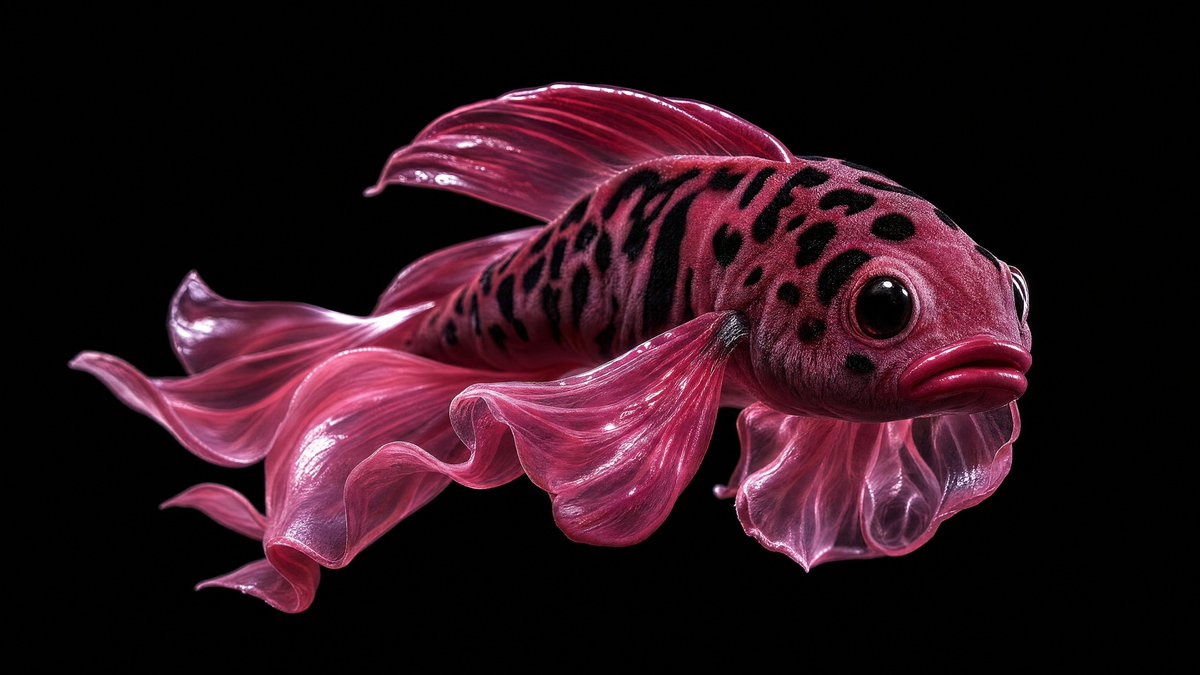
Glossy Pink Betta Fish Transformation
Transforms the reference’s dark glossy macro aesthetic into a surreal magenta betta fish with dramatic studio lighting and a central censor block.
Ini adalah contoh kasus GPT Image 2 untuk Potret & Karakter . Gunakan contoh siap salin di bawah ini untuk menghasilkan visual serupa, dan tinjau atribusi Awesome GPT Image 2 Prompts serta hak penggunaan komersial sebelum digunakan kembali.
Free 1K preview
Generate one preview image instantly, no sign-up required.
Free text preview doesn’t preserve reference-image consistency.
Mengingatkan
Prompt siap salin
Using REFERENCE_0 as the visual style reference only, transform the surreal glossy macro studio aesthetic into a single {argument name="subject" default="pink betta fish"}. Remove the mouths, teeth, tennis ball, jewelry, and mirror reflection entirely. Keep the high-contrast black background, dramatic wet-looking highlights, close-up product-photography lighting, and hyper-detailed texture. Create the fish in side profile facing right, with a rounded spotted head, large glossy black eye, pouty lips, and translucent flowing fins. Use a saturated {argument name="main color" default="deep magenta pink"} palette with darker black speckles across the head and upper body. Show exactly 6 prominent fin elements: 1 large rippling tail fin trailing left, 1 top dorsal fin, 1 long lower flowing fin, 1 rounded gill-side fin near the head, and 2 thin dangling ventral fins. Add a centered opaque rectangular censor block over the middle of the fish body, colored {argument name="censor block color" default="dark burgundy"}, with sharp edges and no text. Composition should be wide horizontal, minimal, isolated on {argument name="background color" default="pure black"}, with no extra objects, no reflection, and no typography.Variabel perintah
Placeholder argumen yang dapat diedit ditemukan dalam prompt, beserta nilai defaultnya.
Best for
- - Potret & Karakter visual exploration
- - Image generation and reference-image edits
- - Reusable briefs that keep source attribution visible
Change these parts
- - Subject, product, character, or scene
- - Aspect ratio, camera, lighting, and background
- - Brand, text, color, and output constraints
Recommended model and settings
- - Model: gpt-image-2
- - Input mode: Gambar ke Gambar
- - Aspect ratio: source
- - Commercial status: review original source
How to use this prompt
- 1. Copy the prompt and preserve its structure for the first test.
- 2. Replace the subject, context, and publishing channel.
- 3. Change one camera, lighting, or style variable per iteration.
- 4. Inspect the output, source, text, and rights before reuse.
Limitations, source, and reuse cautions
- - Generated output is an editable draft, not factual, legal, or rights evidence.
- - Review the linked source, people, brands, logos, text, and third-party media before commercial use.
Lebih banyak kasus dalam kategori ini
Diprioritaskan berdasarkan kategori, kompatibilitas mode input, kualitas, dan risiko yang lebih rendah.






Catatan penggunaan kembali dan sumber
Gunakan perintah ini dengan aman setelah melihat pratinjau kasus.
- 1.Salin perintah tersebut atau buka langsung di Dovoo dengan tombol pembuatan.
- 2.Sesuaikan variabel, rasio aspek, dan gambar referensi untuk kebutuhan Anda sendiri.
- 3.Sebelum mempublikasikan atau menggunakan untuk tujuan berbayar, verifikasi hak sumber, persyaratan atribusi, dan risiko merek atau citra.