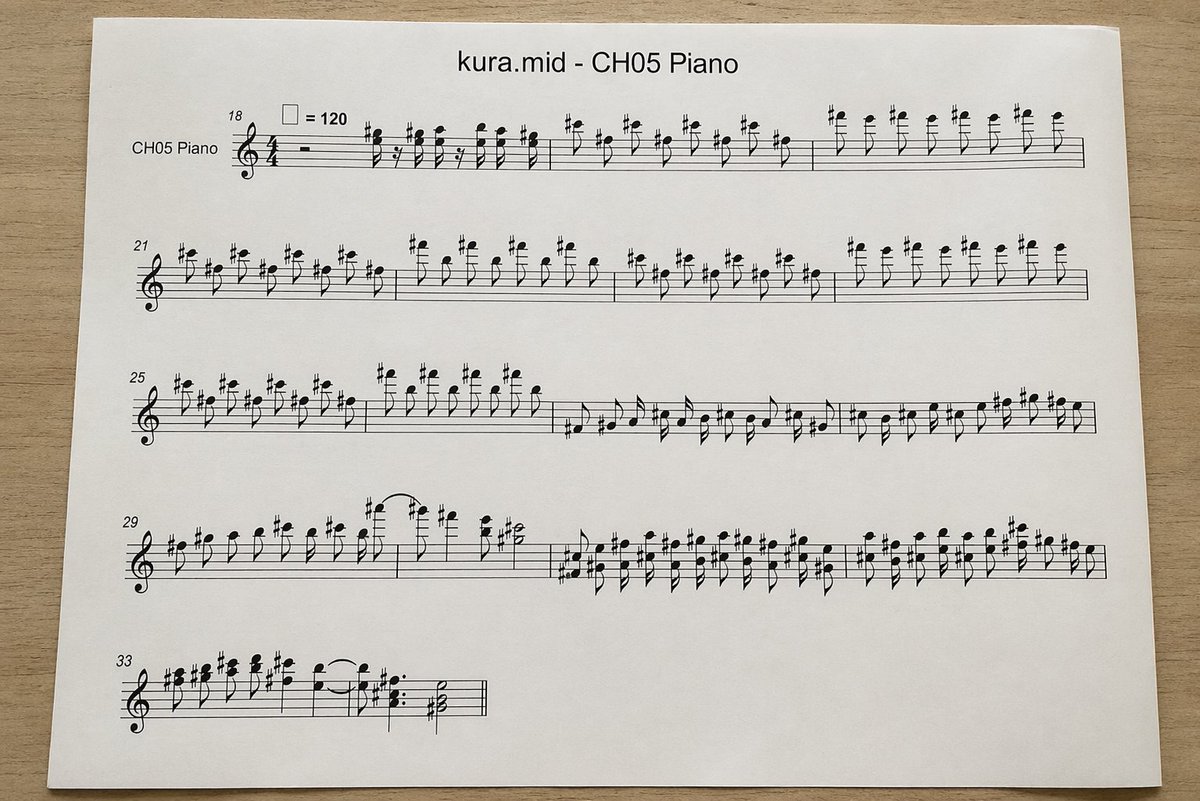
Lembaran Notasi Piano MIDI yang Difoto
Ini menghasilkan foto tampak atas yang realistis dari halaman lembaran musik piano yang dicetak dan dikonversi dari file MIDI, berguna untuk maket, visual teknologi musik, atau ilustrasi bergaya dokumen.
Ini adalah contoh kasus GPT Image 2 untuk Produk & Komersial . Gunakan contoh siap salin di bawah ini untuk menghasilkan visual serupa, dan tinjau atribusi Awesome GPT Image 2 Prompts serta hak penggunaan komersial sebelum digunakan kembali.
Butuh seluruh rangkaian prompt? Gunakan Produk & Komersial Untuk contoh terkait lainnya, kunjungi pusat topik, atau buka GPT Image 2 katalog cepat untuk indeks contoh lengkap, struktur yang dapat digunakan kembali, dan atribusi sumber.
Free 1K preview
Generate one preview image instantly, no sign-up required.
1615/4000
Mengingatkan
Prompt siap salin
A top-down realistic photograph of a single white sheet of printer paper placed on a light wood desk, showing a computer-generated music score. The page is centered horizontally with slight perspective and soft natural indoor lighting, minimal shadows, and a clean document-print look. At the top center, print the title "{argument name="file name" default="kura.mid"} - {argument name="track name" default="CH05 Piano"}" in a plain sans-serif font. Below it is a piano staff system rendered in standard black music notation with a treble clef and 4/4 time signature, designed to look like an automatically converted MIDI excerpt rather than carefully engraved sheet music. On the far left of the first system, include the instrument label "CH05 Piano". Show exactly 5 horizontal systems of notation on the page, beginning with measure numbers 18, 21, 25, 29, and 33 at the left edges of the systems. Near the first system, include a tempo marking with a quarter-note symbol equals 120. Fill the staves with dense, slightly awkward but plausible black notes, accidentals, stems, slurs, and rests, with many sharp signs and repeated short-note figures in the upper register, visually resembling piano transcription from MIDI. The first 3 systems should be long and nearly full width; the 4th system should also be long; the 5th system should be short, occupying only the left portion of the page. Keep the notation legible but somewhat mechanically spaced. Use a clean white page with wide margins and no handwritten marks, no colored elements, no extra graphics, just the printed score sheet photographed on a desk.Variabel perintah
Placeholder argumen yang dapat diedit ditemukan dalam prompt, beserta nilai defaultnya.
Variabel
file name
Bawaan
kura.mid
Variabel
track name
Bawaan
CH05 Piano
Best for
- - Produk & Komersial visual exploration
- - Image generation and reference-image edits
- - Reusable briefs that keep source attribution visible
Change these parts
- - Subject, product, character, or scene
- - Aspect ratio, camera, lighting, and background
- - Brand, text, color, and output constraints
Recommended model and settings
- - Model: gpt-image-2
- - Input mode: Teks ke Gambar
- - Aspect ratio: source
- - Commercial status: review original source
How to use this prompt
- 1. Copy the prompt and preserve its structure for the first test.
- 2. Replace the subject, context, and publishing channel.
- 3. Change one camera, lighting, or style variable per iteration.
- 4. Inspect the output, source, text, and rights before reuse.
Limitations, source, and reuse cautions
- - Generated output is an editable draft, not factual, legal, or rights evidence.
- - Review the linked source, people, brands, logos, text, and third-party media before commercial use.
Diimpor dari Awesome GPT Image 2 Prompts . Atribusi diperlukan. Status penggunaan komersial adalah allowed ; tinjau hak sumber sebelum penggunaan berbayar.
Lebih banyak kasus dalam kategori ini
Diprioritaskan berdasarkan kategori, kompatibilitas mode input, kualitas, dan risiko yang lebih rendah.






Catatan penggunaan kembali dan sumber
Gunakan perintah ini dengan aman setelah melihat pratinjau kasus.
- 1.Salin perintah tersebut atau buka langsung di Dovoo dengan tombol pembuatan.
- 2.Sesuaikan variabel, rasio aspek, dan gambar referensi untuk kebutuhan Anda sendiri.
- 3.Sebelum mempublikasikan atau menggunakan untuk tujuan berbayar, verifikasi hak sumber, persyaratan atribusi, dan risiko merek atau citra.