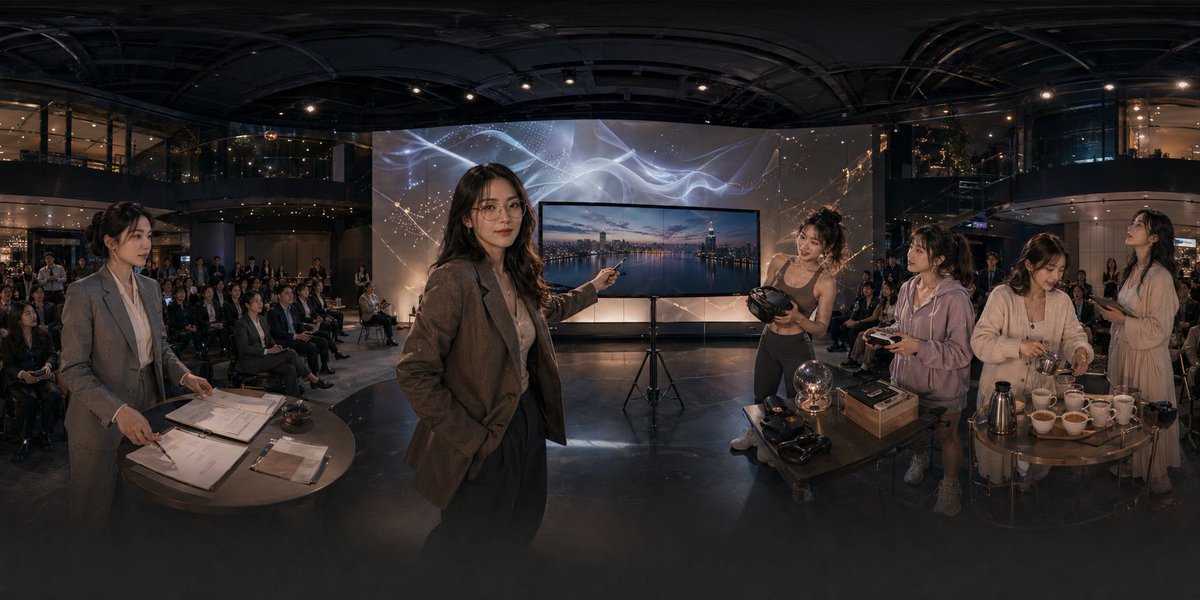
Pemandangan Atrium Acara Teknologi Panorama
Prompt ini menghasilkan adegan tampilan perusahaan ultra-lebar sinematik di atrium modern, yang berguna untuk mengilustrasikan peluncuran teknologi, acara demo yang imersif, atau presentasi startup.
Ini adalah contoh kasus GPT Image 2 untuk Interior & Arsitektur . Gunakan contoh siap salin di bawah ini untuk menghasilkan visual serupa, dan tinjau atribusi Awesome GPT Image 2 Prompts serta hak penggunaan komersial sebelum digunakan kembali.
Butuh seluruh rangkaian prompt? Gunakan Interior & Arsitektur Untuk contoh terkait lainnya, kunjungi pusat topik, atau buka GPT Image 2 katalog cepat untuk indeks contoh lengkap, struktur yang dapat digunakan kembali, dan atribusi sumber.
Free 1K preview
Generate one preview image instantly, no sign-up required.
1799/4000
Mengingatkan
Prompt siap salin
A cinematic ultra-wide panoramic scene inside a modern multi-story event atrium at night, photographed like a 360-degree conference showcase with dramatic warm low-key lighting and glossy dark architectural surfaces. In the center foreground, a professional woman in a brown blazer and dark trousers stands confidently and points toward a large flat-screen display on a tripod; the screen shows a twilight city skyline over water. Behind the display is a tall illuminated backdrop with abstract flowing white light ribbons and faint constellation-like gold sparkles. The venue is filled with a seated audience arranged in rows across the background, watching the presentation. On the left foreground, 1 woman in a gray business suit stands beside a round table covered with paperwork, clipboards, a pen, and a small service bell, as if handling registration or event administration. On the right foreground, there are 4 women gathered around two small round tables demonstrating products and hospitality items: 1 athletic woman in a fitted top holds a VR headset, 1 casually dressed woman in a light hoodie holds a controller, 1 woman in a cream cardigan works with cups and utensils, and 1 woman in a light dress stands nearby holding a phone or small object. The right-side tables contain exactly 11 visible items of note: 1 glowing glass orb lamp, 2 VR headsets, 1 rectangular product box, 1 metallic thermos or coffee pot, and 6 white teacups arranged in a row. The scene should feel like an upscale tech lifestyle launch, blending business presentation, immersive gadgets, and cafe service in one space. Use realistic human proportions, documentary-style staging, polished corporate event photography, subtle reflections on the floor, deep depth, and a seamless extra-wide panorama composition.
Best for
- - Interior & Arsitektur visual exploration
- - Image generation and reference-image edits
- - Reusable briefs that keep source attribution visible
Change these parts
- - Subject, product, character, or scene
- - Aspect ratio, camera, lighting, and background
- - Brand, text, color, and output constraints
Recommended model and settings
- - Model: gpt-image-2
- - Input mode: Teks ke Gambar
- - Aspect ratio: source
- - Commercial status: review original source
How to use this prompt
- 1. Copy the prompt and preserve its structure for the first test.
- 2. Replace the subject, context, and publishing channel.
- 3. Change one camera, lighting, or style variable per iteration.
- 4. Inspect the output, source, text, and rights before reuse.
Limitations, source, and reuse cautions
- - Generated output is an editable draft, not factual, legal, or rights evidence.
- - Review the linked source, people, brands, logos, text, and third-party media before commercial use.
Diimpor dari Awesome GPT Image 2 Prompts . Atribusi diperlukan. Status penggunaan komersial adalah allowed ; tinjau hak sumber sebelum penggunaan berbayar.
Lebih banyak kasus dalam kategori ini
Diprioritaskan berdasarkan kategori, kompatibilitas mode input, kualitas, dan risiko yang lebih rendah.






Catatan penggunaan kembali dan sumber
Gunakan perintah ini dengan aman setelah melihat pratinjau kasus.
- 1.Salin perintah tersebut atau buka langsung di Dovoo dengan tombol pembuatan.
- 2.Sesuaikan variabel, rasio aspek, dan gambar referensi untuk kebutuhan Anda sendiri.
- 3.Sebelum mempublikasikan atau menggunakan untuk tujuan berbayar, verifikasi hak sumber, persyaratan atribusi, dan risiko merek atau citra.