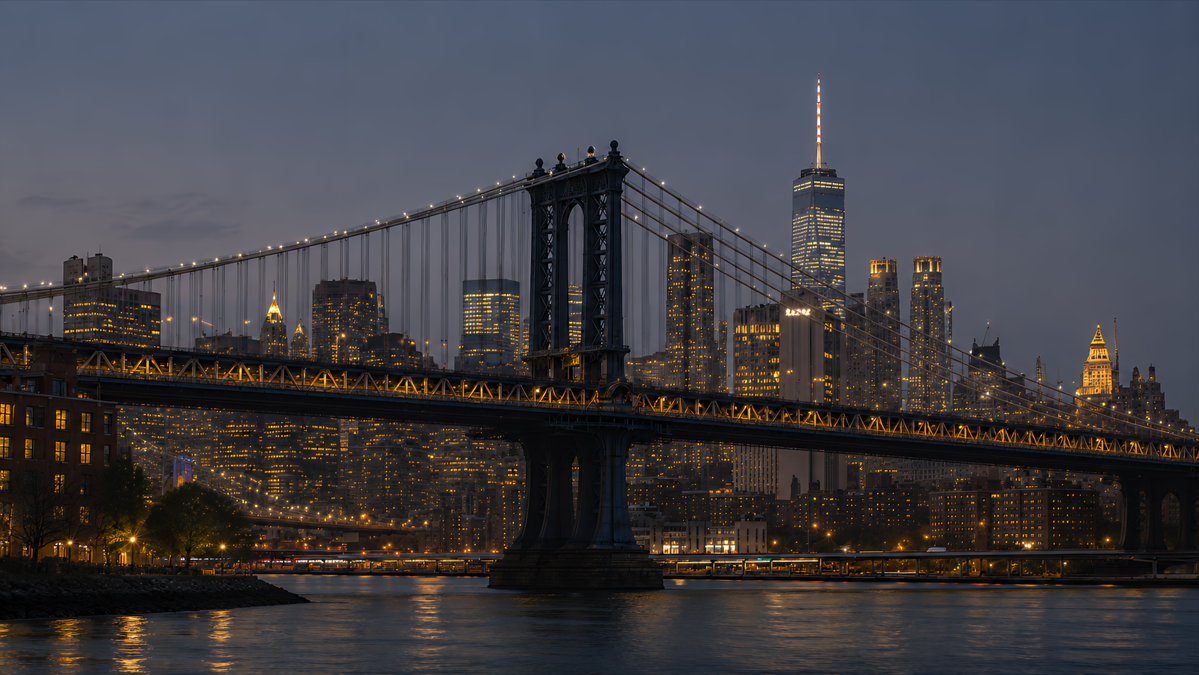
NYC Bridge Blue Hour Wallpaper
Creates a cinematic 16:9 photorealistic New York desktop wallpaper by transforming a skyline reference into a Manhattan Bridge blue-hour waterfront scene.
Ini adalah contoh kasus GPT Image 2 untuk Pemandangan & Alam . Gunakan contoh siap salin di bawah ini untuk menghasilkan visual serupa, dan tinjau atribusi Awesome GPT Image 2 Prompts serta hak penggunaan komersial sebelum digunakan kembali.
Butuh seluruh rangkaian prompt? Gunakan Pemandangan & Alam Untuk contoh terkait lainnya, kunjungi pusat topik, atau buka GPT Image 2 katalog cepat untuk indeks contoh lengkap, struktur yang dapat digunakan kembali, dan atribusi sumber.
Free 1K preview
Generate one preview image instantly, no sign-up required.
1007/4000
Mengingatkan
Prompt siap salin
Using the provided New York skyline reference as the visual and lighting base, create a {argument name="resolution target" default="4K desktop wallpaper"} in a wide 16:9 composition. Change the viewpoint to a waterfront scene featuring the Manhattan Bridge spanning across the foreground, with its dark steel towers, suspension cables, and warm string lights clearly visible. Replace the original Empire State Building-centered skyline with a Lower Manhattan skyline in the background, including One World Trade Center rising prominently on the right side. Shift the mood to {argument name="time of day" default="blue hour after sunset"}: a deep muted blue-gray sky, glowing office windows, warm amber bridge lights, and soft reflections on the river. Add a calm East River foreground with subtle ripples, shoreline silhouettes, and realistic city haze for depth. Style should be photorealistic, cinematic, crisp, high-detail, polished for wallpaper use, with no people, no text, no logos, and no watermark.Variabel perintah
Placeholder argumen yang dapat diedit ditemukan dalam prompt, beserta nilai defaultnya.
Variabel
resolution target
Bawaan
4K desktop wallpaper
Variabel
time of day
Bawaan
blue hour after sunset
Best for
- - Pemandangan & Alam visual exploration
- - Image generation and reference-image edits
- - Reusable briefs that keep source attribution visible
Change these parts
- - Subject, product, character, or scene
- - Aspect ratio, camera, lighting, and background
- - Brand, text, color, and output constraints
Recommended model and settings
- - Model: gpt-image-2
- - Input mode: Teks ke Gambar
- - Aspect ratio: source
- - Commercial status: review original source
How to use this prompt
- 1. Copy the prompt and preserve its structure for the first test.
- 2. Replace the subject, context, and publishing channel.
- 3. Change one camera, lighting, or style variable per iteration.
- 4. Inspect the output, source, text, and rights before reuse.
Limitations, source, and reuse cautions
- - Generated output is an editable draft, not factual, legal, or rights evidence.
- - Review the linked source, people, brands, logos, text, and third-party media before commercial use.
Diimpor dari Awesome GPT Image 2 Prompts . Atribusi diperlukan. Status penggunaan komersial adalah allowed ; tinjau hak sumber sebelum penggunaan berbayar.
Lebih banyak kasus dalam kategori ini
Diprioritaskan berdasarkan kategori, kompatibilitas mode input, kualitas, dan risiko yang lebih rendah.

MotoGP POV Cornering Shot
Teks ke Gambar

Street Selfie with Cat in Matching Cap
Teks ke Gambar

Orange Rooftop Fashion Photo Prompt
Teks ke Gambar

GPT Image 2 Real-Life Character Street Snap
Teks ke Gambar

Luxury Travel Fashion Portrait Prompt
Teks ke Gambar

Gray Denim Lace-Up Top Prompt for GPT Image 2
Teks ke Gambar
Catatan penggunaan kembali dan sumber
Gunakan perintah ini dengan aman setelah melihat pratinjau kasus.
- 1.Salin perintah tersebut atau buka langsung di Dovoo dengan tombol pembuatan.
- 2.Sesuaikan variabel, rasio aspek, dan gambar referensi untuk kebutuhan Anda sendiri.
- 3.Sebelum mempublikasikan atau menggunakan untuk tujuan berbayar, verifikasi hak sumber, persyaratan atribusi, dan risiko merek atau citra.