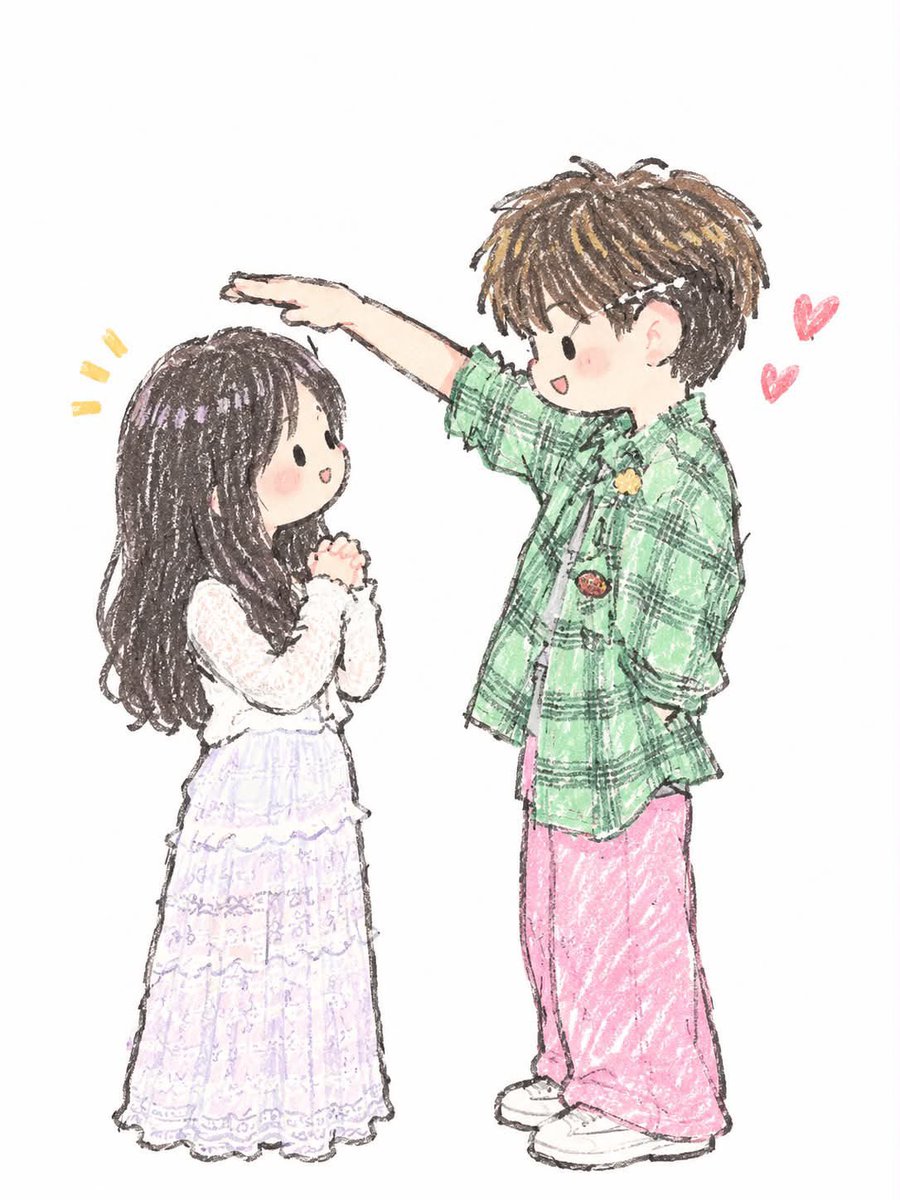
Japanese Chibi Storybook Illustration
Generates cute hand-drawn Japanese chibi illustrations with a soft colored-pencil and crayon texture, featuring custom character interactions.
Ini adalah contoh kasus GPT Image 2 untuk Ilustrasi & Seni . Gunakan contoh siap salin di bawah ini untuk menghasilkan visual serupa, dan tinjau atribusi Awesome GPT Image 2 Prompts serta hak penggunaan komersial sebelum digunakan kembali.
Butuh seluruh rangkaian prompt? Gunakan Ilustrasi & Seni Untuk contoh terkait lainnya, kunjungi pusat topik, atau buka GPT Image 2 katalog cepat untuk indeks contoh lengkap, struktur yang dapat digunakan kembali, dan atribusi sumber.
Free 1K preview
Generate one preview image instantly, no sign-up required.
1026/4000
Mengingatkan
Prompt siap salin
Create a cute hand-drawn Japanese chibi illustration of {argument name="interaction" default="two characters interacting in a sweet, playful moment"}. Use a soft traditional colored-pencil and crayon drawing style, with visible sketchy pencil strokes, slightly rough imperfect outlines, gentle pastel coloring, and a handmade children’s storybook feel. Characters should have oversized heads, tiny bodies, simple oval black eyes, tiny smiling mouths, rosy cheeks, and expressive innocent faces. Give them natural, adorable poses and interactions, with clothing and hairstyles matching the requested scene. Keep the composition clean and minimal on a plain white background, with plenty of negative space. Add small hand-drawn decorative elements such as hearts, sparkles, or motion lines around the characters where appropriate. Soft pastel palette, subtle paper texture, delicate linework, slightly imperfect coloring, cozy wholesome romantic atmosphere, full-body composition, centered characters, high-quality illustration.Variabel perintah
Placeholder argumen yang dapat diedit ditemukan dalam prompt, beserta nilai defaultnya.
Variabel
interaction
Bawaan
two characters interacting in a sweet, playful moment
Best for
- - Ilustrasi & Seni visual exploration
- - Image generation and reference-image edits
- - Reusable briefs that keep source attribution visible
Change these parts
- - Subject, product, character, or scene
- - Aspect ratio, camera, lighting, and background
- - Brand, text, color, and output constraints
Recommended model and settings
- - Model: gpt-image-2
- - Input mode: Teks ke Gambar
- - Aspect ratio: source
- - Commercial status: review original source
How to use this prompt
- 1. Copy the prompt and preserve its structure for the first test.
- 2. Replace the subject, context, and publishing channel.
- 3. Change one camera, lighting, or style variable per iteration.
- 4. Inspect the output, source, text, and rights before reuse.
Limitations, source, and reuse cautions
- - Generated output is an editable draft, not factual, legal, or rights evidence.
- - Review the linked source, people, brands, logos, text, and third-party media before commercial use.
Diimpor dari Awesome GPT Image 2 Prompts . Atribusi diperlukan. Status penggunaan komersial adalah allowed ; tinjau hak sumber sebelum penggunaan berbayar.
Lebih banyak kasus dalam kategori ini
Diprioritaskan berdasarkan kategori, kompatibilitas mode input, kualitas, dan risiko yang lebih rendah.
Catatan penggunaan kembali dan sumber
Gunakan perintah ini dengan aman setelah melihat pratinjau kasus.
- 1.Salin perintah tersebut atau buka langsung di Dovoo dengan tombol pembuatan.
- 2.Sesuaikan variabel, rasio aspek, dan gambar referensi untuk kebutuhan Anda sendiri.
- 3.Sebelum mempublikasikan atau menggunakan untuk tujuan berbayar, verifikasi hak sumber, persyaratan atribusi, dan risiko merek atau citra.