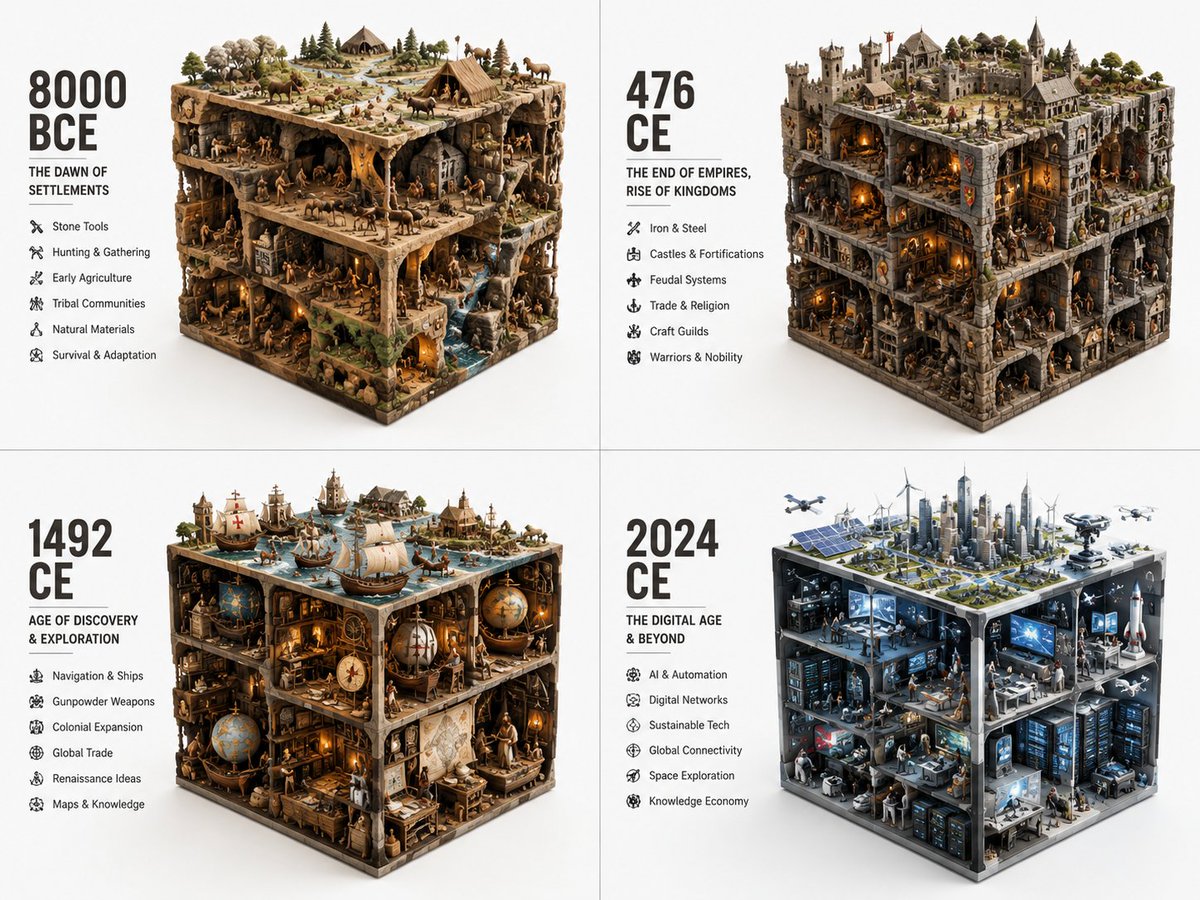
Historical Era Visualization Cube
A structured workflow prompt to visualize different historical eras condensed into a 3D cube volume with representative agents and artifacts.
Ini adalah contoh kasus GPT Image 2 untuk Ilustrasi & Seni . Gunakan contoh siap salin di bawah ini untuk menghasilkan visual serupa, dan tinjau atribusi Awesome GPT Image 2 Prompts serta hak penggunaan komersial sebelum digunakan kembali.
Butuh seluruh rangkaian prompt? Gunakan Ilustrasi & Seni Untuk contoh terkait lainnya, kunjungi pusat topik, atau buka GPT Image 2 katalog cepat untuk indeks contoh lengkap, struktur yang dapat digunakan kembali, dan atribusi sumber.
Free 1K preview
Generate one preview image instantly, no sign-up required.
Free text preview doesn’t preserve reference-image consistency.
833/4000
Mengingatkan
Prompt siap salin
2x2 grid, do this for different years of vastly different eras: {argument name="topic" default="ERA_TO_CUBE_SOLVER"} INPUT ::= [TOPIC], [ERA] STEP_1 :: infer era identity - time period or stage - dominant materials - key tools or artifacts - social/technical/cultural context - built environment or natural environment - representative agents or figures if relevant STEP_2 :: compress into cube - large objects define cuboid edges - medium objects build internal scenes - small objects fill gaps - top, side, and front faces remain visible - everything stays inside a strict rectangular volume STEP_3 :: create module text - large era label - short subtitle - compact bullet list - no fixed facts unless supplied STEP_4 :: repeat across eras - preserve identical visual grammar - increase or transform complexity chronologicallyVariabel perintah
Placeholder argumen yang dapat diedit ditemukan dalam prompt, beserta nilai defaultnya.
Variabel
topic
Bawaan
ERA_TO_CUBE_SOLVER
Best for
- - Ilustrasi & Seni visual exploration
- - Image generation and reference-image edits
- - Reusable briefs that keep source attribution visible
Change these parts
- - Subject, product, character, or scene
- - Aspect ratio, camera, lighting, and background
- - Brand, text, color, and output constraints
Recommended model and settings
- - Model: gpt-image-2
- - Input mode: Gambar ke Gambar
- - Aspect ratio: source
- - Commercial status: review original source
How to use this prompt
- 1. Copy the prompt and preserve its structure for the first test.
- 2. Replace the subject, context, and publishing channel.
- 3. Change one camera, lighting, or style variable per iteration.
- 4. Inspect the output, source, text, and rights before reuse.
Limitations, source, and reuse cautions
- - Generated output is an editable draft, not factual, legal, or rights evidence.
- - Review the linked source, people, brands, logos, text, and third-party media before commercial use.
Diimpor dari Awesome GPT Image 2 Prompts . Atribusi diperlukan. Status penggunaan komersial adalah allowed ; tinjau hak sumber sebelum penggunaan berbayar.
Lebih banyak kasus dalam kategori ini
Diprioritaskan berdasarkan kategori, kompatibilitas mode input, kualitas, dan risiko yang lebih rendah.

Sci-Fi Cyan Lighting Effect
Gambar ke Gambar

Stylish Man Street Lamp Portrait
Gambar ke Gambar

Tuxedo Cat Photo and Line Art Diptych
Teks ke Gambar

Cute Focus Desk Flat Lay and Kawaii Illustration
Teks ke Gambar

Oversized Head Cartoon Caricature Prompt
Gambar ke GambarRisiko sedang

Boisterous Shrimpers Entering Pub
Teks ke Gambar
Catatan penggunaan kembali dan sumber
Gunakan perintah ini dengan aman setelah melihat pratinjau kasus.
- 1.Salin perintah tersebut atau buka langsung di Dovoo dengan tombol pembuatan.
- 2.Sesuaikan variabel, rasio aspek, dan gambar referensi untuk kebutuhan Anda sendiri.
- 3.Sebelum mempublikasikan atau menggunakan untuk tujuan berbayar, verifikasi hak sumber, persyaratan atribusi, dan risiko merek atau citra.