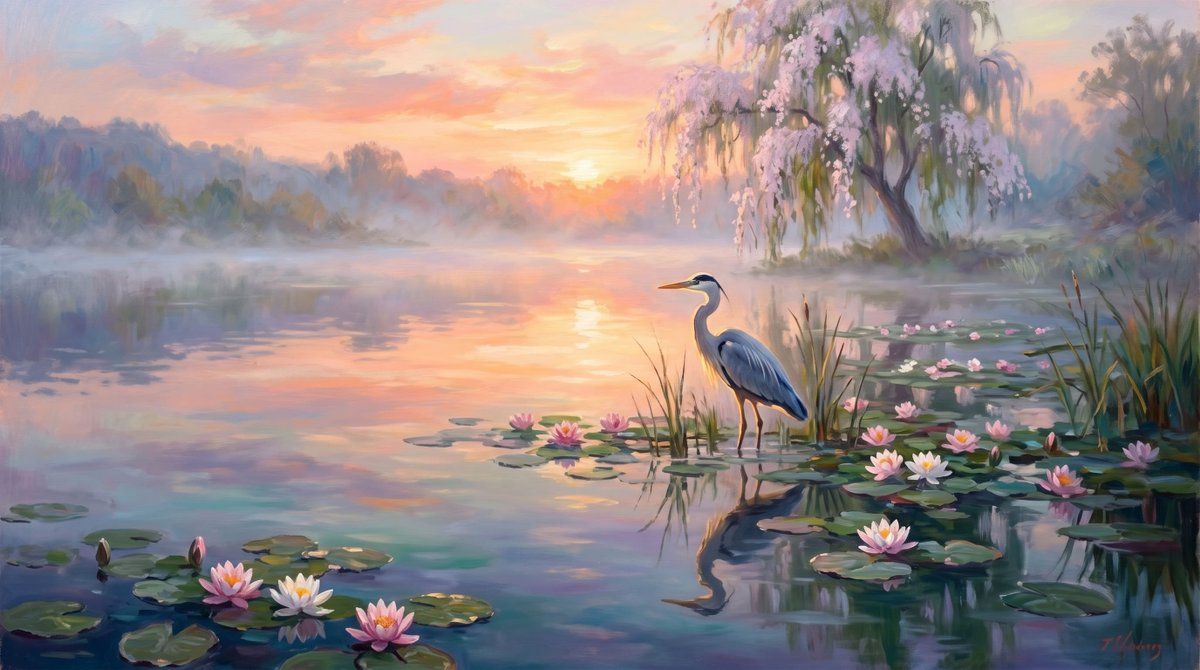
Kolam Teratai Berkabut, Burung Bangau Saat Matahari Terbit
Sebuah panduan melukis lanskap impresionis yang tenang untuk menciptakan pemandangan kolam saat matahari terbit dengan warna pastel, lengkap dengan burung bangau, bunga teratai, pantulan, kabut, dan pohon willow yang sedang mekar.
Ini adalah contoh kasus GPT Image 2 untuk Pemandangan & Alam . Gunakan contoh siap salin di bawah ini untuk menghasilkan visual serupa, dan tinjau atribusi Awesome GPT Image 2 Prompts serta hak penggunaan komersial sebelum digunakan kembali.
Free 1K preview
Generate one preview image instantly, no sign-up required.
Mengingatkan
Prompt siap salin
Create a serene impressionist oil painting of a misty lotus pond at sunrise, with a {argument name="bird species" default="great blue heron"} standing in shallow water slightly right of center among tall reeds and lily pads. The wide horizontal composition shows calm reflective water filling the foreground and middle ground, with exactly 14 visible water lilies: 3 large blossoms clustered at the lower left, 1 bud near them, 3 small pink blossoms near the center, 1 white blossom and 1 pink blossom beside the heron, 4 blossoms scattered across the right-side lily pads, and 1 small blossom near the far right reeds. Add many round green lily pads, soft ripples, and a clear reflected silhouette of the heron in the water. In the background, place a hazy tree line and a graceful willow-like tree on the right bank covered in pale pink blossoms and drooping branches. The sun sits low near the horizon in the center-left, glowing through peach, coral, lavender, and pale blue clouds, with warm golden light reflecting as a vertical path across the pond. Use a dreamy pastel palette, loose visible brushstrokes, atmospheric mist, romantic tranquil mood, painterly realism, soft edges, no text, no people, no buildings, no harsh contrast. Customize the scene with {argument name="time of day" default="sunrise"}, {argument name="flower color" default="pink and white"}, {argument name="sky palette" default="peach, coral, lavender, and pale blue"}, and {argument name="art style" default="impressionist oil painting"}.Variabel perintah
Placeholder argumen yang dapat diedit ditemukan dalam prompt, beserta nilai defaultnya.
Best for
- - Pemandangan & Alam visual exploration
- - Image generation and reference-image edits
- - Reusable briefs that keep source attribution visible
Change these parts
- - Subject, product, character, or scene
- - Aspect ratio, camera, lighting, and background
- - Brand, text, color, and output constraints
Recommended model and settings
- - Model: gpt-image-2
- - Input mode: Teks ke Gambar
- - Aspect ratio: source
- - Commercial status: review original source
How to use this prompt
- 1. Copy the prompt and preserve its structure for the first test.
- 2. Replace the subject, context, and publishing channel.
- 3. Change one camera, lighting, or style variable per iteration.
- 4. Inspect the output, source, text, and rights before reuse.
Limitations, source, and reuse cautions
- - Generated output is an editable draft, not factual, legal, or rights evidence.
- - Review the linked source, people, brands, logos, text, and third-party media before commercial use.
Lebih banyak kasus dalam kategori ini
Diprioritaskan berdasarkan kategori, kompatibilitas mode input, kualitas, dan risiko yang lebih rendah.






Catatan penggunaan kembali dan sumber
Gunakan perintah ini dengan aman setelah melihat pratinjau kasus.
- 1.Salin perintah tersebut atau buka langsung di Dovoo dengan tombol pembuatan.
- 2.Sesuaikan variabel, rasio aspek, dan gambar referensi untuk kebutuhan Anda sendiri.
- 3.Sebelum mempublikasikan atau menggunakan untuk tujuan berbayar, verifikasi hak sumber, persyaratan atribusi, dan risiko merek atau citra.