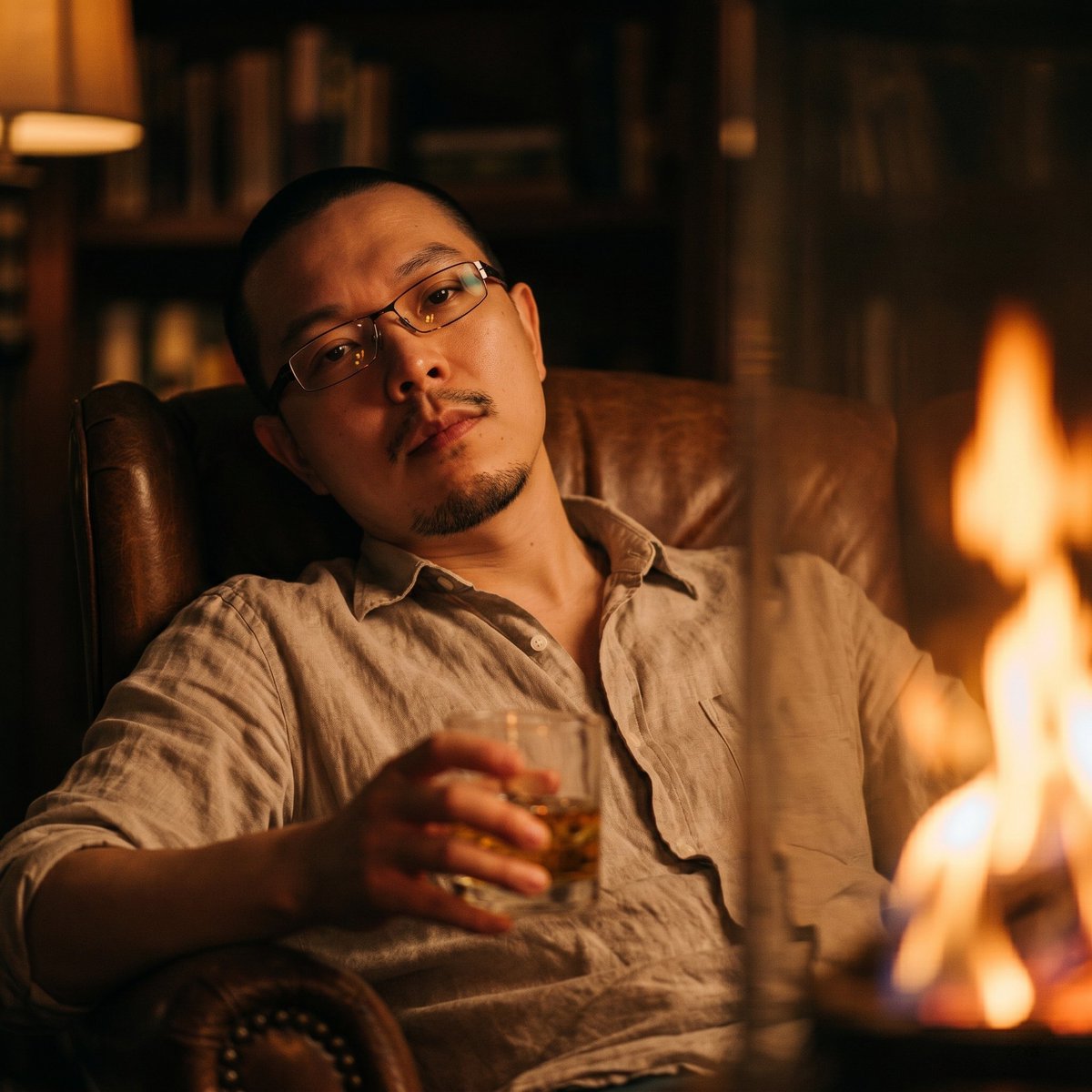
Transformasi Potret dengan Cahaya Api yang Hangat
Mengubah potret referensi menjadi foto lounge dengan pencahayaan api dari sudut rendah yang penuh suasana, sambil tetap mempertahankan identitas subjek.
Ini adalah contoh kasus GPT Image 2 untuk Potret & Karakter . Gunakan contoh siap salin di bawah ini untuk menghasilkan visual serupa, dan tinjau atribusi Awesome GPT Image 2 Prompts serta hak penggunaan komersial sebelum digunakan kembali.
Free 1K preview
Generate one preview image instantly, no sign-up required.
Free text preview doesn’t preserve reference-image consistency.
Mengingatkan
Prompt siap salin
Using the provided reference image as the identity reference, create a warm low-angle cinematic photo of the same man, keeping his face and natural light stubble consistent with the reference. Change the scene so he is reclining in a leather armchair at night, wearing a thin, slightly wrinkled {argument name="shirt color" default="light beige"} button-up shirt instead of the suit. Pose him relaxed and leaning back, with one hand holding a short glass of {argument name="drink" default="whiskey"}. Add a large out-of-focus {argument name="foreground light source" default="orange fire flame"} on the right side of the frame, casting flickering amber light and shadows across his face and shirt. Set the background in a dark, softly blurred intimate interior with bookshelves and a warm lamp, using amber and brown tones for a melancholic, nostalgic evening mood. Make it look like a high-ISO modern digital camera or smartphone photo with visible grain, low contrast, shallow depth of field, and subtle chromatic aberration.Variabel perintah
Placeholder argumen yang dapat diedit ditemukan dalam prompt, beserta nilai defaultnya.
Best for
- - Potret & Karakter visual exploration
- - Image generation and reference-image edits
- - Reusable briefs that keep source attribution visible
Change these parts
- - Subject, product, character, or scene
- - Aspect ratio, camera, lighting, and background
- - Brand, text, color, and output constraints
Recommended model and settings
- - Model: gpt-image-2
- - Input mode: Gambar ke Gambar
- - Aspect ratio: source
- - Commercial status: review original source
How to use this prompt
- 1. Copy the prompt and preserve its structure for the first test.
- 2. Replace the subject, context, and publishing channel.
- 3. Change one camera, lighting, or style variable per iteration.
- 4. Inspect the output, source, text, and rights before reuse.
Limitations, source, and reuse cautions
- - Generated output is an editable draft, not factual, legal, or rights evidence.
- - Review the linked source, people, brands, logos, text, and third-party media before commercial use.
Lebih banyak kasus dalam kategori ini
Diprioritaskan berdasarkan kategori, kompatibilitas mode input, kualitas, dan risiko yang lebih rendah.






Catatan penggunaan kembali dan sumber
Gunakan perintah ini dengan aman setelah melihat pratinjau kasus.
- 1.Salin perintah tersebut atau buka langsung di Dovoo dengan tombol pembuatan.
- 2.Sesuaikan variabel, rasio aspek, dan gambar referensi untuk kebutuhan Anda sendiri.
- 3.Sebelum mempublikasikan atau menggunakan untuk tujuan berbayar, verifikasi hak sumber, persyaratan atribusi, dan risiko merek atau citra.