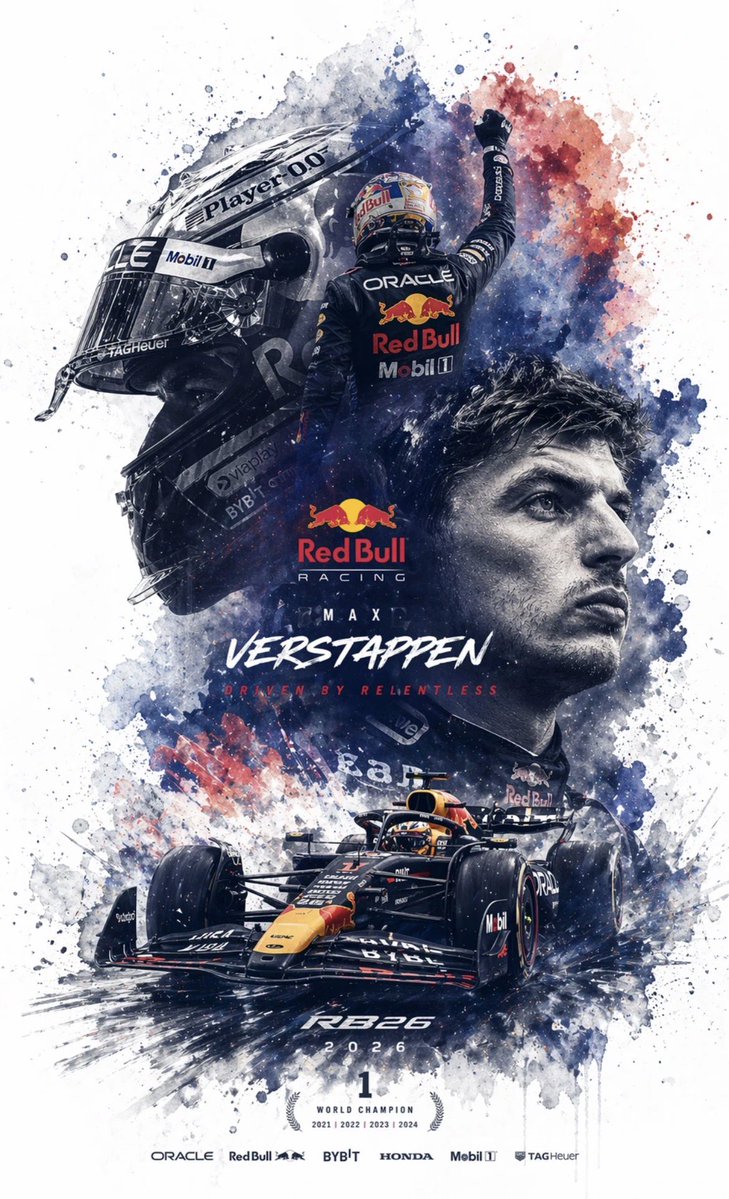
Pembuatan Lapisan PSD yang Dapat Diedit
Sebuah perintah teknis yang dirancang untuk memaksa GPT Image 2 menghasilkan struktur PSD berlapis dengan menguraikan gambar menjadi elemen-elemen independen seperti subjek dan teks.
Ini adalah contoh kasus GPT Image 2 untuk Inspirasi Lainnya . Gunakan contoh siap salin di bawah ini untuk menghasilkan visual serupa, dan tinjau atribusi Awesome GPT Image 2 Prompts serta hak penggunaan komersial sebelum digunakan kembali.
Free 1K preview
Generate one preview image instantly, no sign-up required.
Free text preview doesn’t preserve reference-image consistency.
Mengingatkan
Prompt siap salin
Generate an {argument name="file format" default="editable PSD layered file for Photoshop"} based on the reference image. Please decompose the image into several independent elements without changing their original positions and generate corresponding layers in Photoshop: 1. Main Subject: Use an image generation tool to create a PNG without a background, then copy it to the corresponding Photoshop layer. 2. Special Effects: Such as lighting, decorations, or atmospheric elements; also generate background-less PNGs and copy them to layers. 3. Text: Prioritize using Photoshop's native text tools to adjust font, size, color, and style; if the font cannot be replicated, generate background-less PNG text images and place them correctly. 4. All elements should maintain consistent position, size, and hierarchy with the reference image. 5. Finally, output a PSD file that can be opened and edited in Photoshop.Variabel perintah
Placeholder argumen yang dapat diedit ditemukan dalam prompt, beserta nilai defaultnya.
Best for
- - Inspirasi Lainnya visual exploration
- - Image generation and reference-image edits
- - Reusable briefs that keep source attribution visible
Change these parts
- - Subject, product, character, or scene
- - Aspect ratio, camera, lighting, and background
- - Brand, text, color, and output constraints
Recommended model and settings
- - Model: gpt-image-2
- - Input mode: Gambar ke Gambar
- - Aspect ratio: source
- - Commercial status: review original source
How to use this prompt
- 1. Copy the prompt and preserve its structure for the first test.
- 2. Replace the subject, context, and publishing channel.
- 3. Change one camera, lighting, or style variable per iteration.
- 4. Inspect the output, source, text, and rights before reuse.
Limitations, source, and reuse cautions
- - Generated output is an editable draft, not factual, legal, or rights evidence.
- - Review the linked source, people, brands, logos, text, and third-party media before commercial use.
Lebih banyak kasus dalam kategori ini
Diprioritaskan berdasarkan kategori, kompatibilitas mode input, kualitas, dan risiko yang lebih rendah.






Catatan penggunaan kembali dan sumber
Gunakan perintah ini dengan aman setelah melihat pratinjau kasus.
- 1.Salin perintah tersebut atau buka langsung di Dovoo dengan tombol pembuatan.
- 2.Sesuaikan variabel, rasio aspek, dan gambar referensi untuk kebutuhan Anda sendiri.
- 3.Sebelum mempublikasikan atau menggunakan untuk tujuan berbayar, verifikasi hak sumber, persyaratan atribusi, dan risiko merek atau citra.