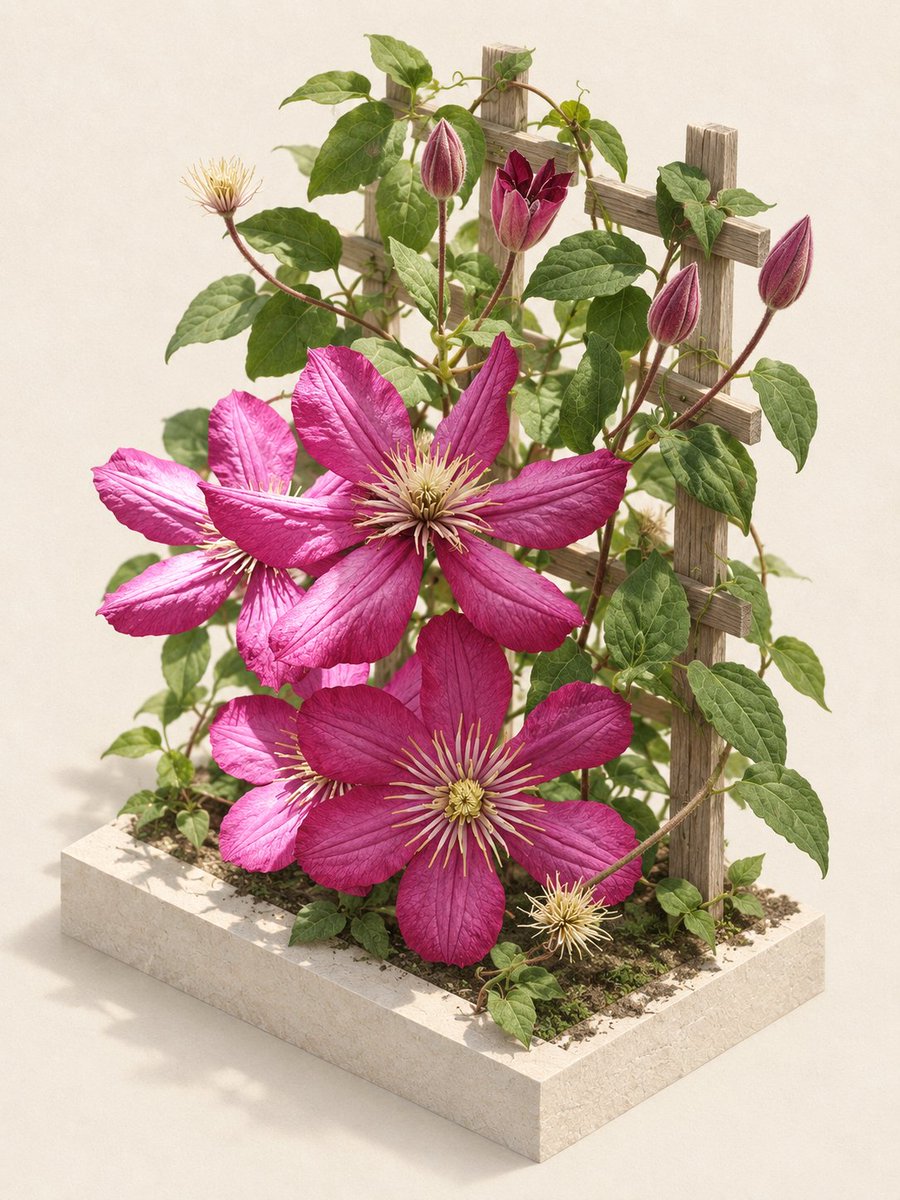
Editorial Clematis Garden Diorama
Transforms a casual flower photo into a clean studio-style botanical diorama with a planter base and trellis.
Ini adalah contoh kasus GPT Image 2 untuk Produk & Komersial . Gunakan contoh siap salin di bawah ini untuk menghasilkan visual serupa, dan tinjau atribusi Awesome GPT Image 2 Prompts serta hak penggunaan komersial sebelum digunakan kembali.
Butuh seluruh rangkaian prompt? Gunakan Produk & Komersial Untuk contoh terkait lainnya, kunjungi pusat topik, atau buka GPT Image 2 katalog cepat untuk indeks contoh lengkap, struktur yang dapat digunakan kembali, dan atribusi sumber.
Free 1K preview
Generate one preview image instantly, no sign-up required.
Free text preview doesn’t preserve reference-image consistency.
1396/4000
Mengingatkan
Prompt siap salin
Using the provided reference image as the botanical source, transform the old close-up garden photo into a polished editorial product-style scene. Preserve the same clematis vine identity, magenta flowers, green leaves, buds, seed heads, and rustic wooden trellis character, but cleanly recompose them into a staged miniature garden arrangement.

Goal: Create an elegant studio botanical diorama from the reference photo.
Composition: Place the plant upright on a square cream stone planter base filled with soil and small greenery, with the wooden trellis standing behind it. Use an isometric three-quarter view so the base, trellis, flowers, and vines are all clearly visible.
Floral structure: Keep exactly 3 large open magenta clematis flowers as the main focal blooms, plus visible unopened buds and seed heads arranged naturally around them.
Background: Replace the busy real garden background with a seamless warm off-white studio backdrop.
Lighting: Use soft natural editorial lighting with gentle shadows, realistic texture on petals and leaves, and a refined magazine still-life look.
Style: Photorealistic, clean, high-end botanical editorial, detailed but uncluttered.
Constraints: Do not add text, labels, people, insects, vases, or extra decorative props. Keep the plant recognizable from REFERENCE_0 while making the scene look intentionally staged and professionally photographed.
Best for
- - Produk & Komersial visual exploration
- - Image generation and reference-image edits
- - Reusable briefs that keep source attribution visible
Change these parts
- - Subject, product, character, or scene
- - Aspect ratio, camera, lighting, and background
- - Brand, text, color, and output constraints
Recommended model and settings
- - Model: gpt-image-2
- - Input mode: Gambar ke Gambar
- - Aspect ratio: source
- - Commercial status: review original source
How to use this prompt
- 1. Copy the prompt and preserve its structure for the first test.
- 2. Replace the subject, context, and publishing channel.
- 3. Change one camera, lighting, or style variable per iteration.
- 4. Inspect the output, source, text, and rights before reuse.
Limitations, source, and reuse cautions
- - Generated output is an editable draft, not factual, legal, or rights evidence.
- - Review the linked source, people, brands, logos, text, and third-party media before commercial use.
Diimpor dari Awesome GPT Image 2 Prompts . Atribusi diperlukan. Status penggunaan komersial adalah allowed ; tinjau hak sumber sebelum penggunaan berbayar.
Lebih banyak kasus dalam kategori ini
Diprioritaskan berdasarkan kategori, kompatibilitas mode input, kualitas, dan risiko yang lebih rendah.






Catatan penggunaan kembali dan sumber
Gunakan perintah ini dengan aman setelah melihat pratinjau kasus.
- 1.Salin perintah tersebut atau buka langsung di Dovoo dengan tombol pembuatan.
- 2.Sesuaikan variabel, rasio aspek, dan gambar referensi untuk kebutuhan Anda sendiri.
- 3.Sebelum mempublikasikan atau menggunakan untuk tujuan berbayar, verifikasi hak sumber, persyaratan atribusi, dan risiko merek atau citra.