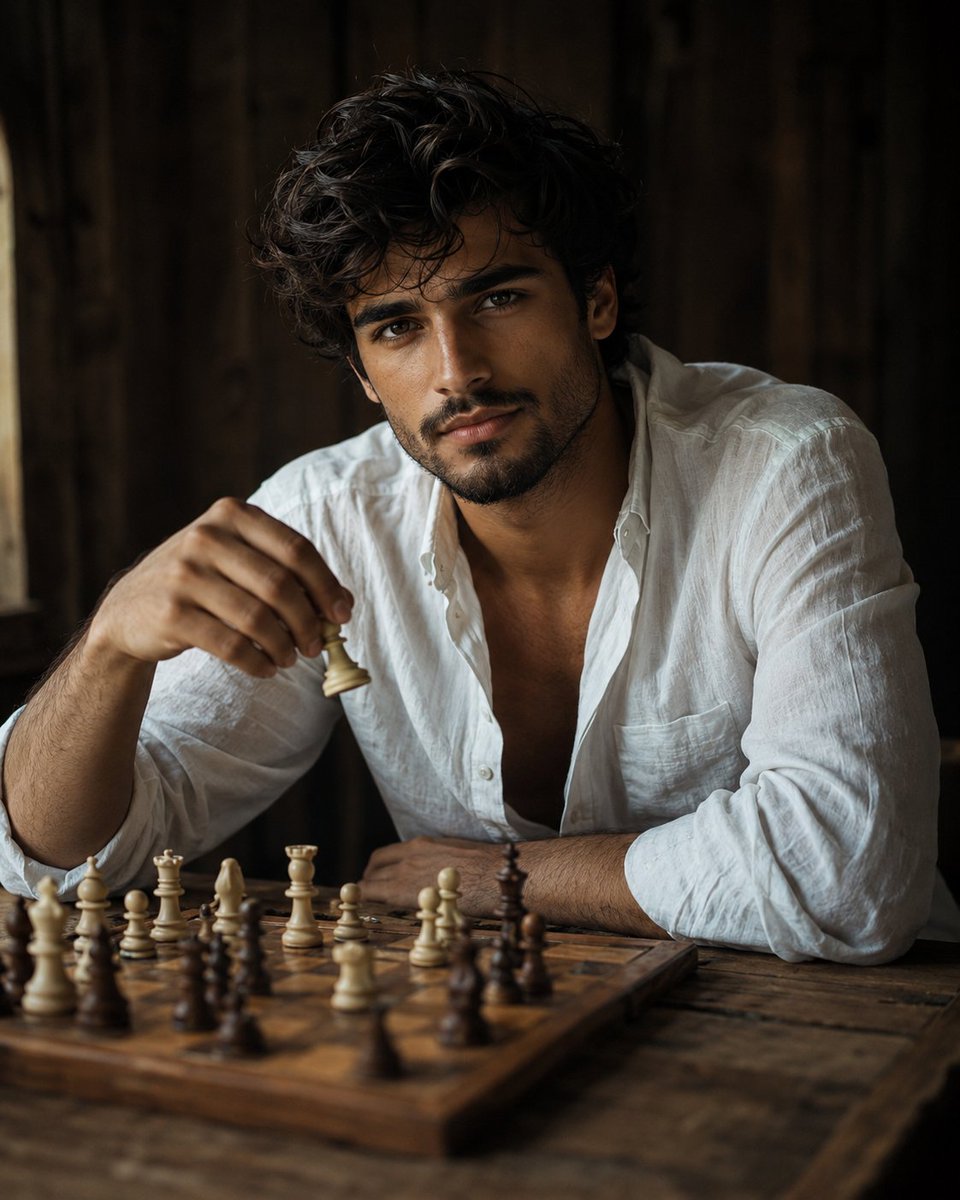
Cinematic Chess Player Portrait
An ultra-realistic cinematic portrait of a handsome young man playing chess, featuring natural window lighting, a rustic interior, and a shallow depth of field.
Ini adalah contoh kasus GPT Image 2 untuk Potret & Karakter . Gunakan contoh siap salin di bawah ini untuk menghasilkan visual serupa, dan tinjau atribusi Awesome GPT Image 2 Prompts serta hak penggunaan komersial sebelum digunakan kembali.
Free 1K preview
Generate one preview image instantly, no sign-up required.
Free text preview doesn’t preserve reference-image consistency.
Mengingatkan
Prompt siap salin
Ultra-realistic cinematic editorial portrait of {argument name="subject" default="a strikingly handsome young man in his early 20s"}, {argument name="action" default="seated at a rustic wooden table playing chess"}, inspired by the reference image’s intimate candid composition, natural lighting, shallow depth of field, and warm muted color palette, but featuring a completely original male character. He has thick, naturally wavy jet-black hair, slightly tousled and falling naturally around his forehead and ears, strong well-defined eyebrows, deep expressive dark-brown eyes, a straight sculpted nose, prominent cheekbones, a sharp masculine jawline, naturally defined lips, and subtle realistic skin texture. His expression is calm, thoughtful, confident, and slightly relaxed, with a gentle almost imperceptible smile as he looks directly toward the camera. He is wearing a loose, slightly oversized crisp white linen shirt, with naturally wrinkled fabric and relaxed open collar. One arm rests casually on the table while his other hand is positioned above the chessboard, holding a classic ivory-colored chess piece as if thoughtfully considering his next move. A beautifully detailed wooden chessboard fills the foreground, with realistic cream and dark wooden chess pieces arranged naturally across the board. Several foreground pieces are softly out of focus, creating strong cinematic depth, while the young man’s face remains the primary focal point. {argument name="clothing" default="Rustic dark wooden interior in the background"}, subtle shadows, soft diffused window light falling naturally across his face, gentle highlights in his eyes and hair, warm earthy tones, authentic candid photography, sophisticated masculine editorial aesthetic, intimate atmosphere, realistic imperfections, natural skin pores, photorealistic facial details. Shot on a professional full-frame camera, 50mm portrait lens, f/1.8 aperture, extremely shallow depth of field, soft bokeh, cinematic framing, eye-level perspective, high dynamic range, subtle film grain, realistic photography, natural color grading, ultra-detailed, 8K, no artificial beauty filter, no exaggerated muscles, no text, no watermark.Variabel perintah
Placeholder argumen yang dapat diedit ditemukan dalam prompt, beserta nilai defaultnya.
Best for
- - Potret & Karakter visual exploration
- - Image generation and reference-image edits
- - Reusable briefs that keep source attribution visible
Change these parts
- - Subject, product, character, or scene
- - Aspect ratio, camera, lighting, and background
- - Brand, text, color, and output constraints
Recommended model and settings
- - Model: gpt-image-2
- - Input mode: Gambar ke Gambar
- - Aspect ratio: source
- - Commercial status: review original source
How to use this prompt
- 1. Copy the prompt and preserve its structure for the first test.
- 2. Replace the subject, context, and publishing channel.
- 3. Change one camera, lighting, or style variable per iteration.
- 4. Inspect the output, source, text, and rights before reuse.
Limitations, source, and reuse cautions
- - Generated output is an editable draft, not factual, legal, or rights evidence.
- - Review the linked source, people, brands, logos, text, and third-party media before commercial use.
Lebih banyak kasus dalam kategori ini
Diprioritaskan berdasarkan kategori, kompatibilitas mode input, kualitas, dan risiko yang lebih rendah.
Catatan penggunaan kembali dan sumber
Gunakan perintah ini dengan aman setelah melihat pratinjau kasus.
- 1.Salin perintah tersebut atau buka langsung di Dovoo dengan tombol pembuatan.
- 2.Sesuaikan variabel, rasio aspek, dan gambar referensi untuk kebutuhan Anda sendiri.
- 3.Sebelum mempublikasikan atau menggunakan untuk tujuan berbayar, verifikasi hak sumber, persyaratan atribusi, dan risiko merek atau citra.