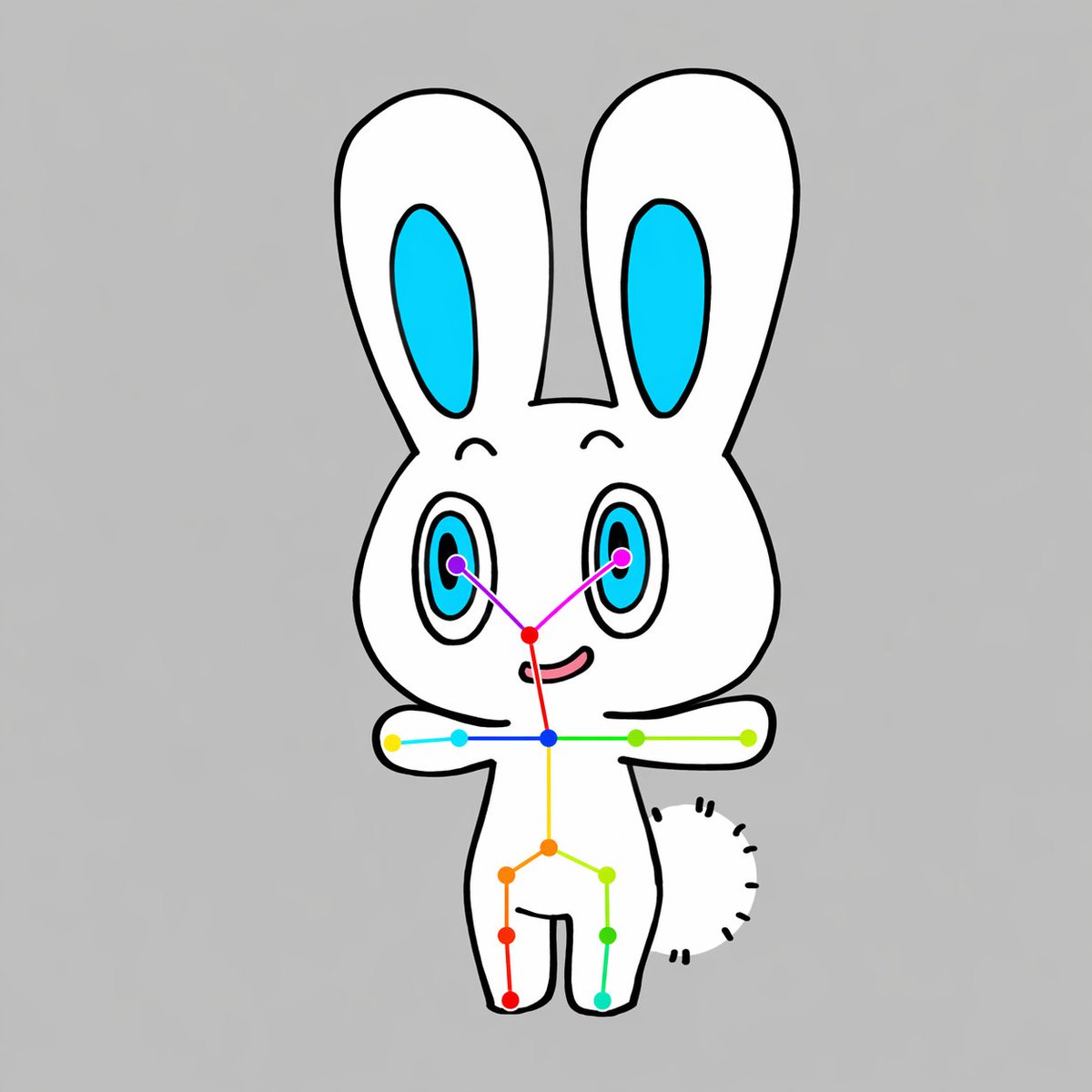
Diagram Pose Terbuka Kelinci Chibi
Sebuah contoh desain kartun yang bersih untuk menghasilkan karakter hewan chibi yang menghadap ke depan dengan kerangka titik kunci bergaya OpenPose yang terlihat, berguna untuk demonstrasi estimasi pose, contoh dataset, atau ilustrasi visi AI.
Ini adalah contoh kasus GPT Image 2 untuk Ilustrasi & Seni . Gunakan contoh siap salin di bawah ini untuk menghasilkan visual serupa, dan tinjau atribusi Awesome GPT Image 2 Prompts serta hak penggunaan komersial sebelum digunakan kembali.
Free 1K preview
Generate one preview image instantly, no sign-up required.
Mengingatkan
Prompt siap salin
A simple centered full-body illustration of a cute chibi {argument name="animal type" default="rabbit"} character on a plain {argument name="background color" default="light gray"} background, drawn in a flat cartoon style with thick clean black outlines and minimal shading. The character has a white body, a large rounded head, 2 tall upright ears with bright cyan inner ear shapes, 2 large oval eyes with cyan irises, black pupils, and small highlights, tiny curved eyebrows, a small red-pink nose area, and a slight smiling mouth. The pose is front-facing with both arms stretched straight out horizontally to the sides, legs apart in a simple standing pose, and a short fluffy tail visible on the right side of the body as a curved semicircle made of short black dash marks. Overlay a clear OpenPose-style skeleton marker system on top of the character: 2 purple eye keypoints, 1 red nose keypoint, 1 blue neck keypoint, 2 shoulder keypoints, 2 elbow keypoints, 2 wrist keypoints, 1 yellow spine or pelvis center point, 2 hip keypoints, 2 knee keypoints, and 2 ankle keypoints, for a total of 17 colored points connected by thin colored lines across the face, shoulders, torso, arms, and legs. Use vivid point colors including purple, magenta, red, blue, cyan, green, yellow, orange, and teal so the pose overlay is clearly visible. Keep the composition vertically centered, symmetrical, clean, and diagram-like, with the cute mascot character and pose-estimation overlay as the sole subject.Variabel perintah
Placeholder argumen yang dapat diedit ditemukan dalam prompt, beserta nilai defaultnya.
Best for
- - Ilustrasi & Seni visual exploration
- - Image generation and reference-image edits
- - Reusable briefs that keep source attribution visible
Change these parts
- - Subject, product, character, or scene
- - Aspect ratio, camera, lighting, and background
- - Brand, text, color, and output constraints
Recommended model and settings
- - Model: gpt-image-2
- - Input mode: Teks ke Gambar
- - Aspect ratio: source
- - Commercial status: review original source
How to use this prompt
- 1. Copy the prompt and preserve its structure for the first test.
- 2. Replace the subject, context, and publishing channel.
- 3. Change one camera, lighting, or style variable per iteration.
- 4. Inspect the output, source, text, and rights before reuse.
Limitations, source, and reuse cautions
- - Generated output is an editable draft, not factual, legal, or rights evidence.
- - Review the linked source, people, brands, logos, text, and third-party media before commercial use.
Lebih banyak kasus dalam kategori ini
Diprioritaskan berdasarkan kategori, kompatibilitas mode input, kualitas, dan risiko yang lebih rendah.






Catatan penggunaan kembali dan sumber
Gunakan perintah ini dengan aman setelah melihat pratinjau kasus.
- 1.Salin perintah tersebut atau buka langsung di Dovoo dengan tombol pembuatan.
- 2.Sesuaikan variabel, rasio aspek, dan gambar referensi untuk kebutuhan Anda sendiri.
- 3.Sebelum mempublikasikan atau menggunakan untuk tujuan berbayar, verifikasi hak sumber, persyaratan atribusi, dan risiko merek atau citra.