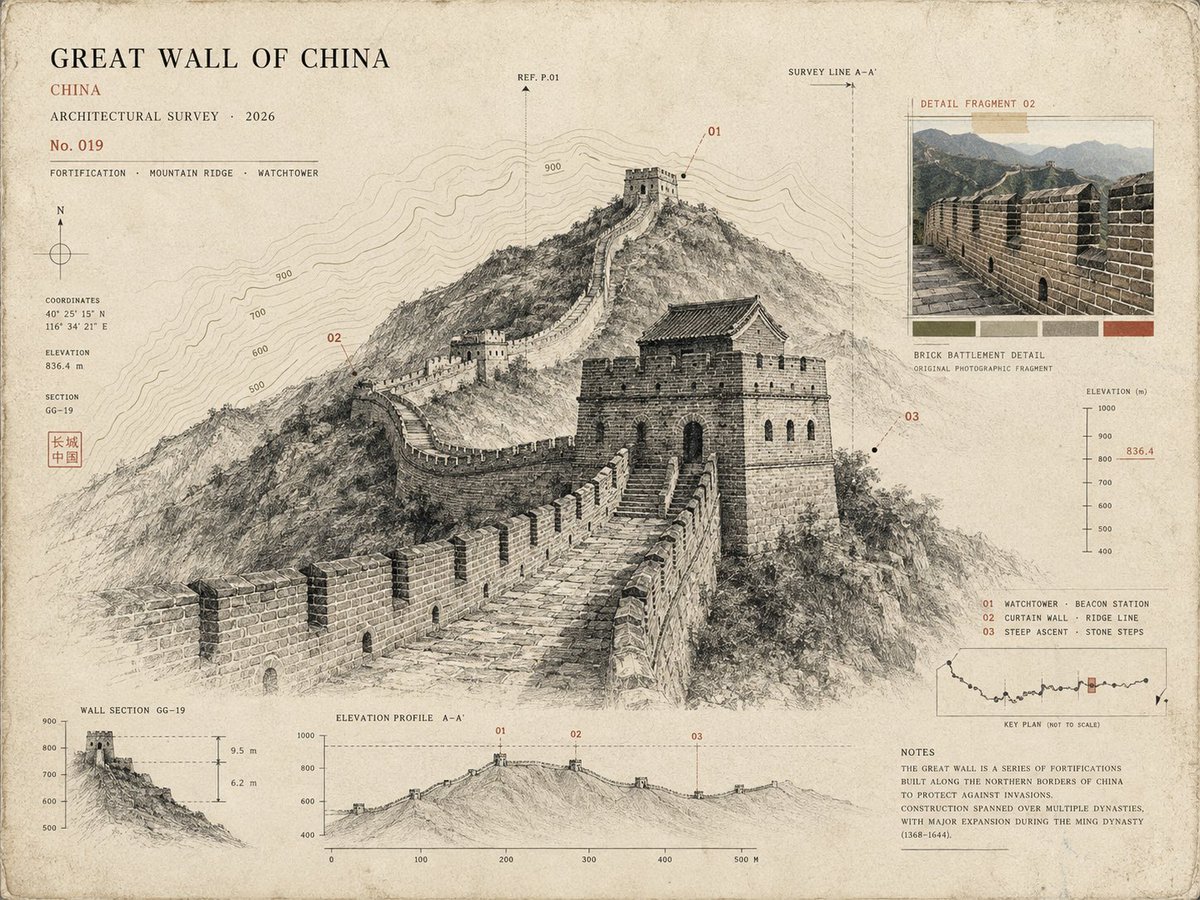
Architectural Museum Specimen Card
A sophisticated architectural study prompt that transforms a location photo into a curated museum specimen card with ink drawings and topographic maps.
Ini adalah contoh kasus GPT Image 2 untuk Grafis & Poster . Gunakan contoh siap salin di bawah ini untuk menghasilkan visual serupa, dan tinjau atribusi Awesome GPT Image 2 Prompts serta hak penggunaan komersial sebelum digunakan kembali.
Free 1K preview
Generate one preview image instantly, no sign-up required.
Free text preview doesn’t preserve reference-image consistency.
Mengingatkan
Prompt siap salin
Use the uploaded photo as the primary reference. Create a sophisticated 4:3 landscape {argument name="style" default="architectural specimen card inspired by museum archives, architectural surveys, and vintage scientific documentation"}. Keep the {argument name="location" default="original location"} recognizable, but transform the presentation into a curated architectural study rather than a normal travel poster. * Place the main landmark as a large monochrome architectural cutout or finely detailed ink drawing. * Add a smaller original-color photographic fragment showing one distinctive detail of the location. * Include a simplified topographic contour map behind the architecture. * Add tiny numbered reference points, measurement marks, arrows, elevation lines, and architectural annotation symbols. * Use an aged cream paper background with subtle grain and imperfections. * Palette: {argument name="palette" default="black, warm beige, muted olive, and one restrained accent color extracted from the landmark"}. * Typography should be small, elegant, and archival: location name, country, year, No. 019, and 3 descriptive keywords. * Create subtle imperfections resembling screen printing, drafting ink, pencil marks, and old paper. * Keep generous negative space and a sophisticated museum-catalog aesthetic. Important: Avoid postcard layouts, circular stamps, tourist graphics, excessive text, cartoon styling, glossy effects, 3D rendering, and overly detailed illustrations. Overall mood: architectural archive × museum specimen × old survey document × contemporary editorial design.Variabel perintah
Placeholder argumen yang dapat diedit ditemukan dalam prompt, beserta nilai defaultnya.
Best for
- - Grafis & Poster visual exploration
- - Image generation and reference-image edits
- - Reusable briefs that keep source attribution visible
Change these parts
- - Subject, product, character, or scene
- - Aspect ratio, camera, lighting, and background
- - Brand, text, color, and output constraints
Recommended model and settings
- - Model: gpt-image-2
- - Input mode: Gambar ke Gambar
- - Aspect ratio: source
- - Commercial status: review original source
How to use this prompt
- 1. Copy the prompt and preserve its structure for the first test.
- 2. Replace the subject, context, and publishing channel.
- 3. Change one camera, lighting, or style variable per iteration.
- 4. Inspect the output, source, text, and rights before reuse.
Limitations, source, and reuse cautions
- - Generated output is an editable draft, not factual, legal, or rights evidence.
- - Review the linked source, people, brands, logos, text, and third-party media before commercial use.
Lebih banyak kasus dalam kategori ini
Diprioritaskan berdasarkan kategori, kompatibilitas mode input, kualitas, dan risiko yang lebih rendah.






Catatan penggunaan kembali dan sumber
Gunakan perintah ini dengan aman setelah melihat pratinjau kasus.
- 1.Salin perintah tersebut atau buka langsung di Dovoo dengan tombol pembuatan.
- 2.Sesuaikan variabel, rasio aspek, dan gambar referensi untuk kebutuhan Anda sendiri.
- 3.Sebelum mempublikasikan atau menggunakan untuk tujuan berbayar, verifikasi hak sumber, persyaratan atribusi, dan risiko merek atau citra.