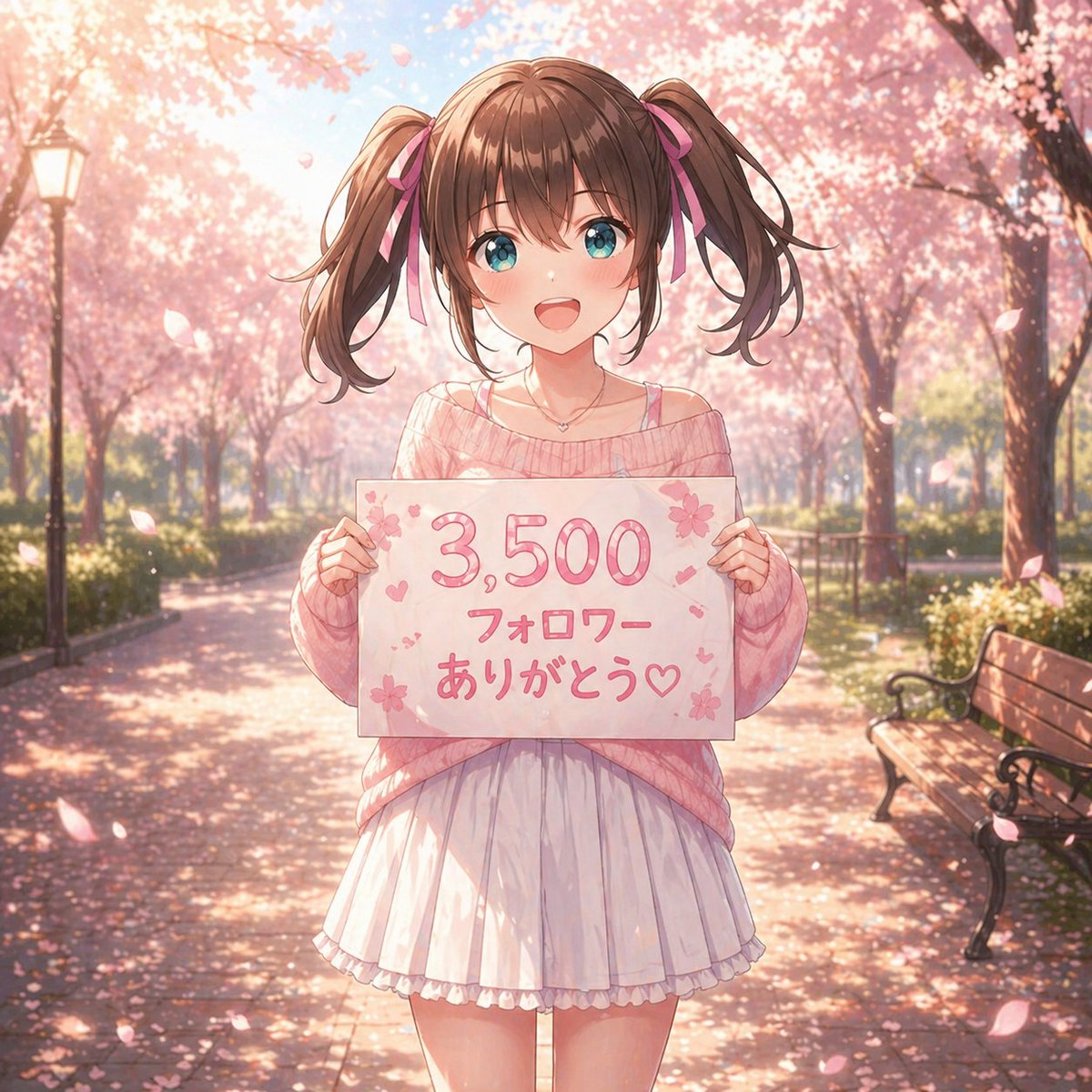
Potret Ucapan Terima Kasih Anime Sakura
Ini menghasilkan potret musim semi bergaya anime pastel dari seorang gadis berambut kepang dua yang memegang papan ucapan terima kasih kepada pengikut, ideal untuk unggahan media sosial atau pengumuman pencapaian penting.
Ini adalah contoh kasus GPT Image 2 untuk Anime & Game . Gunakan contoh siap salin di bawah ini untuk menghasilkan visual serupa, dan tinjau atribusi Awesome GPT Image 2 Prompts serta hak penggunaan komersial sebelum digunakan kembali.
Free 1K preview
Generate one preview image instantly, no sign-up required.
Mengingatkan
Prompt siap salin
A soft, dreamy anime illustration of a cute teenage girl standing centered on a park path lined with blooming cherry blossom trees in full spring. She faces the viewer and holds a handmade white sign at chest height with the Japanese text {argument name="sign text" default="3,500 フォロワー ありがとう♡"} written in large rounded pink lettering, decorated with small sakura flowers, hearts, and tiny confetti-like marks. The girl has {argument name="hair color" default="medium brown"} hair styled in high twin ponytails tied with pink ribbons, straight-cut bangs, and loose curled ends. Her face is intentionally blank and featureless, a smooth shaded skin-toned oval with no eyes, nose, or mouth. She wears an oversized off-shoulder knit sweater in {argument name="sweater color" default="pastel pink"}, with a thin camisole strap visible on one shoulder, a short white pleated skirt with a soft ruffled hem, and a delicate small necklace. Her pose is gentle and symmetrical, both hands gripping the left and right edges of the sign. The setting is a sunlit sakura avenue with 2 visible benches on the right side and 1 vintage lamppost on the left, petals drifting through the air and scattered across the ground. Use warm backlighting, soft bloom, shallow depth of field, pastel pink and cream tones, romantic seasonal atmosphere, highly detailed anime rendering, polished linework, glossy hair highlights, subtle fabric folds, and a celebratory social-media thank-you mood.Variabel perintah
Placeholder argumen yang dapat diedit ditemukan dalam prompt, beserta nilai defaultnya.
Best for
- - Anime & Game visual exploration
- - Image generation and reference-image edits
- - Reusable briefs that keep source attribution visible
Change these parts
- - Subject, product, character, or scene
- - Aspect ratio, camera, lighting, and background
- - Brand, text, color, and output constraints
Recommended model and settings
- - Model: gpt-image-2
- - Input mode: Teks ke Gambar
- - Aspect ratio: source
- - Commercial status: review original source
How to use this prompt
- 1. Copy the prompt and preserve its structure for the first test.
- 2. Replace the subject, context, and publishing channel.
- 3. Change one camera, lighting, or style variable per iteration.
- 4. Inspect the output, source, text, and rights before reuse.
Limitations, source, and reuse cautions
- - Generated output is an editable draft, not factual, legal, or rights evidence.
- - Review the linked source, people, brands, logos, text, and third-party media before commercial use.
Lebih banyak kasus dalam kategori ini
Diprioritaskan berdasarkan kategori, kompatibilitas mode input, kualitas, dan risiko yang lebih rendah.






Catatan penggunaan kembali dan sumber
Gunakan perintah ini dengan aman setelah melihat pratinjau kasus.
- 1.Salin perintah tersebut atau buka langsung di Dovoo dengan tombol pembuatan.
- 2.Sesuaikan variabel, rasio aspek, dan gambar referensi untuk kebutuhan Anda sendiri.
- 3.Sebelum mempublikasikan atau menggunakan untuk tujuan berbayar, verifikasi hak sumber, persyaratan atribusi, dan risiko merek atau citra.