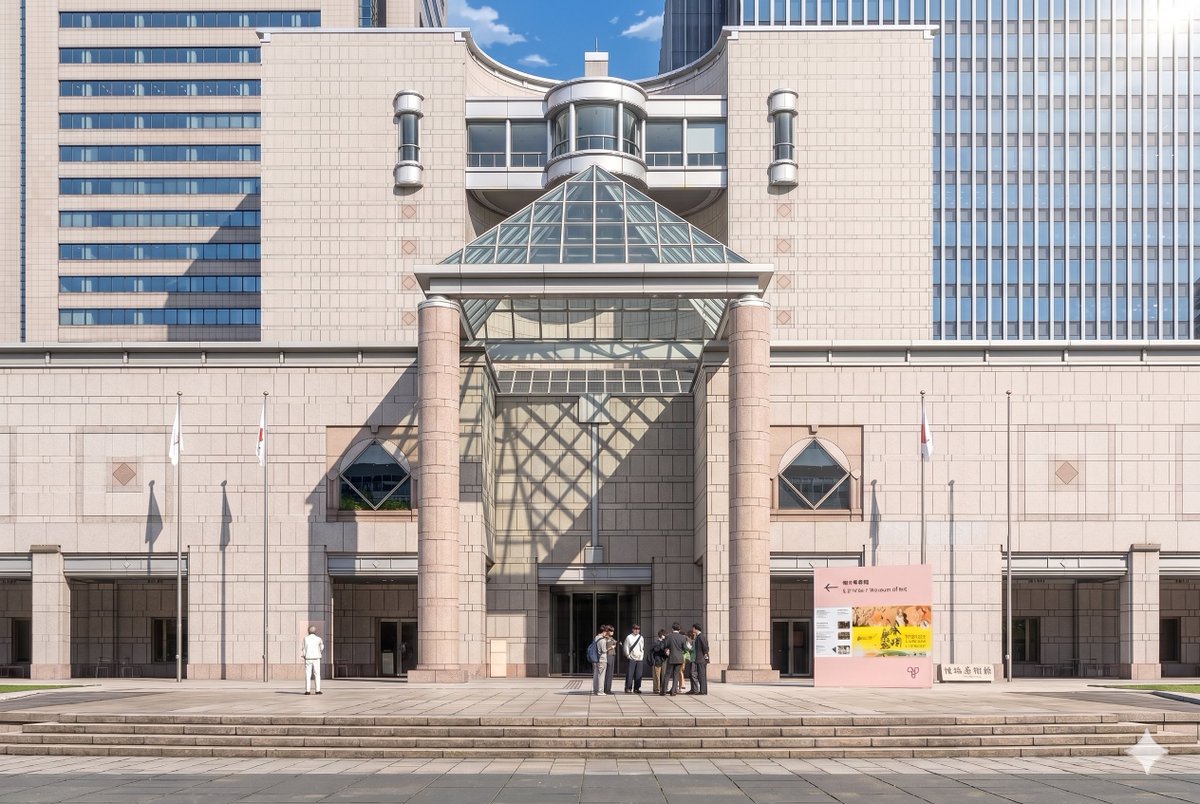
Konversi Latar Belakang Museum Anime
Tugas ini mengubah foto referensi bangunan museum menjadi latar belakang bergaya anime teatrikal yang detail, sambil mempertahankan komposisi asli dan menambahkan cahaya matahari sinematik serta figur-figur yang ditata secara artistik.
Ini adalah contoh kasus GPT Image 2 untuk Anime & Game . Gunakan contoh siap salin di bawah ini untuk menghasilkan visual serupa, dan tinjau atribusi Awesome GPT Image 2 Prompts serta hak penggunaan komersial sebelum digunakan kembali.
Butuh seluruh rangkaian prompt? Gunakan Anime & Game Untuk contoh terkait lainnya, kunjungi pusat topik, atau buka GPT Image 2 katalog cepat untuk indeks contoh lengkap, struktur yang dapat digunakan kembali, dan atribusi sumber.
Free 1K preview
Generate one preview image instantly, no sign-up required.
Free text preview doesn’t preserve reference-image consistency.
883/4000
Mengingatkan
Prompt siap salin
Using the provided reference photo, recreate the same museum facade and frontal composition as a polished theatrical anime background illustration. Keep the architecture, signage, 3 flagpoles, broad steps, and overall layout consistent, but convert the image from realistic photography into a highly detailed hand-painted anime film style with clean linework, soft cel shading, gentle pastel stone colors, and crisp atmospheric lighting. Add dramatic sunlight from the upper right so the glass pyramid casts a large geometric lattice shadow across the central wall and left side of the entrance. Simplify and stylize the people into anime background characters, keeping the 2 visible groups: 1 lone figure on the left and 1 small cluster of 7 people near the center-right entrance. Preserve the clear blue-sky daytime mood while making the scene feel elegant, refined, and cinematic.
Best for
- - Anime & Game visual exploration
- - Image generation and reference-image edits
- - Reusable briefs that keep source attribution visible
Change these parts
- - Subject, product, character, or scene
- - Aspect ratio, camera, lighting, and background
- - Brand, text, color, and output constraints
Recommended model and settings
- - Model: gpt-image-2
- - Input mode: Gambar ke Gambar
- - Aspect ratio: source
- - Commercial status: review original source
How to use this prompt
- 1. Copy the prompt and preserve its structure for the first test.
- 2. Replace the subject, context, and publishing channel.
- 3. Change one camera, lighting, or style variable per iteration.
- 4. Inspect the output, source, text, and rights before reuse.
Limitations, source, and reuse cautions
- - Generated output is an editable draft, not factual, legal, or rights evidence.
- - Review the linked source, people, brands, logos, text, and third-party media before commercial use.
Diimpor dari Awesome GPT Image 2 Prompts . Atribusi diperlukan. Status penggunaan komersial adalah allowed ; tinjau hak sumber sebelum penggunaan berbayar.
Lebih banyak kasus dalam kategori ini
Diprioritaskan berdasarkan kategori, kompatibilitas mode input, kualitas, dan risiko yang lebih rendah.






Catatan penggunaan kembali dan sumber
Gunakan perintah ini dengan aman setelah melihat pratinjau kasus.
- 1.Salin perintah tersebut atau buka langsung di Dovoo dengan tombol pembuatan.
- 2.Sesuaikan variabel, rasio aspek, dan gambar referensi untuk kebutuhan Anda sendiri.
- 3.Sebelum mempublikasikan atau menggunakan untuk tujuan berbayar, verifikasi hak sumber, persyaratan atribusi, dan risiko merek atau citra.