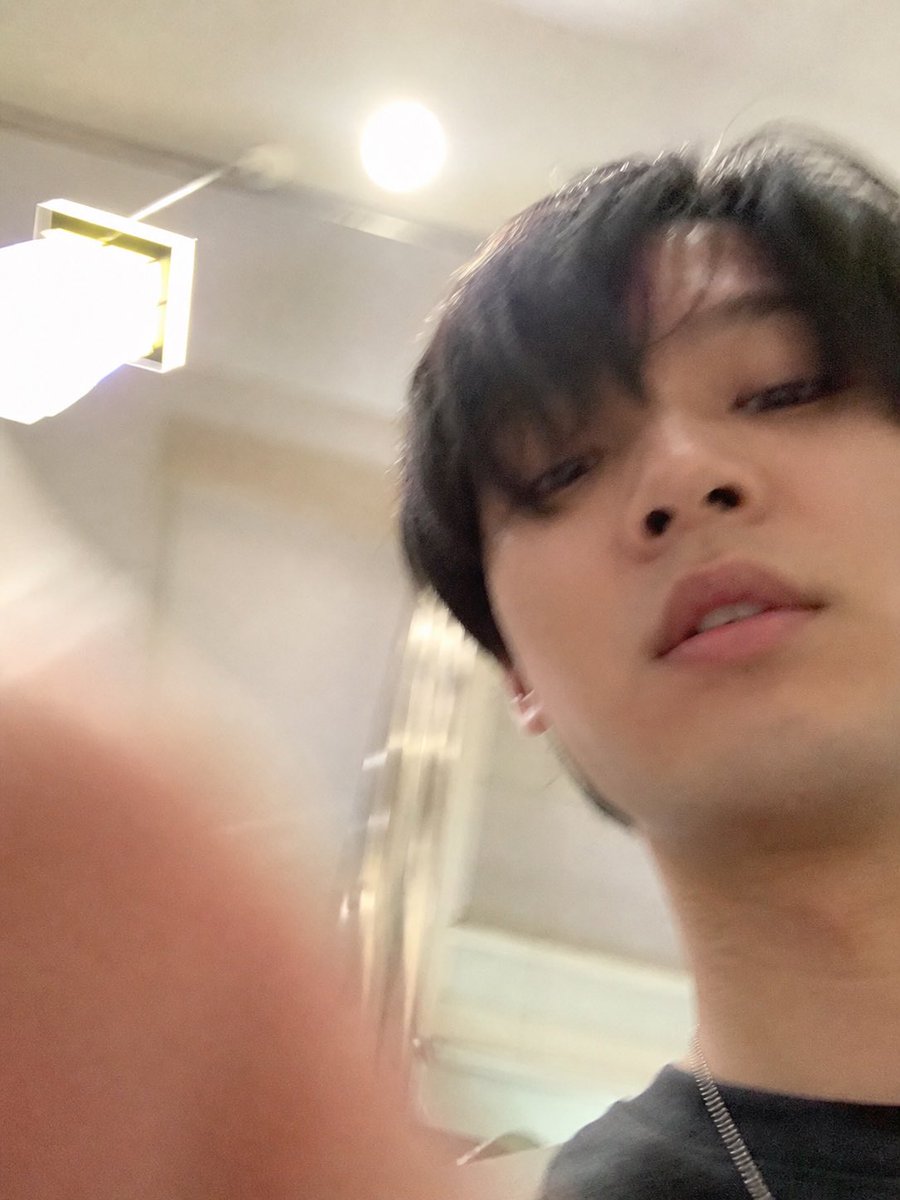
Ekstraksi Selfie iPhone yang Tidak Sengaja
Menghasilkan foto selfie gagal realistis yang berdiri sendiri dengan mengekstrak dan memperluas foto bagian bawah dari tangkapan layar ChatGPT sambil menghapus semua elemen UI.
Ini adalah contoh kasus GPT Image 2 untuk Potret & Karakter . Gunakan contoh siap salin di bawah ini untuk menghasilkan visual serupa, dan tinjau atribusi Awesome GPT Image 2 Prompts serta hak penggunaan komersial sebelum digunakan kembali.
Butuh seluruh rangkaian prompt? Gunakan Potret & Karakter Untuk contoh terkait lainnya, kunjungi pusat topik, atau buka GPT Image 2 katalog cepat untuk indeks contoh lengkap, struktur yang dapat digunakan kembali, dan atribusi sumber.
Free 1K preview
Generate one preview image instantly, no sign-up required.
Free text preview doesn’t preserve reference-image consistency.
915/4000
Mengingatkan
Prompt siap salin
Using REFERENCE_1 as the source, isolate the lower accidental selfie photo and turn it into the final standalone image: remove the ChatGPT interface, text bubble, download icon, and input bar completely, then uncrop/extend the snapshot so it fills the frame as a vertical iPhone-style photo. Follow the intent described in REFERENCE_0: make it look like an ordinary, slightly failed, unplanned selfie taken while pulling a phone from a pocket, with a careless low angle, messy composition, slight motion blur, uneven lighting, mild overexposure from the room lights, and a very realistic casual phone-camera feel. Keep the same indoor room, ceiling light, wall lamp, and subject from the lower photo, but show more of the face, neck, dark shirt, and a thin chain necklace, with a blurry finger partially covering the lower-left foreground. Avoid making it look posed, polished, cinematic, or intentionally composed.
Best for
- - Potret & Karakter visual exploration
- - Image generation and reference-image edits
- - Reusable briefs that keep source attribution visible
Change these parts
- - Subject, product, character, or scene
- - Aspect ratio, camera, lighting, and background
- - Brand, text, color, and output constraints
Recommended model and settings
- - Model: gpt-image-2
- - Input mode: Gambar ke Gambar
- - Aspect ratio: source
- - Commercial status: review original source
How to use this prompt
- 1. Copy the prompt and preserve its structure for the first test.
- 2. Replace the subject, context, and publishing channel.
- 3. Change one camera, lighting, or style variable per iteration.
- 4. Inspect the output, source, text, and rights before reuse.
Limitations, source, and reuse cautions
- - Generated output is an editable draft, not factual, legal, or rights evidence.
- - Review the linked source, people, brands, logos, text, and third-party media before commercial use.
Diimpor dari Awesome GPT Image 2 Prompts . Atribusi diperlukan. Status penggunaan komersial adalah allowed ; tinjau hak sumber sebelum penggunaan berbayar.
Lebih banyak kasus dalam kategori ini
Diprioritaskan berdasarkan kategori, kompatibilitas mode input, kualitas, dan risiko yang lebih rendah.

Sci-Fi Cyan Lighting Effect
Gambar ke Gambar

Stylish Man Street Lamp Portrait
Gambar ke Gambar

Playful Morning Selfie Portrait
Teks ke Gambar

Oversized Head Cartoon Caricature Prompt
Gambar ke GambarRisiko sedang

Street Selfie with Cat in Matching Cap
Teks ke Gambar

Morning Bed Stretching Legs Prompt
Teks ke Gambar
Catatan penggunaan kembali dan sumber
Gunakan perintah ini dengan aman setelah melihat pratinjau kasus.
- 1.Salin perintah tersebut atau buka langsung di Dovoo dengan tombol pembuatan.
- 2.Sesuaikan variabel, rasio aspek, dan gambar referensi untuk kebutuhan Anda sendiri.
- 3.Sebelum mempublikasikan atau menggunakan untuk tujuan berbayar, verifikasi hak sumber, persyaratan atribusi, dan risiko merek atau citra.